U11Pro User Manual
Copyright ©2021 Ruko All Rights Reserved.
20
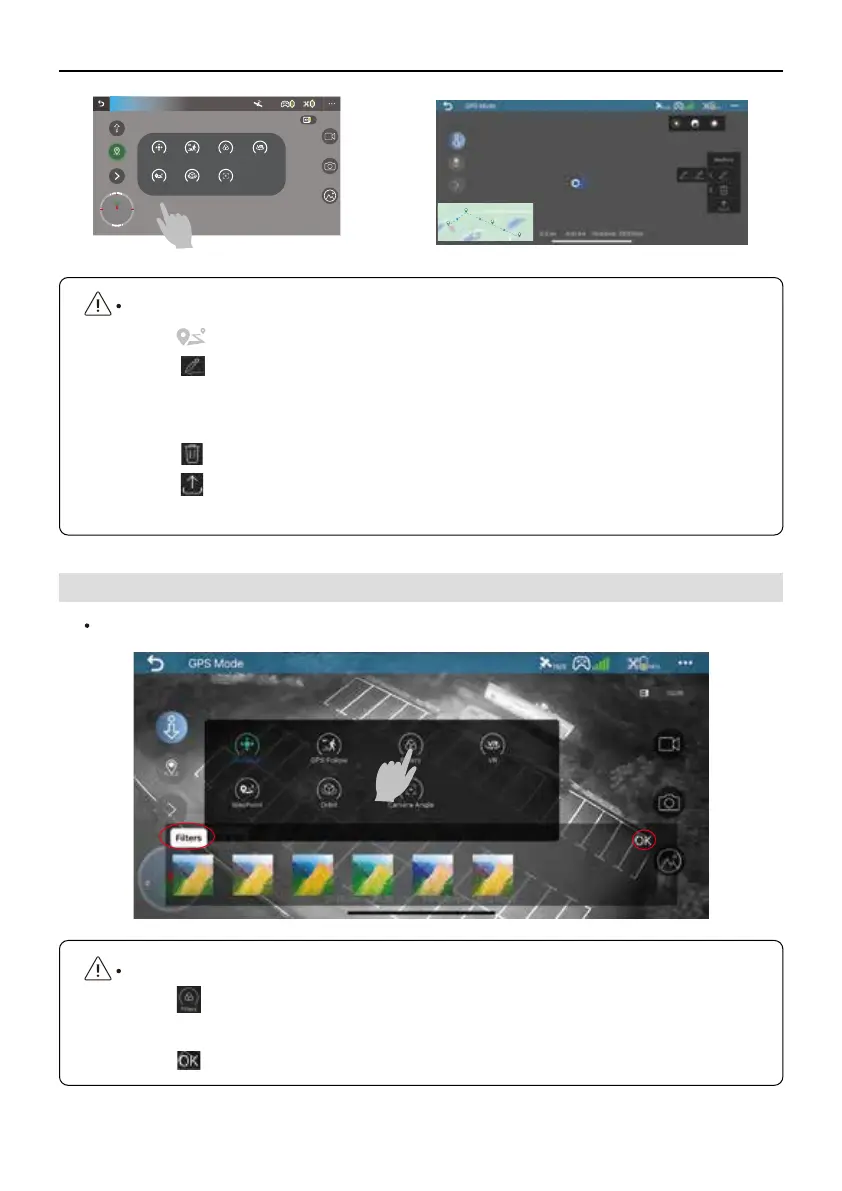
How to use the Filters function?
①
Tap to enter the Filter function in RUKO GPS APP.
②
Choose one filter you want.
③
Tap to initiate the Filter function, start taking photos or recording videos.
Ruko U11 Pro has 6 photos filters effects that can be selected while taking a photo or videos.
5.6 Filers
GPS Mode
Joystick GPS follow Filters VR
WayPoint Orbit Camera Angle
D:0.0m H:0.0m VS:0.0m/sDS:0.0m/s
8
N
S
M E
1
2
3
4
How to use the Waypoint function?
①
Tap to enter the Waypoint function.
②
Tap to select the waypoints on the map that you want, here are two ways to
select Waypoints, it can choose the Waypoints one by one, it also can select the
Waypoints by line.
③
Tap to delete the waypoints that you don't want.
④
Tap to save this waypoint, then the drone will fly according to these
waypoints selected.



 To Next Page