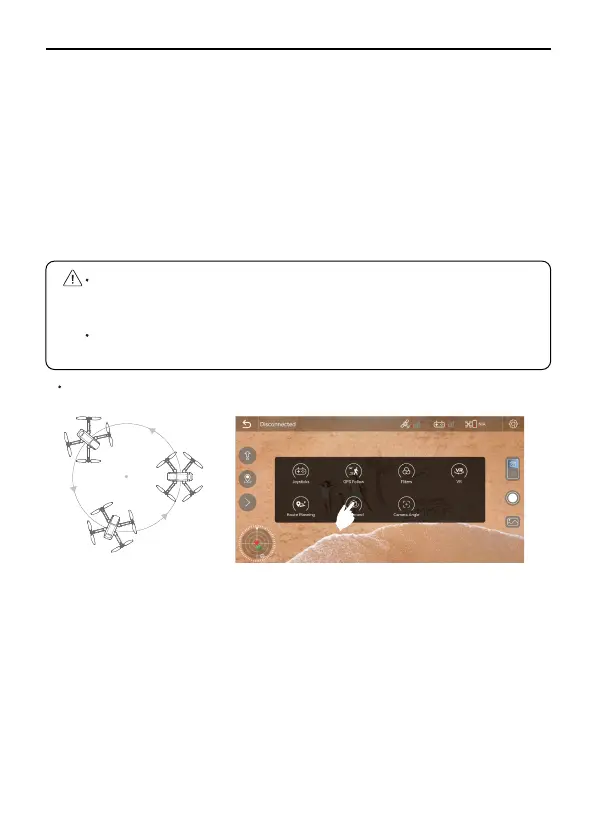
Make sure you have downloaded Ruko Fly App on your phone;
Connect your smartphone to the Aircraft’s WiFi under the GPS
mode;
Tap the ‘Fly Arround’ on the APP, and the drone will enter the
Surround mode;
You can set a radius of 16ft-65ft(5-20m) by controlling the right
joystick to fly back and forth, and move the joysticks to the left
or the right to set the orbiting speed and direction.
The plane starts to fly around according to the set radius and
speed.
Click the Fly Arround function button on the APP to cancel.
U11PRO User Manual
Copyright ©2023 Ruko All Rights Reserved.
26
Fly Around
①
②
③
Make sure you have downloaded Ruko Fly App on your phone;
Connect your smartphone to the Aircraft’s WiFi;
After the Aircraft takes off, tap the Route Planning on the app
under GPS mode;
You will find a red circle on the map (limited flight range). Mark
the points (up to 21) which you plan to fly the Aircraft along within
the circle;
If you want to reset the marked point or flight path, you can tap
"Delete Single Point" or "Delete All";
Confirm that the marked points are correct and tap "Go" button.
The Aircraft will start Route Planning Flight.
④
⑤
⑥
⑥
The GPS follo function only works when the GPS signal is
strong. Please avoid high buildings, trees, and areas where
WIFI signal might be interfered.
The Aircraft is not equipped with obstacle avoidance function.
Please use it in open areas that free of obstacles.
①
②
③
④
⑤



 To Next Page