U11PRO User Manual
Copyright ©2023 Ruko All Rights Reserved.
42
or
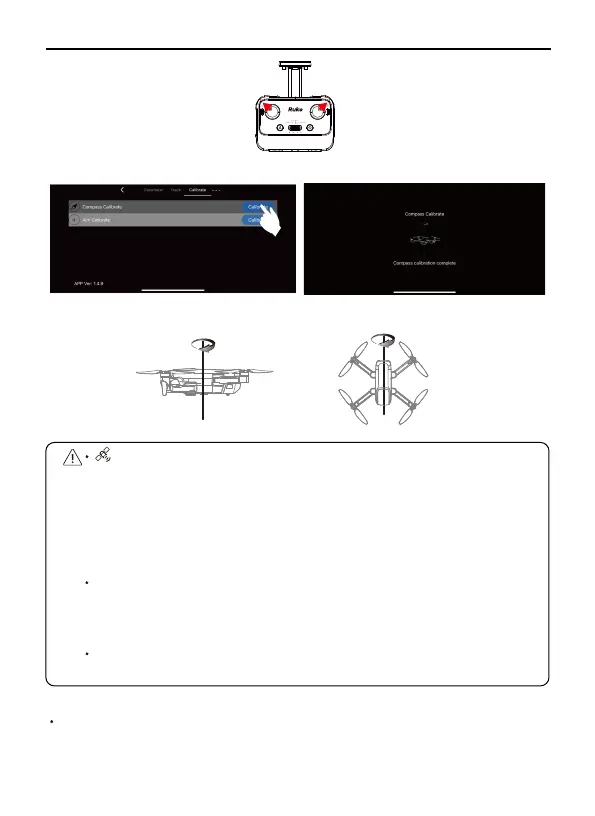
Once the interference value reaches 200, the compass
interference will be prompted at the top of the APP page. After the
prompt, it means that the interference is large and the compass
needs to be calibrated. Otherwise, the drone may have a weak signal
reception ability and cause loss of control; when the drone once the
interference value reaches 400, the drone will be forced to enter
the compass calibration.
When the drone is flying in a circle or out of control in a complex
environment, the drone's compass calibration is not standard or is
disturbed. Please manually land the drone in time and restart the
calibration of the drone.
Please open the drone’s arms when calibrating the drone to prevent
the magnetic of the motor from being affected.
When the drone is flying unbalanced, you can push the right joystick
to 5 o'clock position on the remote controller for Acc calibration. Or
You can find acc calibration in the app interface then click “calibrate”.
Acc Calibrate
②
①



 To Next Page