EasyManua.ls Logo

RUPTELA FM-Pro4 - Device Preparation; Opening the Device

RUPTELA FM-Pro4
42 pages
Print Icon
To Next Page IconTo Next Page
To Previous Page IconTo Previous Page
Loading...
19
4 Device Preparation
For the device to work, you first need to insert a SIM card. To do so, open the device housing and
perform the actions described below.
4.1 Opening the Device
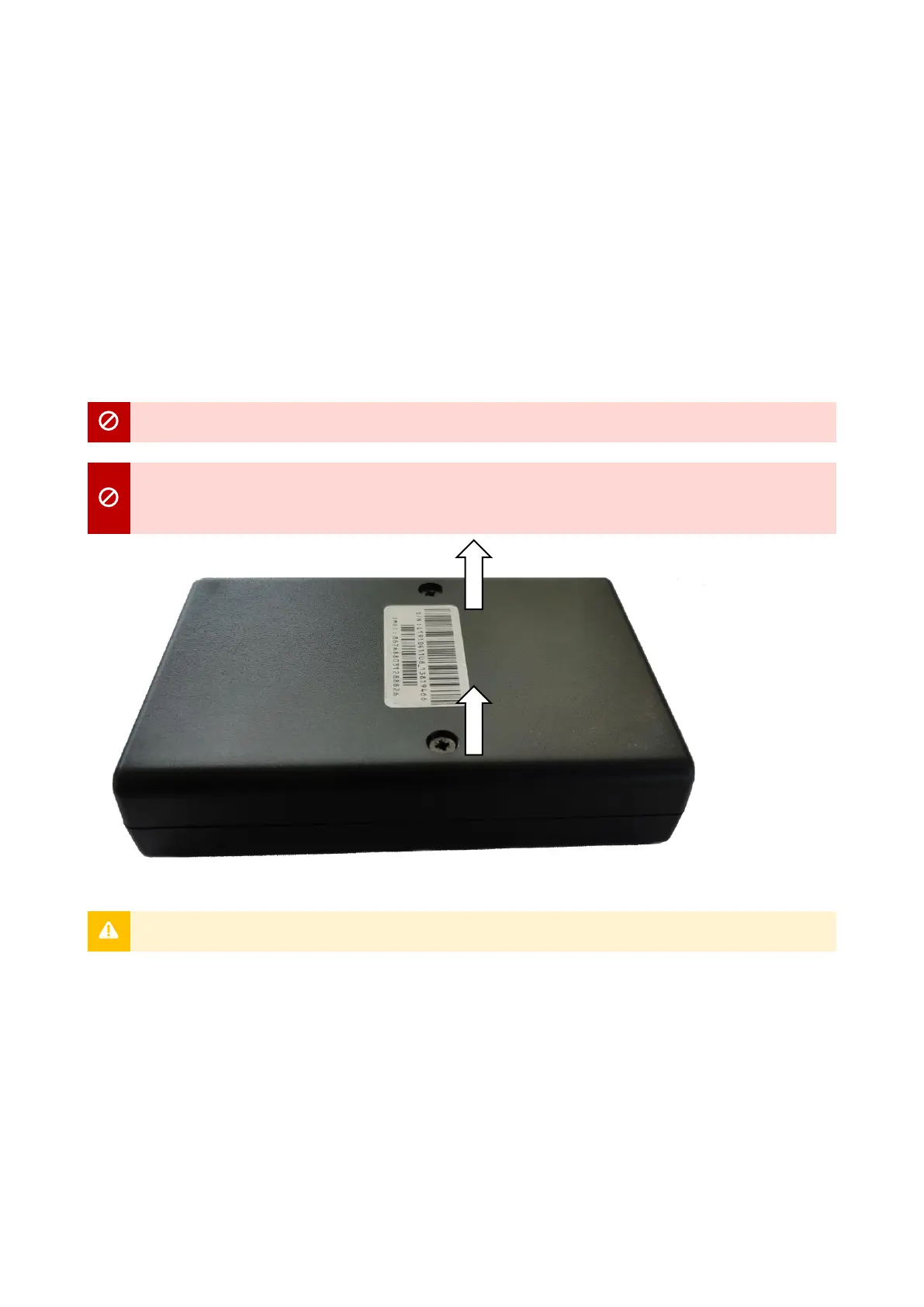
Use a “+” type screwdriver to open the plastic housing. Unscrew the 2 screws at the bottom of the
device as shown in the image below. Once unscrewed, the top of the housing should come off easily.

Make sure that the device is powered off before opening it!
The use of inappropriate tools or excessive force may cause permanent damage to the
device.
Avoid opening the device more times than required, as it may wear out the screws.

Table of Contents

Related product manuals