30
1
2
3
6
1
1
2
7
8
1
2
9
1
2
10
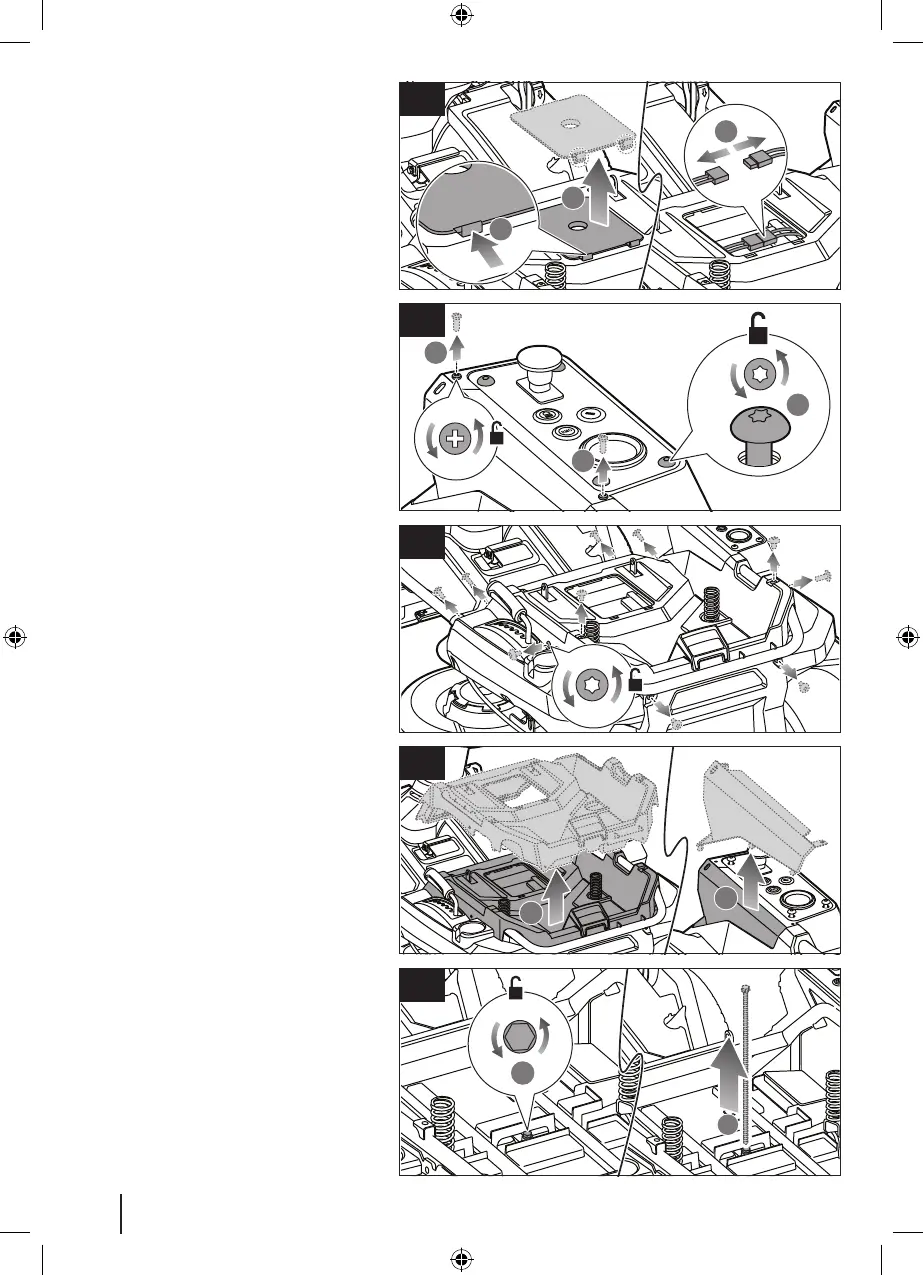
6. Push the tabs on the rear side of the
cable cover, and remove the cover.
Disconnect the battery cables.
7. Remove the 2 screws securing the side
control panel. Loosen the 4 screws that
secure the control panel.
8. Remove the 10 screws that secure the
shroud.
9. Remove the shroud and side panel.
10. Remove the bolt that secures the battery
bracket.


 To Next Page