32
2
1
16
17
1
2
3
3
18
19
20
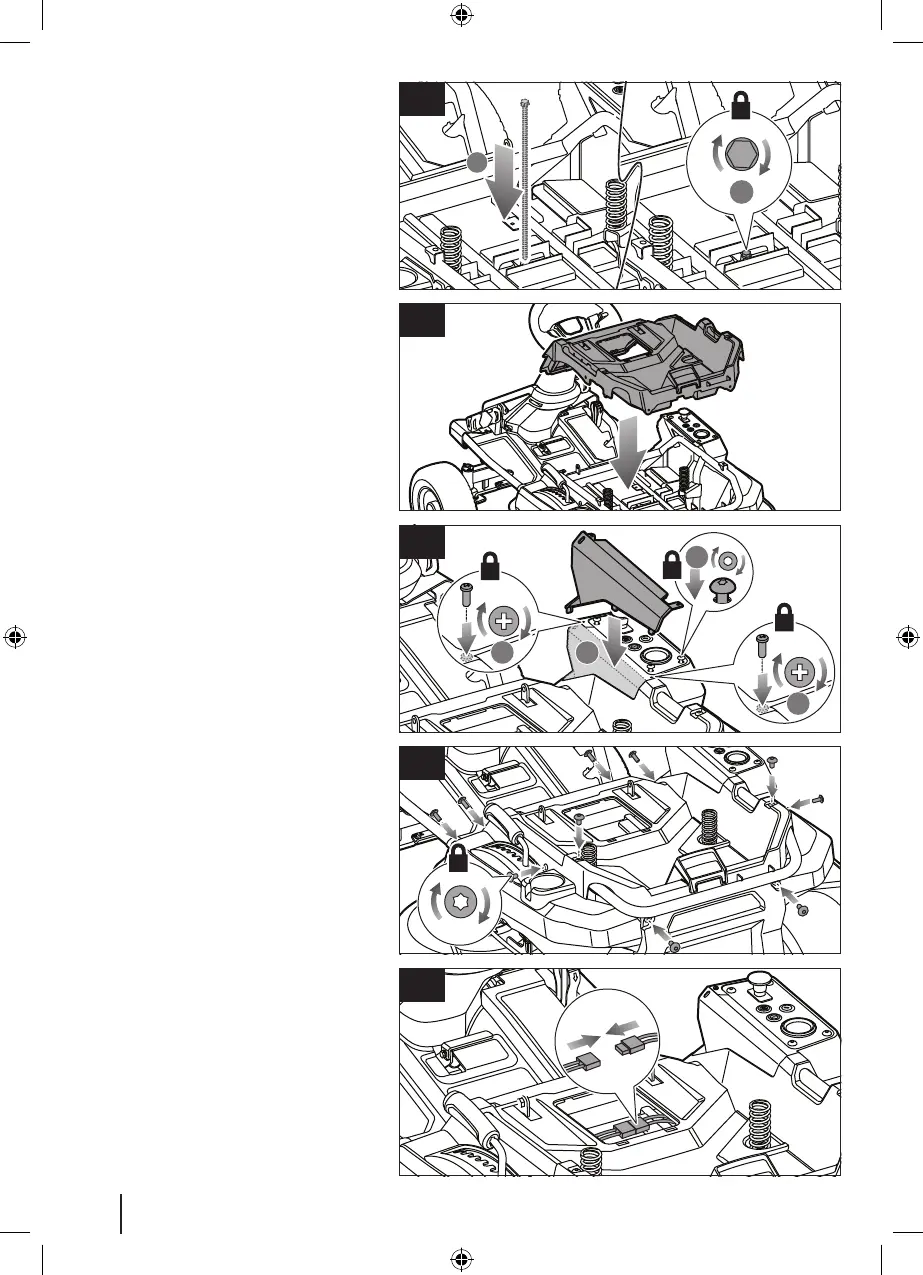
16. Reinstall and tighten the long bolt to
secure the battery bracket and covers.
17. Reinstall the shroud.
18. Reinstall the side panel. Tighten the 4
screws that secure the control panel.
Reinstall and tighten the 2 screws that
secure the side panel.
19. Reinstall and tighten the 10 screws that
secure the shroud.
20. Connect the battery cables.


 To Next Page