11
Getting Started
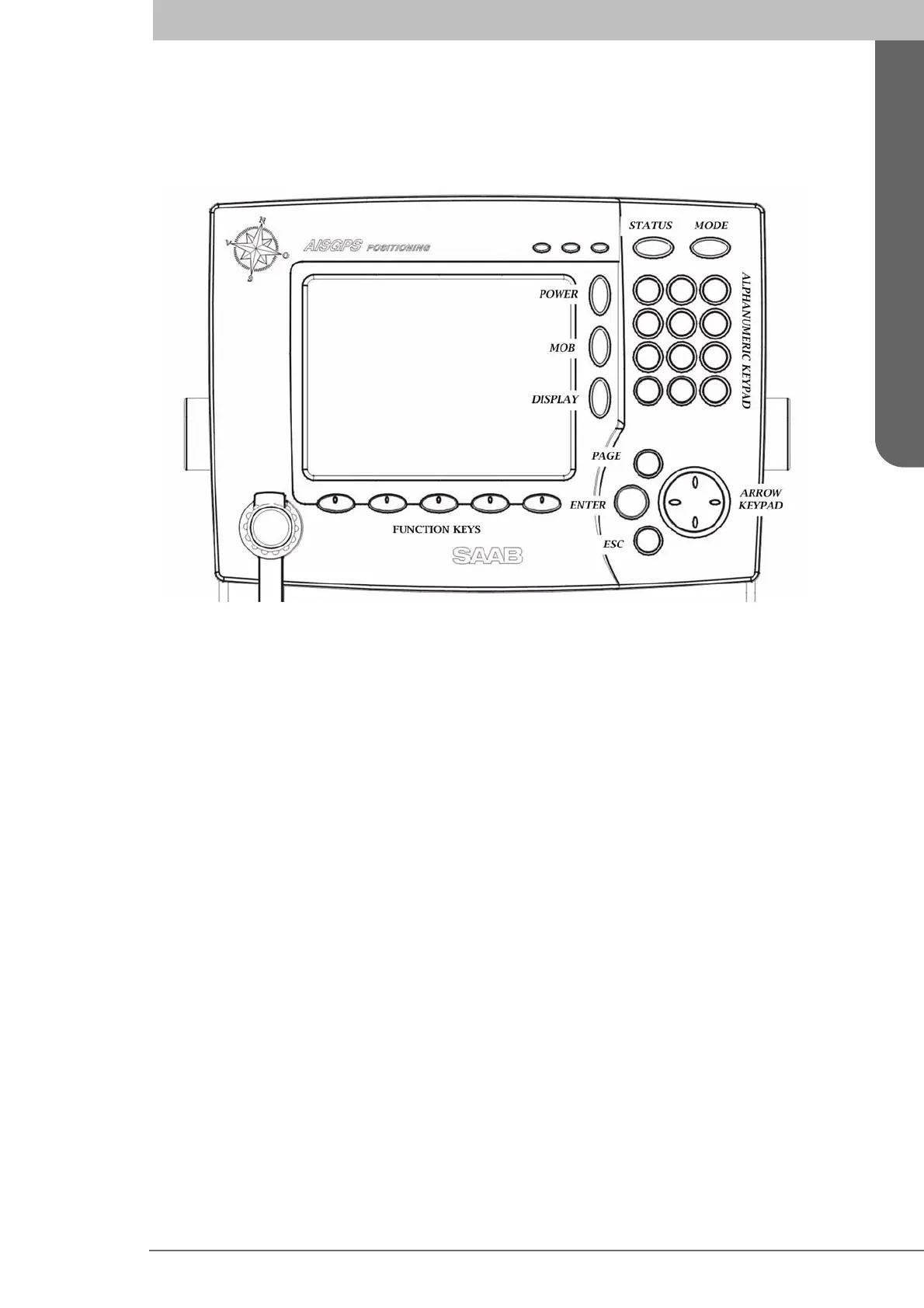
Front Panel Keys
Getting Started
Front Panel Keys
POWER Used for turning the R4 Display on and off. To turn the power off press and hold
the key for 3 seconds.
MOB Used to mark the spot of an event or when a person has fallen overboard. To mark
an event, press the key momentarily. To activate the Man Over Board (MOB) function,
press the key for at least 5 seconds.
DISPLAY Provides controls for fast configuration of backlight, contrast, LED illumina-
tion and button illumination. Two separate configurations are available, for day and night
operation.
STATUS Not used in the R4 Navigation System.
MODE Used for changing mode of operation, which can be set to any of Navigate, Plan
Voyage, Alarms & Msgs and Config.
ALPHANUMERIC KEYS These keys are used for entering text and numbers. To write a
number in a numeric field press the key once. To write a character in a text field press once
for the first character associated with the key, twice for the second character and so on.
PAGE Provides access to additional pages of function keys in certain views. A small ar-
row in the bottom right corner of the display is used to indicate that more pages are avail-
able.
ENTER Used to start editing a field and for confirming data entry. Also used to view or
edit a highlighted route, leg or waypoint.
ESC Returns display to previous page, or restores a data field's previous value.
∧ ∨ (Up and down on
ARROW KEYPAD) Moves the field and list highlight up and down,
and the cursor position when editing a field.
< > (Left and right on
ARROW KEYPAD) Jumps between pages in lists, moves the field
highlight left and right and moves the cursor position when editing a field.
FUNCTION KEYS These keys have different functions depending on current view. The
function is displayed above each key on the screen. In some views, additional pages of
function keys may be accessed with the PAGE key.



 To Next Page