19
Getting Started
Show Current Position
Create New Waypoint
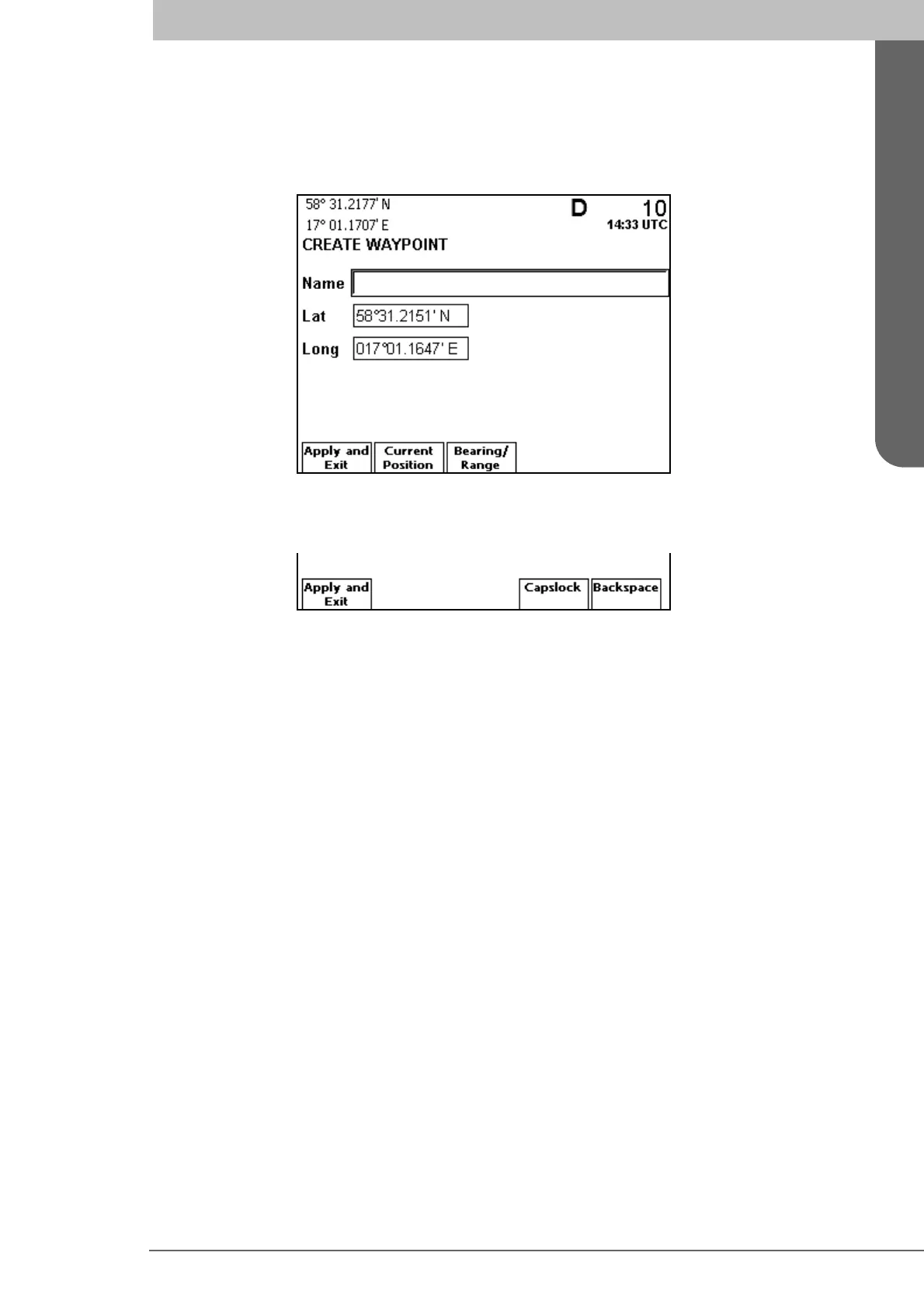
Access the Waypoint List view as described above. Press the function key Create New
Wp
. The Create Waypoint view is displayed.
To name the waypoint, select the Name field using ∧ and press ENTER. The field be-
comes editable and the following function keys are displayed.
Enter a descriptive name for the waypoint you are creating, using the alphanumeric key-
pad. Use the Backspace function key to erase characters, and the Capslock function key
to change between upper and lower case letters. Press ENTER when done.
The Lat and Long values are per default set to the latitude and longitude of current posi-
tion. If a different position is desired, select each field to modify using ∧ ∨, press ENTER
and use < > keys to select the digits to alter. Enter new digits using the alphanumeric key-
pad and press ENTER when done.
To create the waypoint, press function key
Apply and Exit.



 To Next Page