System Modes
14
System Modes
The user interface of the R4 Display has four different system modes, which each corre-
spond to different types of user activities.
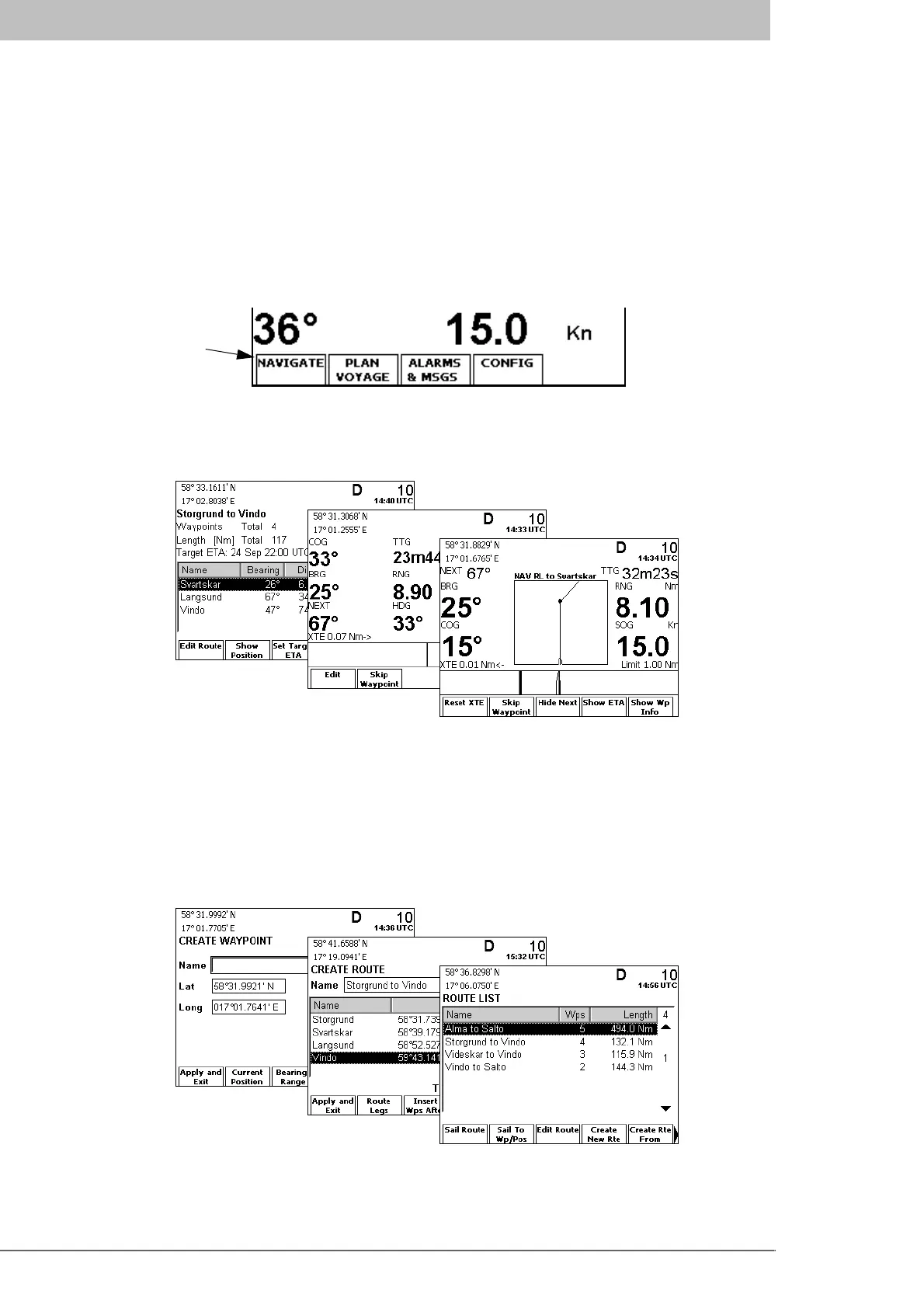
The four modes are Navigate, Plan Voyage, Alarms & Msgs and Config. Current mode is
changed by pressing the MODE key, which will bring up the function key labels illustrat-
ed below. Press the corresponding function key to enter the desired mode.
The different modes are described below, with illustrations of typical mode views.
Navigate Mode
The Navigate mode is used under normal ship operation. It supports viewing bearing and
distance to the next waypoint, skipping waypoints, plotting the active route, editing the
active route, monitoring cross-track error and viewing sensor information such as current
depth, speed, heading and position. It also supplies functions for viewing current GPS and
Beacon status. This mode is described in detail on page 43 and onwards in the Reference
chapter.
Plan Voyage Mode
The Plan Voyage mode supports viewing, creating and deleting waypoints and routes, as
well as starting to sail a route or sailing directly to a specific location. This mode is de-
scribed in detail on page 69 and onwards in the Reference chapter.
Function keys
for selecting
system mode



 To Next Page