Sail To a Waypoint
20
Sail To a Waypoint
The R4 Navigation System supports sailing directly to a waypoint. Starting to sail to a
waypoint is done in Plan Voyage mode, just as creating waypoints. The mode is accessed
by pressing the MODE key followed by the PLAN VOYAGE function key. The Sail To
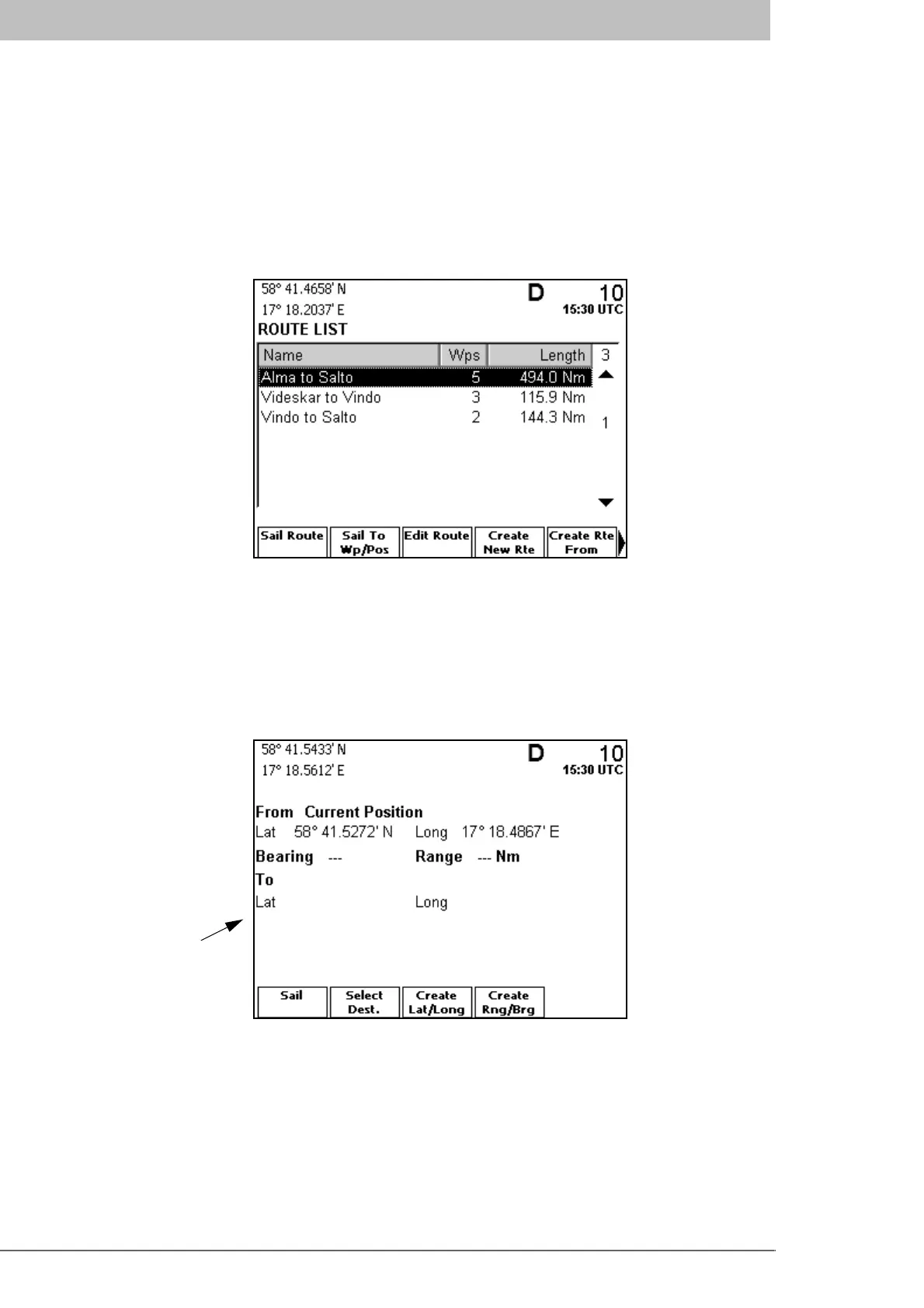
function is present in the Route List view, accessed by function key Route List. The view
is illustrated below.
The Route List view can also be accessed from the Navigate mode as follows. Press the
MODE key followed by the NAVIGATE function key. Then press the PAGE key in order
to access a second page of function keys that includes the Route List key.
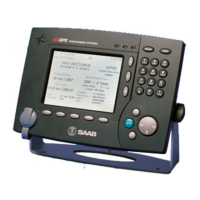
In the Route List view, press the function key Sail To Wp/Pos to sail to a specific loca-
tion. The following view is displayed.
To select the destination waypoint, press function key Select Dest. This brings up the
Select Waypoint view.
Destination
waypoint
(none selected yet)



 To Previous Page