Show Current Position
18
Show Current Position
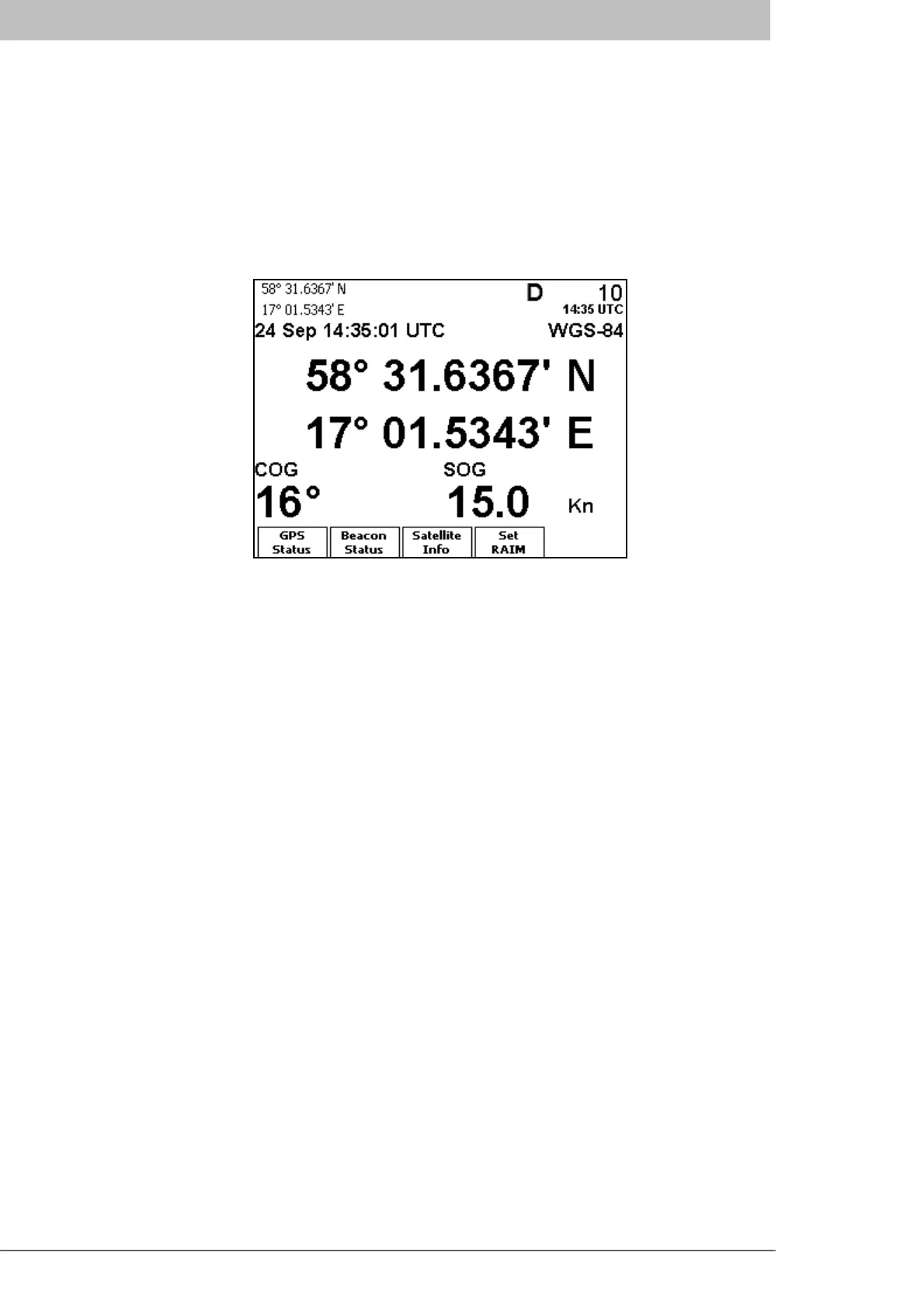
The R4 Display will power up in the Position view. The view shows current position,
speed over ground (SOG) and course over ground (COG) as reported by the R4 Naviga-
tion Sensor. If no position information is available from the R4 Navigation Sensor, the
view shows the last available values and the time they were acquired. For details on this
view, refer to the Reference chapter, section “Position” on page 45.
The view is present in Navigate mode, accessed by pressing MODE followed by the func-
tion key NAVIGATE. The view is then accessed by pressing function key Position.
Create Waypoints
Waypoints are the basis for ship navigation. A waypoint is a position on the earth surface
that is given a unique name and stored in the memory of the R4 Display. Waypoints can
be entered in several different ways, and used for building routes as well as for direct nav-
igation to a specific position.
Creating waypoints is performed in the Waypoint List view in Plan Voyage mode. Plan
Voyage mode is accessed by pressing the MODE key followed by the PLAN VOYAGE
function key. The Waypoint List view is then accessed by pressing function key
Way-
point List
.



 To Next Page