US English
10
97
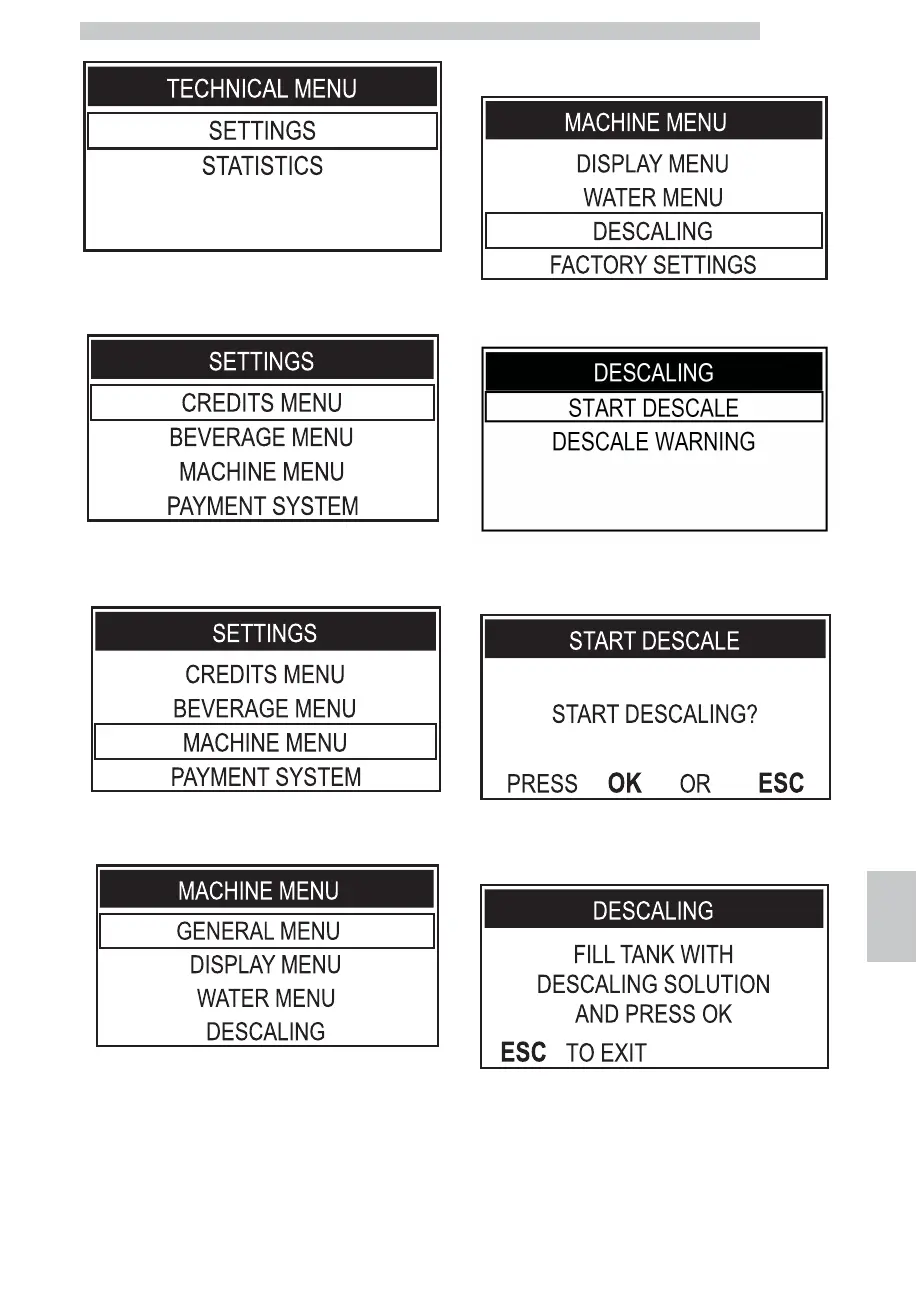
Select the "SETTINGS" option and press the "OK" button.
To select the "MACHINE MENU" option, press the
"DOWN" button.
Press the "OK" button to enter.
Press the "DOWN" button until the "DESCALING"
option is selected.
Press the "OK" button to enter.
Select the "START DESCALE" option; Press the "OK"
button to access the menu.
Press the "OK" button to start the DESCALING cycle.
Fill the tank with water and descaling solution to the
CALC CLEAN level marked on the back of the tank.






 To Next Page