TS7000 MATERIAL HANDLER OPERATORS MANUAL - VERSION I
Page 19
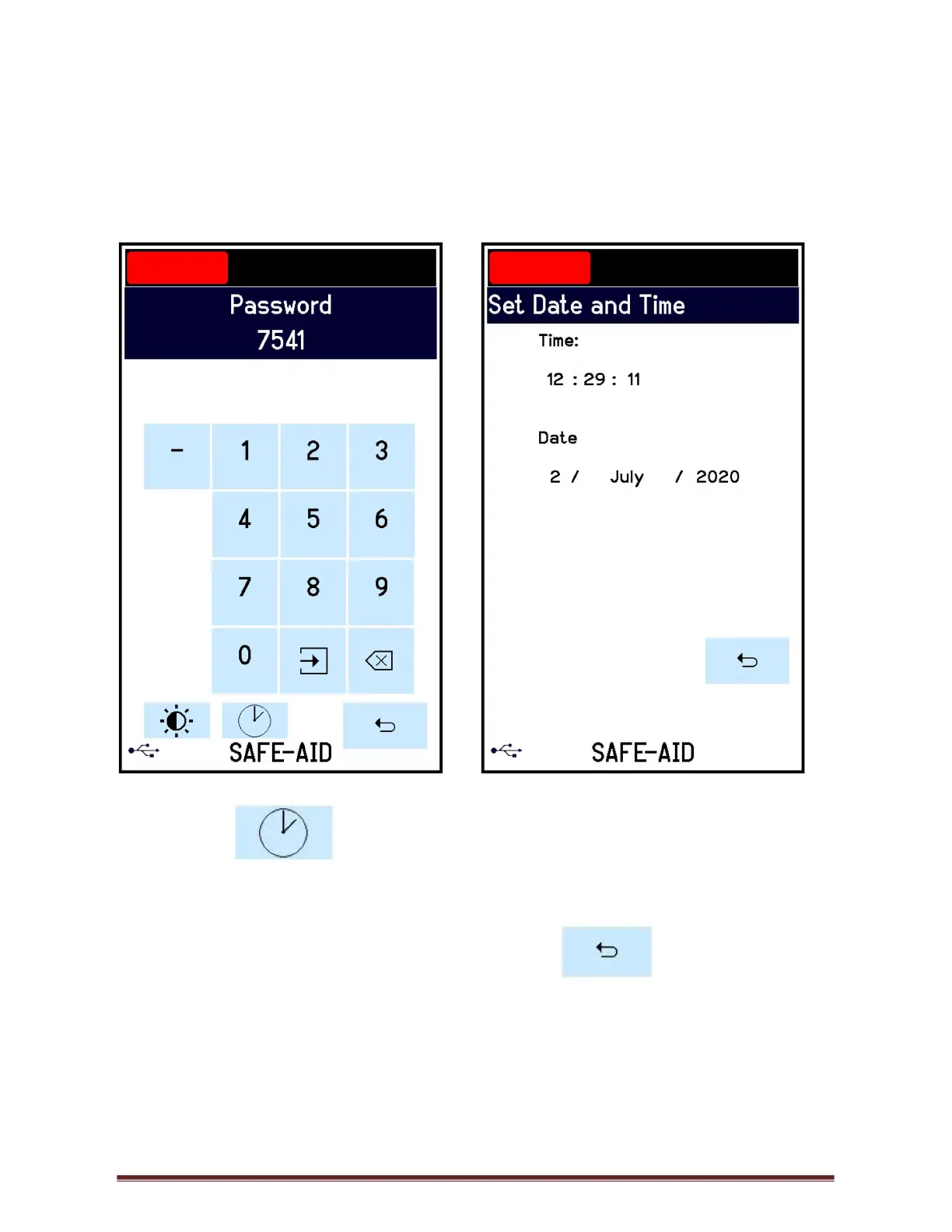
SET DATE & TIME – FIGURES 13 & 14
The date and time can be adjusted as required, if the date and time does not save the battery
for the real time clock is no longer working (see Real Time Clock battery replacement).
Use the following steps to adjust the date & time:
1. Press the top left-hand corner and the Password screen will be displayed (figure 13).
Figure 13 Figure 14
2. Press the and the Set Date & Time screen (figure 14) will be displayed.
Select the data to be adjusted and set the correct time and date.
3. Time format is 24 Hour Clock hh : mm : ss
4. Date format is dd / mm / yyyy
5. Once the time & date have been adjusted press the button to return to the
operating screen.



 To Next Page