TS7000 MATERIAL HANDLER OPERATORS MANUAL - VERSION I Page 6
MACHINE CONFIGURATION SELECTION
The system will now run through a series of selections to establish the current machine
configuration. These selections are setup by the machine manufacturer and correspond to
the relevant load chart and are not necessarily displayed in the same order as laid out in this
manual. These checks can be automatic or user selectable if automatic no input is required
by the operator as the system users machine inputs and logic to determine the correct
configuration.
If operator selectable use the back button to start the complete selection from
the beginning at any time.
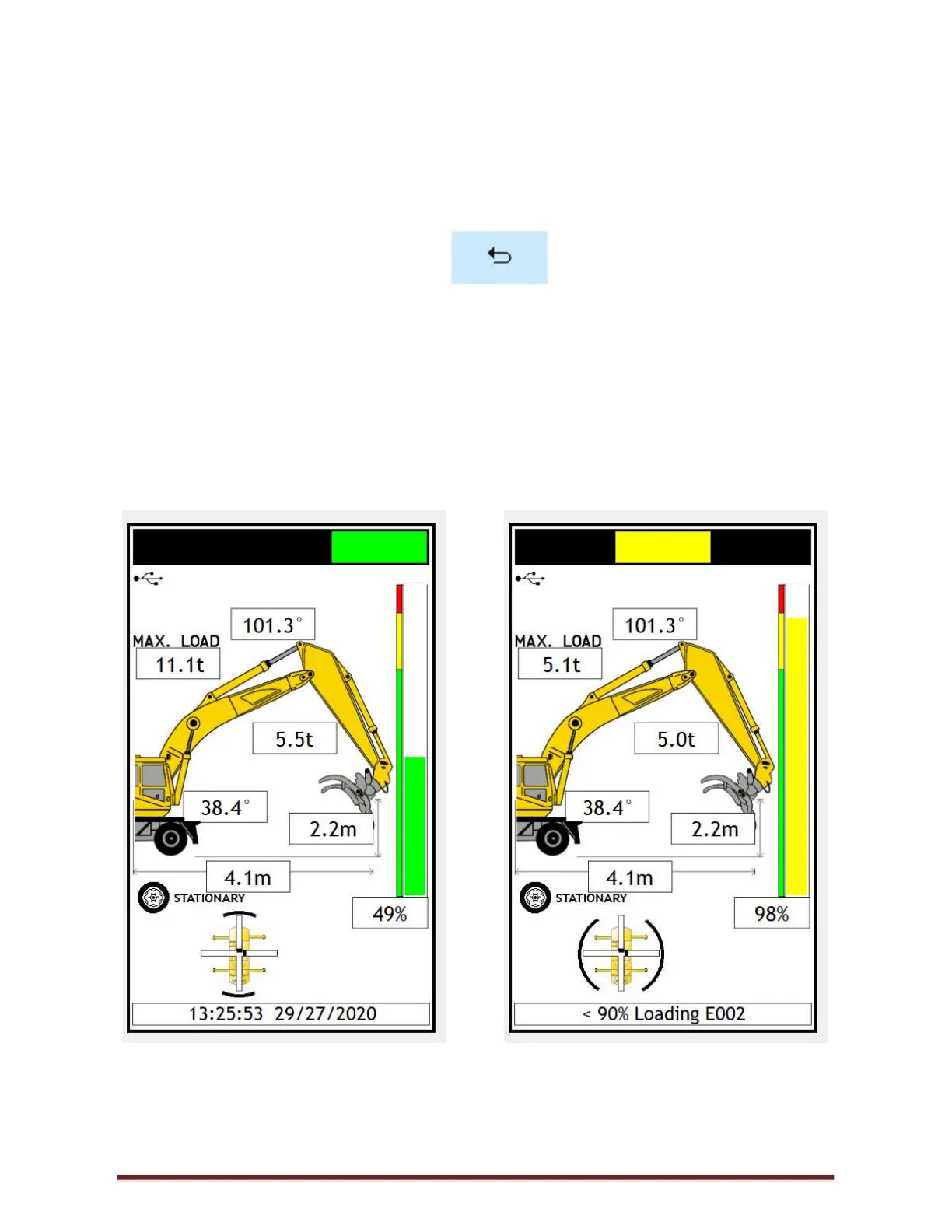
OPERATING SCREENS – FIGURE 4 & 5
All the machine and system information can be viewed from here including all the parameters
selected from power up. On manual setup if a different configuration is required, press the
machine graphic on the screen, the system will go back to the beginning as on system start
up. Repeat the selection steps.
Figure 4 Figure 5
In operating mode, you can see all the current parameters of the machine.



 To Next Page