14
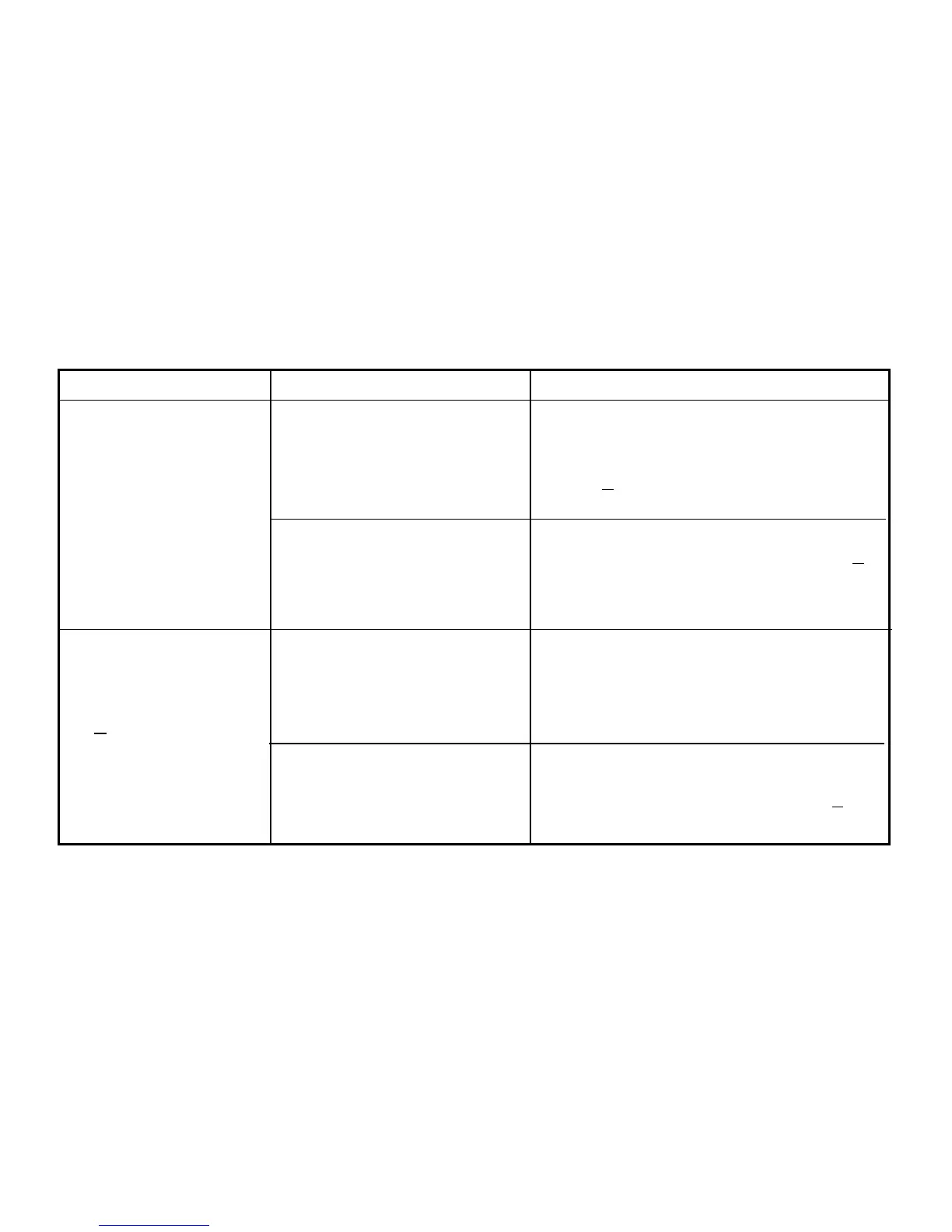
The cable has disconnected in
the middle of a game.
One of the computers has
been switched off or switched
off and on again after the
computers were linked.
The cable is not connected to
both computers.
The cable is loose.
Pro Bridge 310 is not ready.
Check the cable. If it is loose, switch off
both computers, reconnect cable and switch
on again. When Pro Bridge 510's menu
shows "
YN start link", press ENTER on Pro
Bridge 510.
Switch off both computers and switch on
again. If Pro Bridge 510's menu shows "
YN
start link", press ENTER on Pro Bridge 510.
Otherwise follow the procedure described in
the CABLE CONNECTION section.
Switch off both computers. Connect the
cable. Switch on both computers and follow
the procedure described in the CABLE
CONNECTION section. If error persists,
consult your Disribution Center.
Switch off Pro Bridge 310, then switch it on
again. Press ENTER on Pro Bridge 510
when Pro Bridge 510's menu shows "
YN
start link".
6. Pro Bridge 310 or Pro
Bridge 510 hang up.
7. Pro Bridge 310 and
510 will not link up :
Pro Bridge 510's
display shows:
"
RA link failure
Retry".
LinkTroubleshooting Guide
SYMPTOMS POSSIBLE CAUSE ACTION




 To Next Page