The knead program in a bread maker is designed to combine and knead
dough. It involves mixing, kneading, and resting steps. Mixing blends the
ingredients, kneading develops gluten for structure, and resting allows the
dough to become more elastic as the gluten relaxes.
Pasta Dough Recipe
Here's a sample recipe for making pizza dough using the dough program:
Prep Time: 10 minutes
Ingredients
• 2 cups of all-purpose flour
• 3 large eggs
• 1 tablespoon of olive oil
• 1/2 teaspoon of salt
Here are some additional tips for making this recipe:
• Use your preferred type of flour for this recipe.
• If the dough is too sticky, you can add a little more flour.
• If the dough is too dry, you can add a little more water.
• To prevent the dough from sticking to the work surface, dust it with flour.
• To prevent the pasta from sticking to each other, cook it in a large pot of
boiling water and stir constantly.
KNEAD PROGRAM
7.
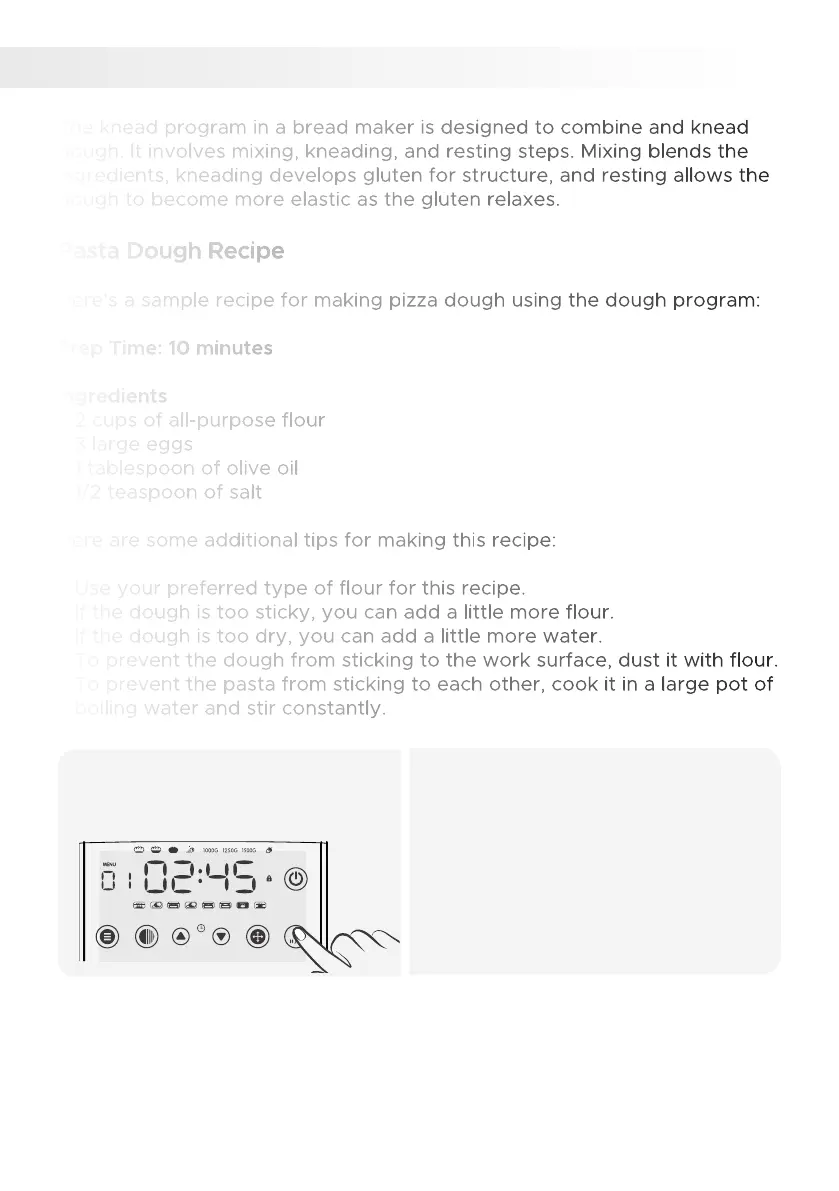
Add all ingredients and start
the cycle.
1.
• Add ingredients to the bread maker
pan in the listed order.
• Close the lid, select the dough setting
(7), and press start.
• Let the bread maker knead and mix
the ingredients until a smooth dough
forms.
• Adjust the consistency by adding a
small amount of water or flour if
necessary.
MENU COLOR TIME + TIME - SIZE START / STOP
28


 To Next Page