CUSTOMIZATION OF SETTINGS
3.4 Revised 5/19/2010
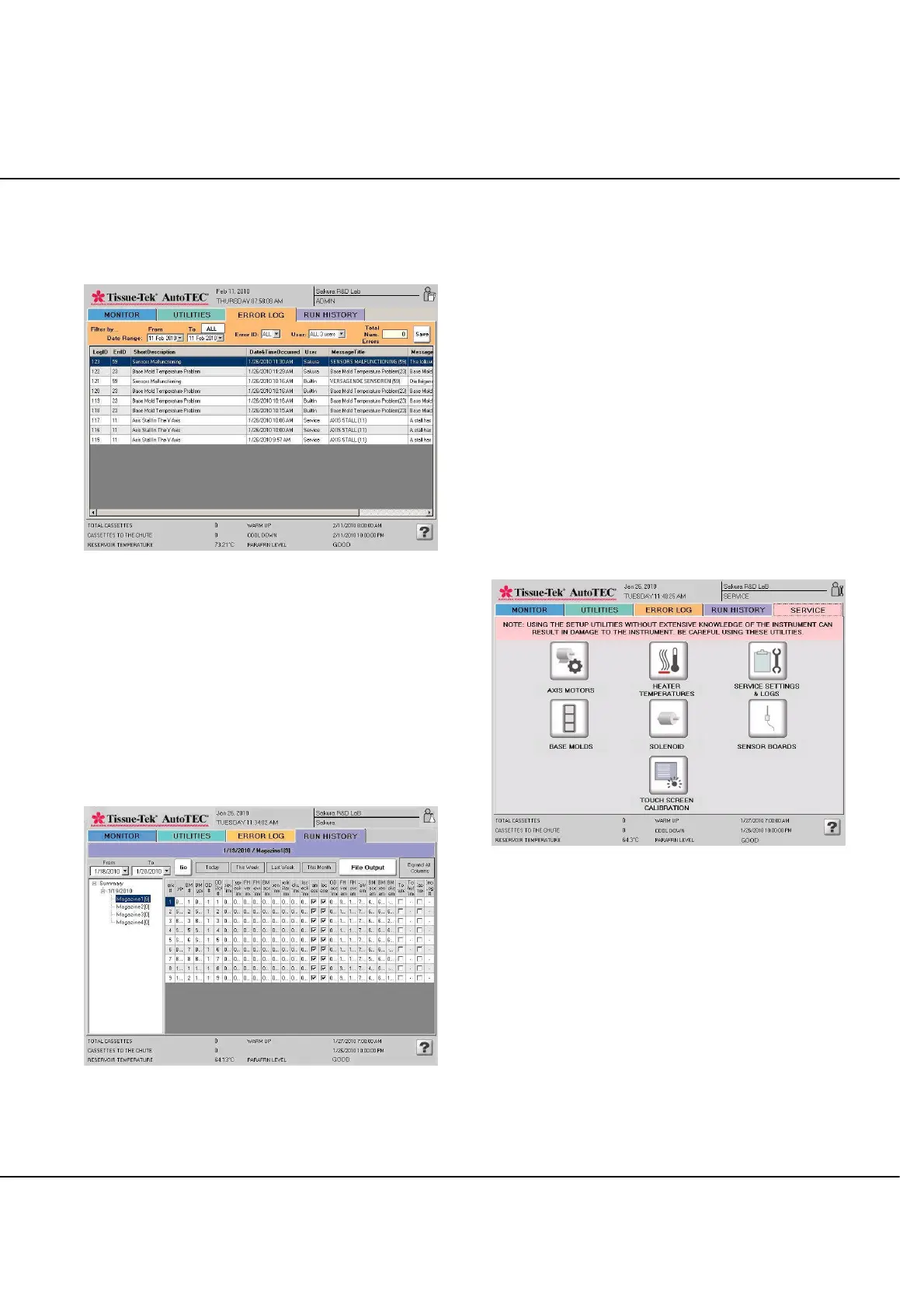
ERROR LOG Screen
ERROR LOG screen is displayed, when the ERROR LOG
tab is selected (Figure 3-E).
Figure 3-E
− Up to date accumulated error messages can be sorted
by date ranges, error code ID#, and User name.
− Total number of errors in the sorted log.
− SAVE button. When selected, will save sorted error
log to an external memory stick.
RUN HISTORY Screen
RUN HISTORY screen is displayed, when the RUN
HISTORY tab is selected (Figure 3-F).
Figure 3-F
− Displays information on the cassettes ran, based on
the following selected criteria:
Date ranges
Today, This Week, Last Week, or this
month.
− File Output button. When selected, will save selected
run history to an external memory stick.
− Expand All Columns button. When selected,
toggles the display to show all columns in one screen
or to show all information inside each column
(requires user to use the horizontal scroll bar to see
all displayed information).
SERVICE Screen
(Only available with Service level login)*
SERVICE screen is displayed, when the SERVICE tab is
selected (Figure 3-G).
Figure 3-G
*Please refer to the Service Manual for more details.



 To Next Page