CUSTOMIZATION OF SETTINGS
3.18 Revised 5/19/2010
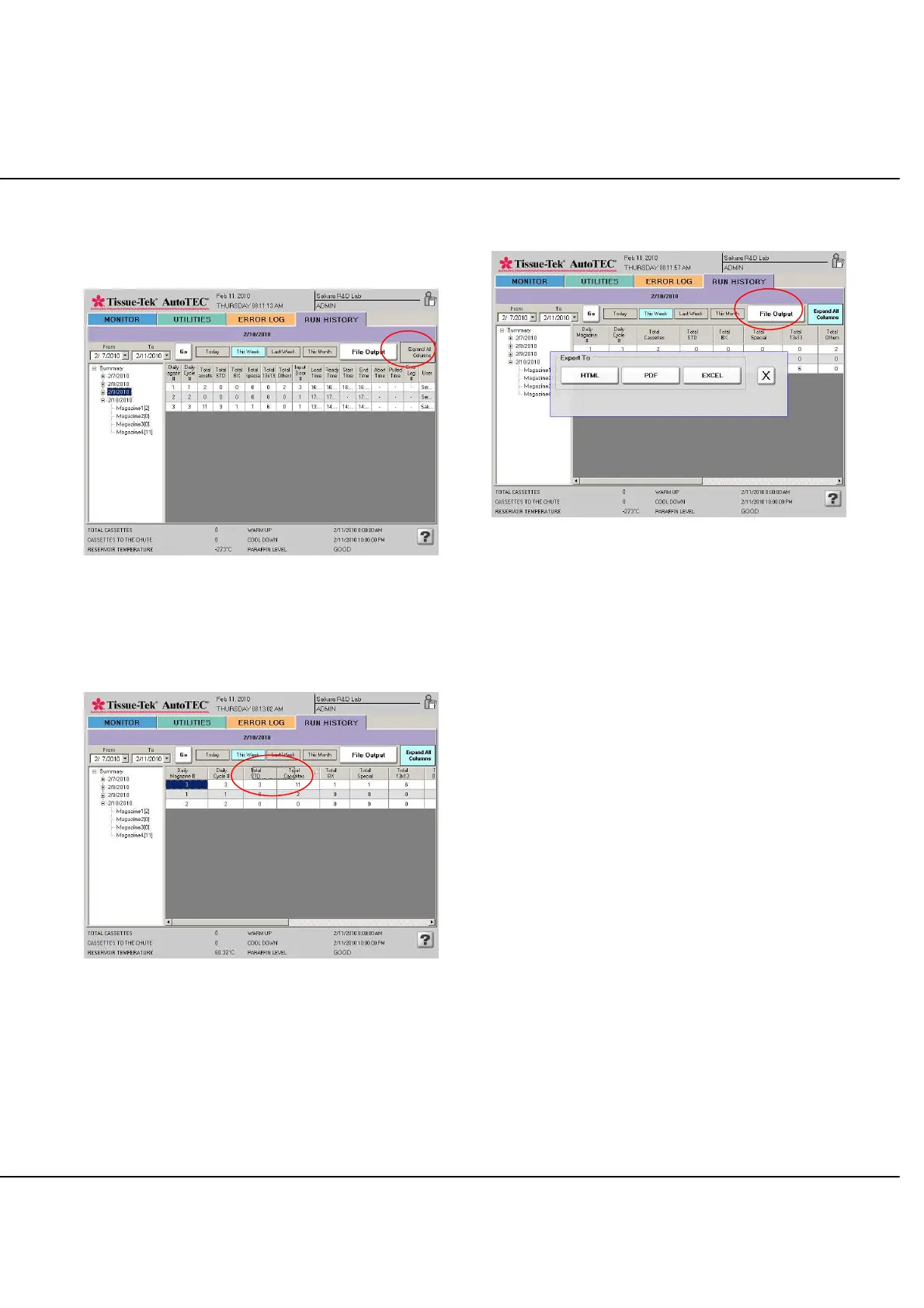
Displayed columns can be toggled between, expanded, or
compressed to fit the LCD display area, by selecting the
Expand All Columns button (Figure 3-PP).
Figure 3-PP: Expand view
The run history display can be rearranged by selecting a
column, dragging it, and dropping it at a new location
(Figure 3-QQ).
Figure 3-QQ: Dragging a column to a new location
By selecting the File Output button; the selected run
history can be transferred to a flash drive (Figure 3-RR).
Figure 3-RR: File Output
Output files can be saved in any one of the three formats,
HTML, PDF, or EXCEL to help in organizing the collected
data.



 To Next Page