Revised 5/19/2010 5.7
2. Gripper Arms Parallel Check fails: If Gripper
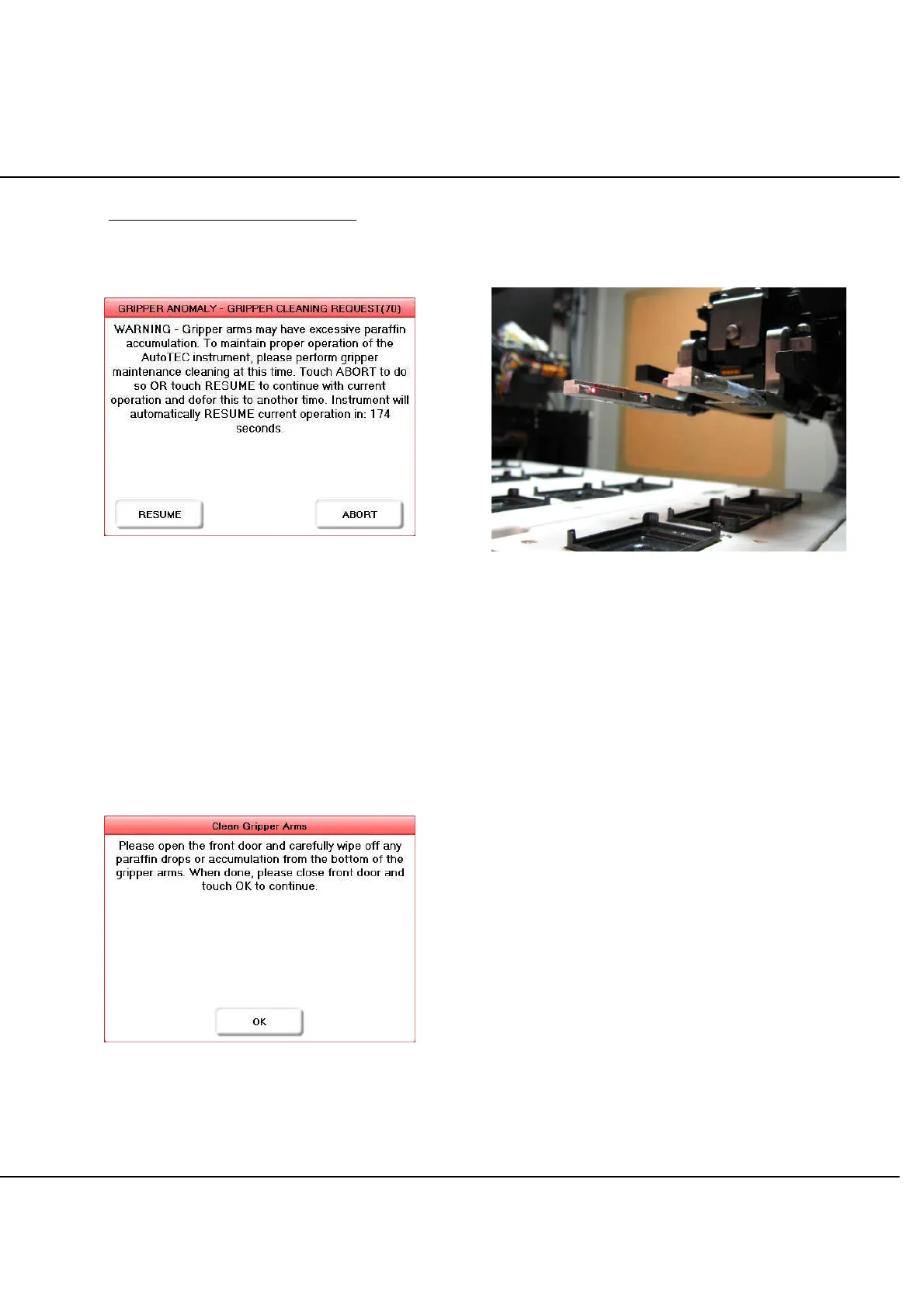
Parallel Check fails, the instrument prompts the
operator to clean the gripper arms (Figure 5-Q).
Figure 5-Q
To clean the gripper arms select ABORT on the above
message box. If the time is exceeded, the system will
resume current operation in 180 seconds. To override
cleaning at this time select RESUME to let the instrument
continue with the current task. If operator selects ABORT
to clean the gripper arms, then the stager will move over
standard base mold #1 and gripper will move above base
mold #5 giving enough clearance to clean the bottom of
the gripper arms. Once in the position, wait for the
following message to be displayed on the screen before
attempting to open the door (Figure 5-R).
Figure 5-R
Open the front door to clean the gripper arms (Figure 5-S)
and follow Gripper Arms Cleaning Procedure located on
the previous page.
Figure 5-S
After cleaning the gripper, close the front door to allow the
instrument to resume operation. After closing the front
door acknowledge message box on screen to continue
with the cycle (Figure 5-R).
NOTE: During an embedding cycle, if “Gripper Parallel
Check Failure” occurs there will be NO request to clean
the gripper arms since they were successfully checked
(and passed) before starting the cycle.



 To Next Page