21 RT310i Installation Manual
5.6 Heat/Cool Mode
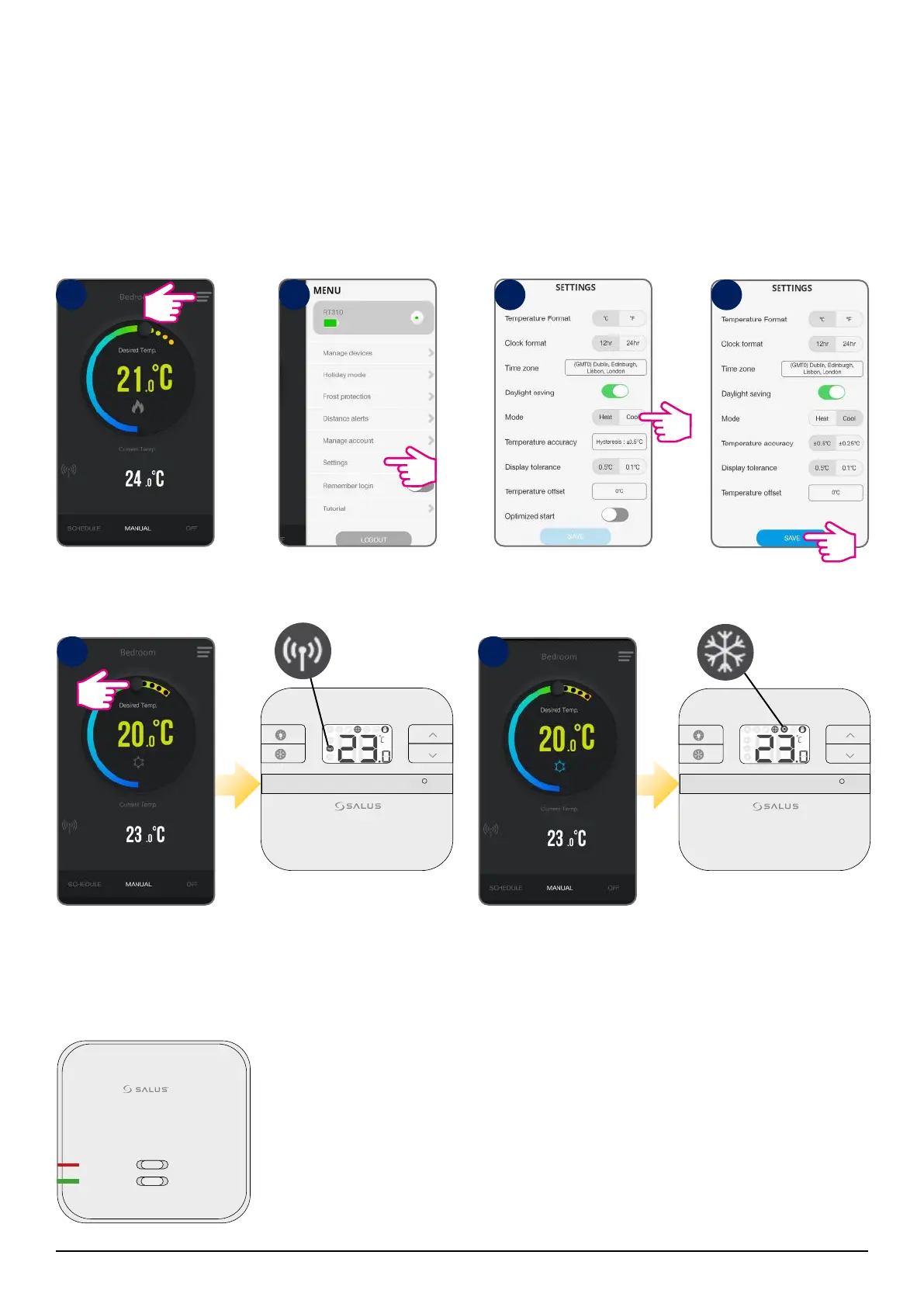
You can ONLY shuffle between heat/cool mode from the App. If you want to choose a temperature that is
higher than the current room temperature, make sure the thermostat is running in heat mode. If you want to
set a temperature that is lower than the current room temperature, make sure you switch to cool mode.
Tap menu icon Go to settings Select Cool Mode
Tap Save
Changing to Cool Mode
Using the cursor, set the
temperature
The frost icon will turn
blue and animated
meaning thermostat
is calling for cooling.
TESTING/PAIRING
The antenna icon appears
on the LCD - command
received
The cool mode icon
will appear on the LCD,
meaning thermostat is
calling for cooling.
ON
AUTO
OFF
MANUAL
After the thermostat is calling for cooling, the green light on the RXRT510 receiver
will go on steady green.
1
5 6
2 3 4



 To Next Page