8. Factory reset
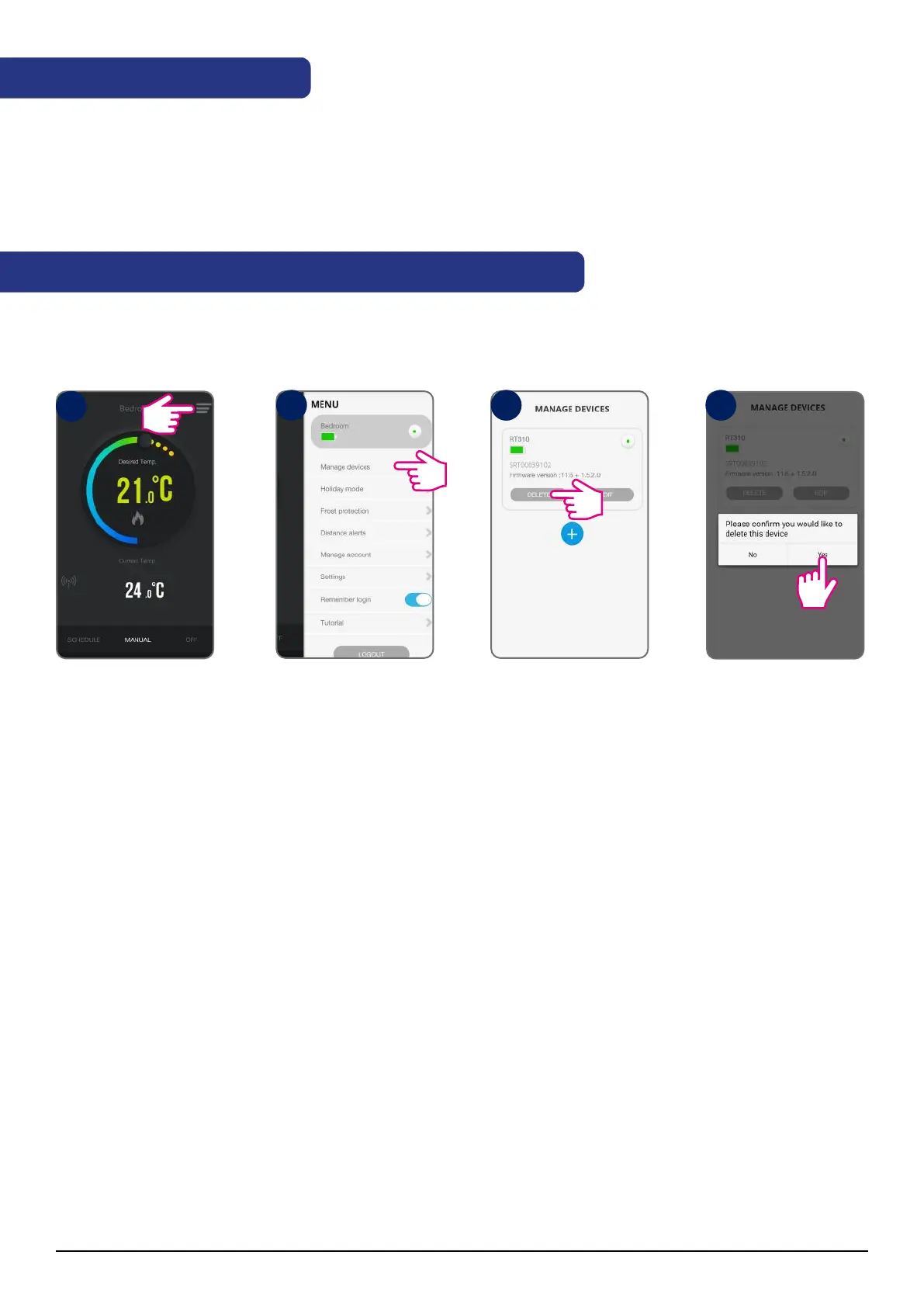
9. Removing the thermostat from the account (app)
Removing thermostat from the app:
To reset the device, remove the batteries for 2 minutes, then put them back in without pressing any buttons.
When changing the battery, the device uses internal memory in which your settings are saved. You have 30
seconds to replace the batteries before the settings are lost. Battery reset / replacement does not pair the
thermostat with the Receiver.
Tap menu icon
Go to Manage devices
Tap delete
Tap Yes
After that you will need to add and set your thermostat all over again.
1
2 3 4
26 RT310i Installation Manual



 To Next Page