EasyManua.ls Logo

Salus RXRT520 - User Manual

Salus RXRT520
38 pages
Print Icon
To Next Page IconTo Next Page
Loading...
RT520RF THERMOSTAT - FULL USER MANUAL
Question and Answer IconNeed help?

Do you have a question about the Salus RXRT520 and is the answer not in the manual?

Overview

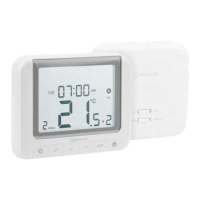
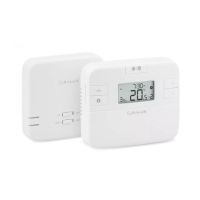
The Salus RT520RF is a sophisticated wireless programmable room thermostat designed to provide efficient and precise control over your heating system. It operates by sensing the air temperature and switching the heating system on and off to maintain a desired temperature, offering enhanced comfort and energy savings. The device is capable of working with OpenTherm OT+ 4.0 protocol, allowing for advanced communication with compatible boilers to optimize heating performance.

Function Description:

The RT520RF thermostat offers a range of functionalities to manage your heating effectively:

  • Temperature Control: It allows users to set and maintain a desired room temperature, with the ability to adjust the setpoint in 0.5°C increments.
  • Programmable Schedules: The thermostat supports various programming modes, including individual daily schedules, schedules for working days and weekends, or a single schedule for the entire week, enabling users to tailor heating to their lifestyle.
  • OpenTherm OT+ 4.0 Compatibility: When connected to an OpenTherm compatible boiler, the thermostat can modulate the boiler's output, leading to improved energy efficiency and enhanced comfort by precisely matching the heating demand.
  • Boost Function: A temporary override function allows users to set a higher temperature for a specified number of hours (up to 9 hours), after which the thermostat returns to its previous operating mode.
  • Holiday Mode: This feature allows users to set a reduced temperature for a specified holiday period, preventing the pipes from freezing and saving energy while away.
  • Frost Protection: The thermostat includes a frost protection setting, which ensures the temperature does not drop below a certain point, safeguarding the heating system from damage.
  • Temperature Accuracy Selection: Users can select the temperature accuracy for display, with options typically including 0.5°C or 0.1°C.
  • Daylight Saving Time (DST) Adjustment: The device can be configured to automatically adjust for daylight saving time.
  • TPI (Time Proportional & Integral) Control: This self-learning, time-proportional algorithm ensures economical system operation through more accurate temperature maintenance, reducing overshoot and undershoot. It offers three types of TPI control: 1. for radiator (6CPH); 2. for underfloor heating (3CPH); 3. for electric heating (9CPH).
  • OPTIMUM START/STOP Function: This energy-saving algorithm ensures optimal thermal comfort. The OPTIMUM START function sends a heating signal to the heat source beforehand so that the preset temperature is reached at the time specified in the schedule. The OPTIMUM STOP function takes into account the inertia of the system, switches off the heat source earlier, keeping the temperature set in the schedule.
  • Landlord Settings: A PIN code protected feature allows landlords to set a service reminder on the thermostat, which will warn the tenant when the boiler is due its annual service. It also allows setting maximum and minimum temperature setpoints, and configuring receiver operation.
  • Language Selection: The user interface supports multiple languages.

Important Technical Specifications:

  • Power Supply: 2 x AA batteries for the thermostat.
  • Receiver Rating Max: 16 (5) A.
  • Output Signal: OpenTherm or voltage free COM/NO.
  • Temperature Range: 5 - 33.0°C.
  • Display Temperature Accuracy: 0.1°C or 0.5°C.
  • Control Algorithm: TPI or Hysteresis: ±0.25°C or ±0.5°C.
  • Communication: Wireless, 868MHz.
  • Transmitter Dimensions: 118 x 95 x 26 mm.
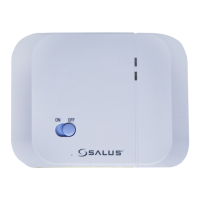
  • Receiver Dimensions: 96 x 96 x 27 mm.
  • Wireless Range: Up to 60m in open area. Radio transmission is influenced by factors such as thick walls, drywall covered with aluminum foil, metal objects, and general radio interference.

Usage Features:

  • User-Friendly Interface: The thermostat features a clear LCD display with intuitive icons and buttons for easy navigation and setting adjustments.
  • Button Description:
    • MENU / RETURN: Enters the menu options, and press and hold for 3 seconds to return to the main screen or to deactivate Boost or Manual modes.
    • SELECT: Confirms changes and enters menus.
    • DOWN: Decreases the temperature and moves through the menus.
    • UP: Increases the temperature and moves through menus.
    • BOOST: Activates Boost Mode.
    • MANUAL: Press once to activate / press and hold for 3 seconds to deactivate Manual Mode.
  • Installation: The thermostat should be mounted about 1.5m above floor level, away from heating or cooling sources, direct sunlight, and areas with high humidity or condensation. The receiver requires a 230VAC supply and should be installed in a dry, moisture, and condensation-free place.
  • Pairing Process: The thermostat and receiver must be paired for wireless communication. This involves setting the receiver to pairing mode and then initiating the pairing process on the thermostat.
  • Error Codes: The thermostat displays error codes when connected to an OpenTherm boiler if there are communication issues. Refer to the boiler manual for specific error codes.

Maintenance Features:

  • Battery Replacement: The thermostat is powered by 2 x AA batteries, which need to be replaced periodically. The battery compartment is easily accessible at the back of the device.
  • Cleaning: The outer casing can be cleaned using a dry cloth. Avoid using solvents, polishes, detergents, or abrasive cleaners, as these can damage the thermostat.
  • Service Reminder: The landlord settings include a service reminder/notification feature that can be configured to display a warning when the boiler is due for its next service, helping ensure timely maintenance.
  • Temperature Calibration: The thermostat allows for temperature calibration in the range from -3.5°C to 3.5°C (in steps of 0.5°C) to ensure accurate temperature readings.
  • Firmware Updates: The manufacturer may provide software updates to improve functionality and performance.
  • Warranty: SALUS CONTROLS provides a five-year warranty from the date of installation, covering defects in material or workmanship. The warranty ensures that the product matches the distributor's identification at the time of sale and covers the operation of functions and features available as a result of a product software update.

Salus RXRT520 Specifications

General IconGeneral
BrandSalus
ModelRXRT520
CategoryThermostat
LanguageEnglish

Related product manuals