25
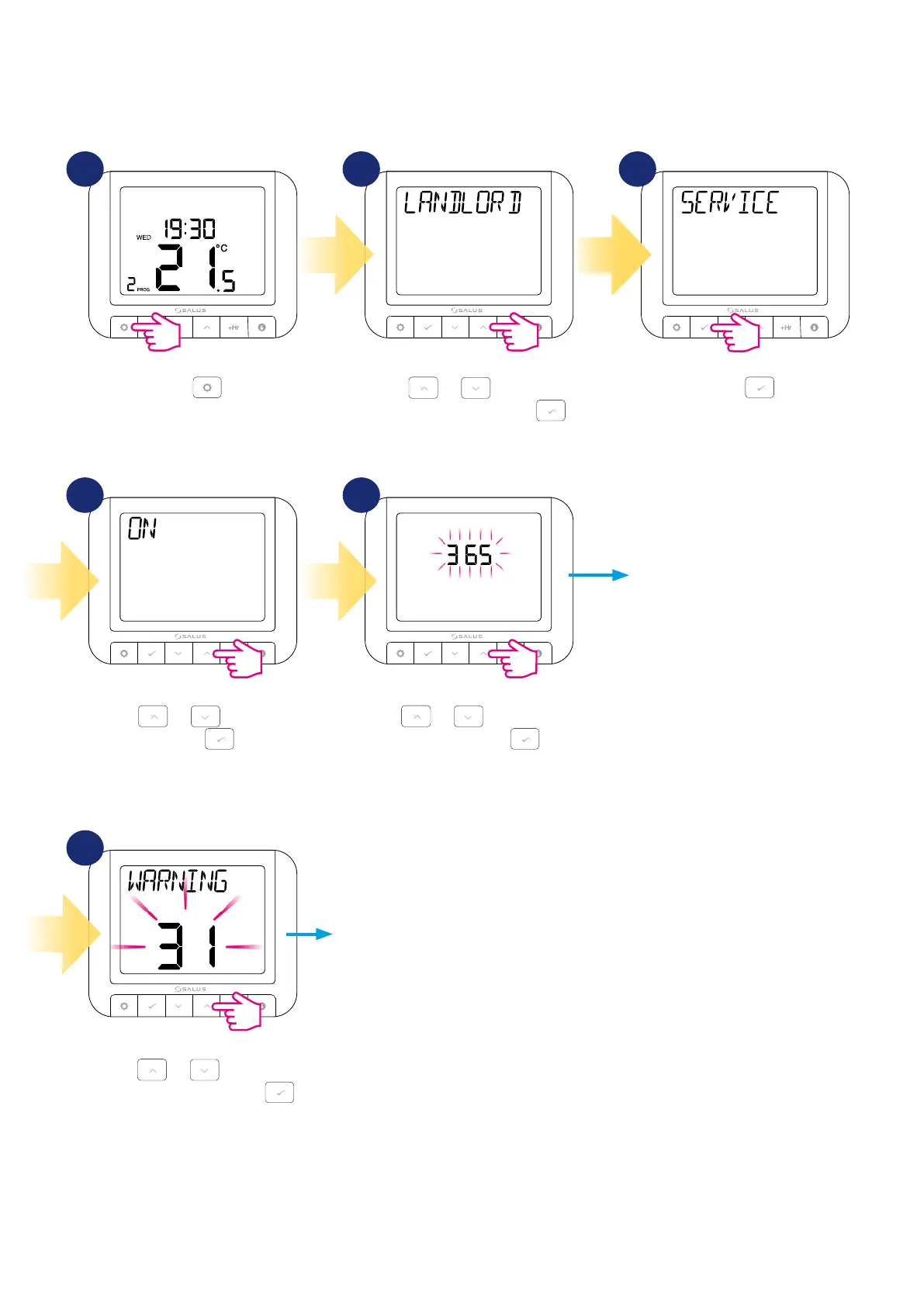
Using or , select the due
date and then press .
Set the number of days from which the
thermostat is to start counting down
to the next boiler service. Remember
that the date counts from the time the
setting is turned on.
Select how many days before the
end of the current boiler service, the
reminder should be displayed on the
main screen.
Press
.
Using
or , select the
warning period and then press .
Press
.
Using
or , navigate to
Landlord submenu and press .
Using
or , select ON
and press .
In this chapter you will learn how to set the service notification / reminder for the boiler using the SERVICE parameter. You can set a specific date and time
when a reminder is to be displayed before the upcoming boiler service. The option also allows you to set the temperature that the boiler is to maintain
after exceeding the date on which the boiler service was to be performed.
5.7.2 Service reminder / notication setting
1 2
54
3
6


 To Next Page