20
5.3 Switching between manual and schedule mode
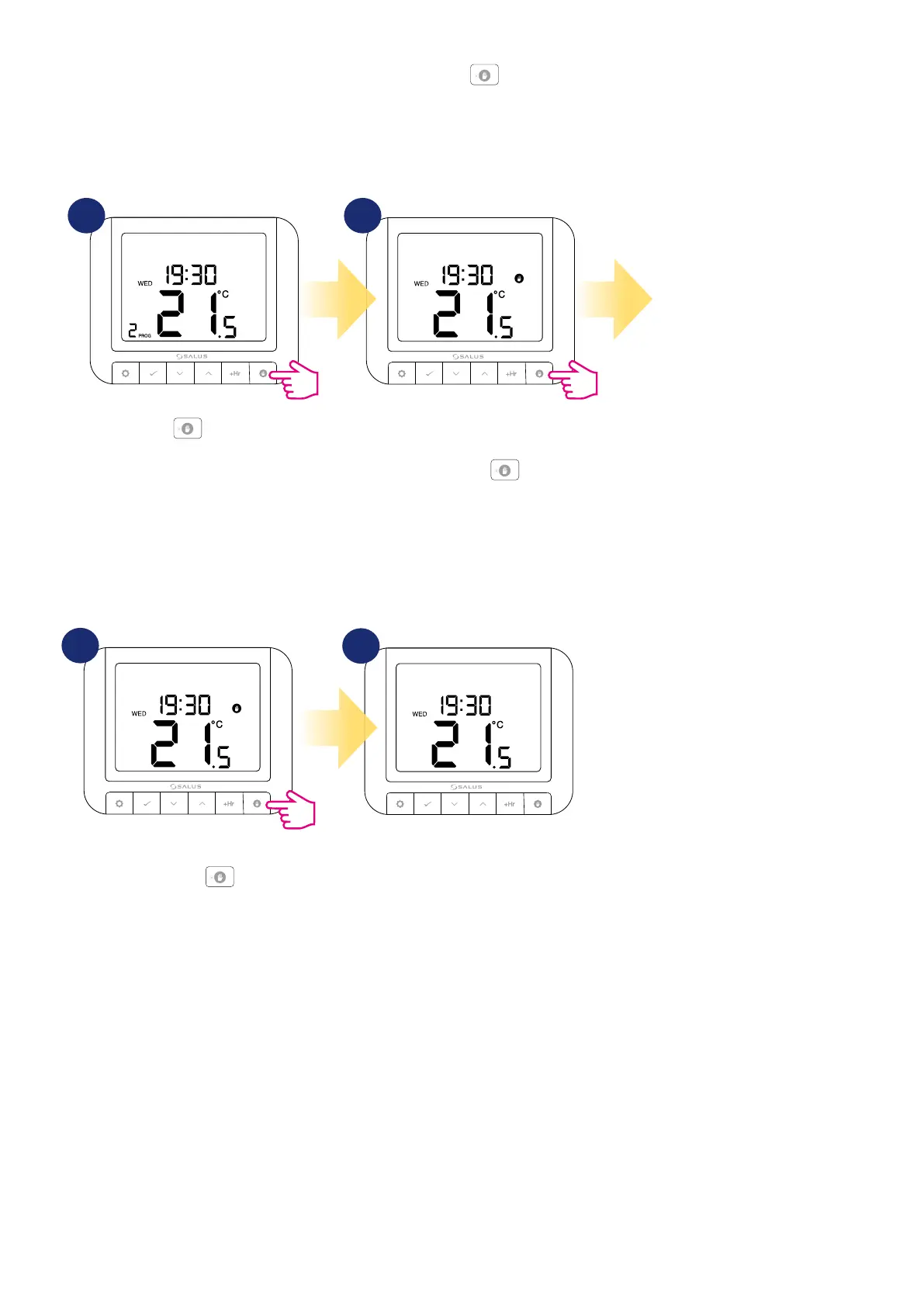
In this option, user can switch between manual and schedule mode by using button. To do that please follow steps below:
1 2
Press button.
A hand icon will appear, which means
that thermostat is in manual mode.
Now press and hold
button.
3 sec.
TO SWITCH FROM MANUAL MODE TO AUTOMATIC MODE:
TO SWITCH FROM AUTOMATIC MODE TO MANUAL MODE:
2
The hand icon will disappear from the
display which means the thermostat
will return to automatic mode.
3
In the manual mode, the user can
set the desired temperature that the
thermostat will maintain.
1
3 sec.
Press and hold the button for
3 seconds.


 To Next Page