17
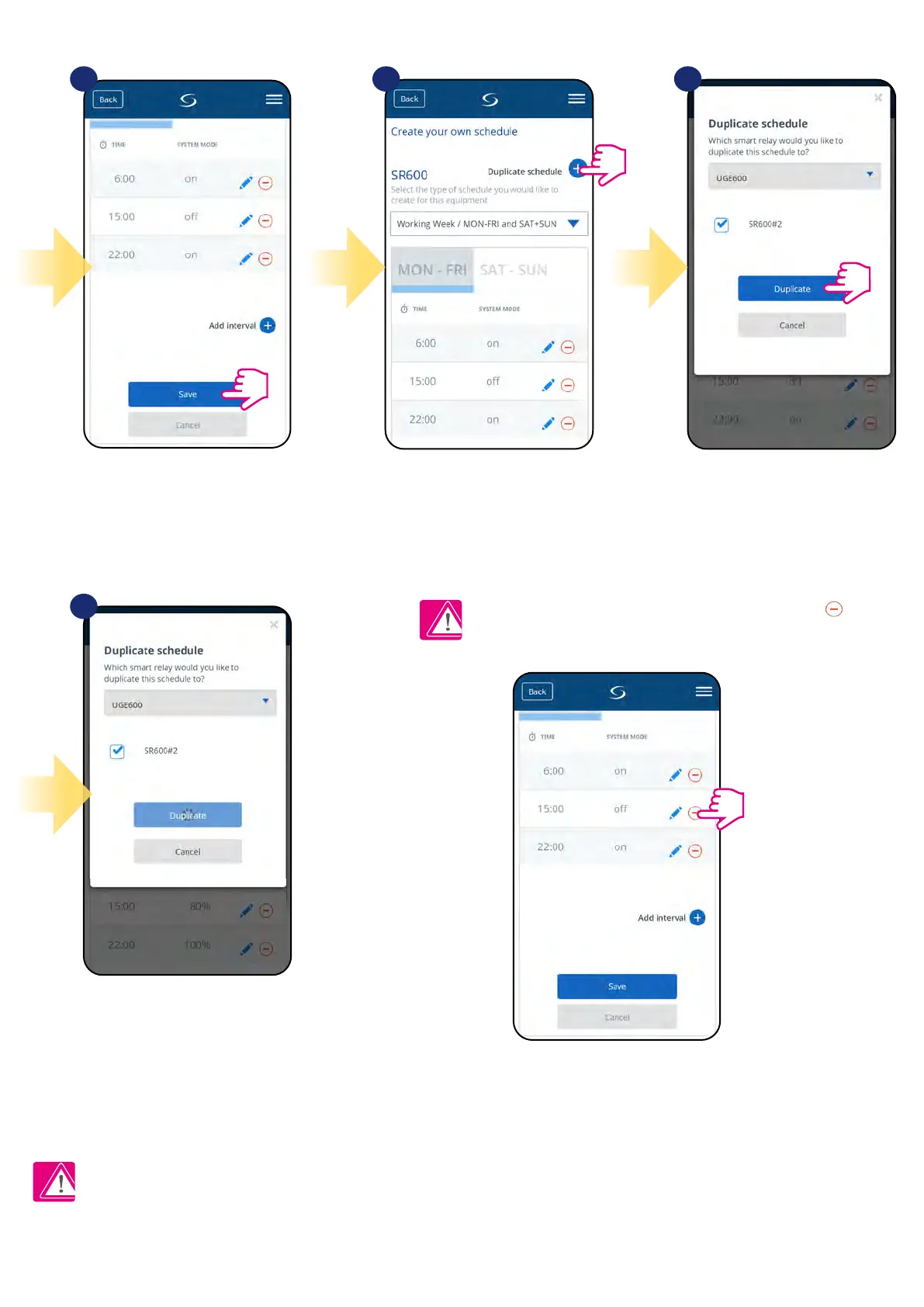
After you’ve added all the intervals,
tap „Save” to save it. Your schedule
has been saved and set.
7
10
8 9
PLEASE NOTE: To delete any interval in the schedule just use
button next to selected interval.
ADDITIONALLY: You can
duplicate the same schedule for
other devices. Click on the
„Duplicate schedule” option.
Select device for which you want to
duplicate the schedule.
Now app is saving your choice
and after it you will have the
same schedule for device you’ve
selected.
Please note:
When device has no schedule (or it has been deleted) then it works in manual mode.


 To Next Page