18
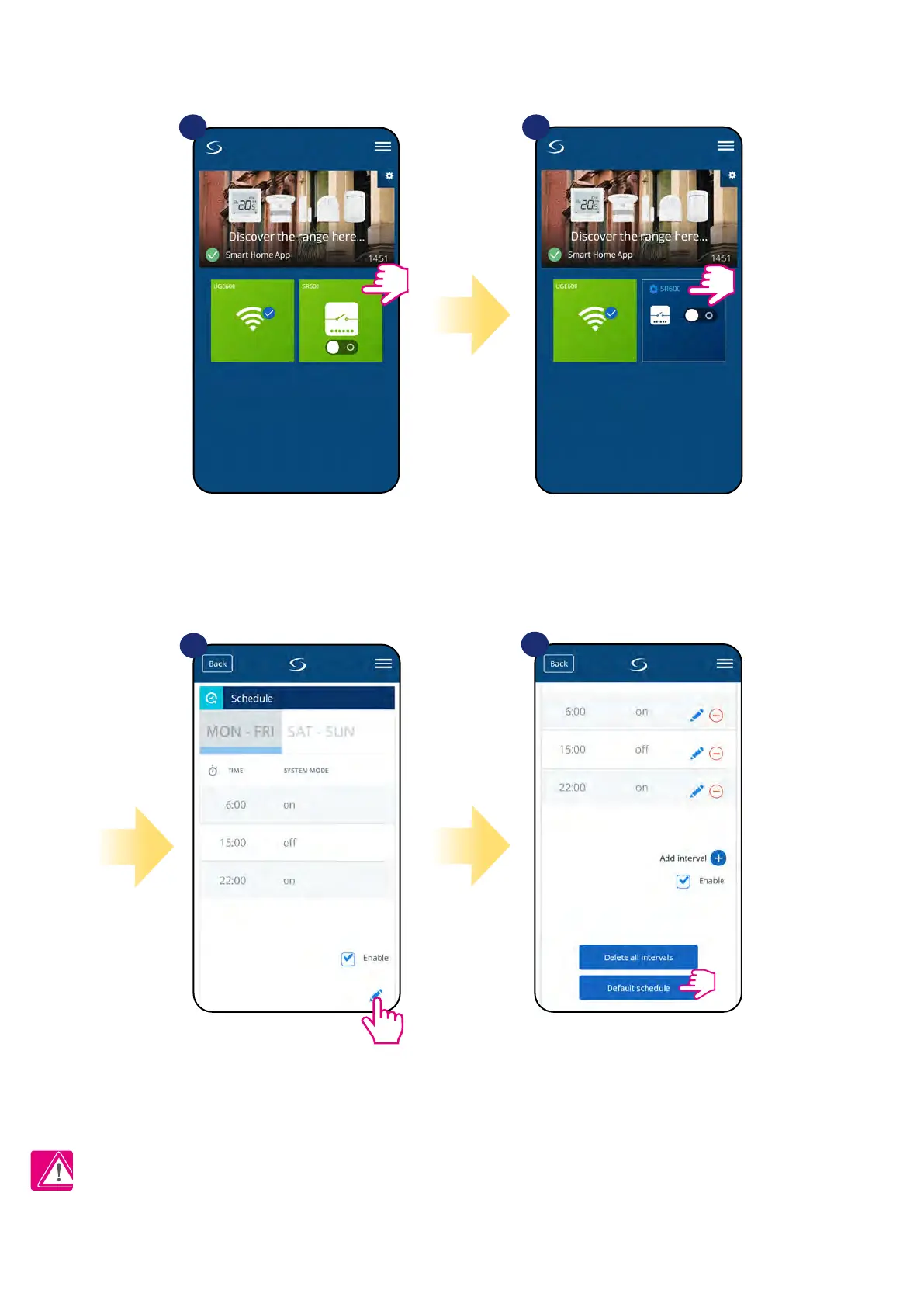
To set default schedule use „Default schedule”
button. It will remove all current intervals and
it will set default schedule.
4
Select device in the main
app menu.
1 2
3
Scroll down and press pencil icon.
TO SET DEFAULT SCHEDULE:
Press device’s name.
Please note:
You can make SR600 work in manual mode by ticking „Enable” option. When it is not ticked then SR600 works in manual mode without deleting schedule
set by user.


 To Next Page