31
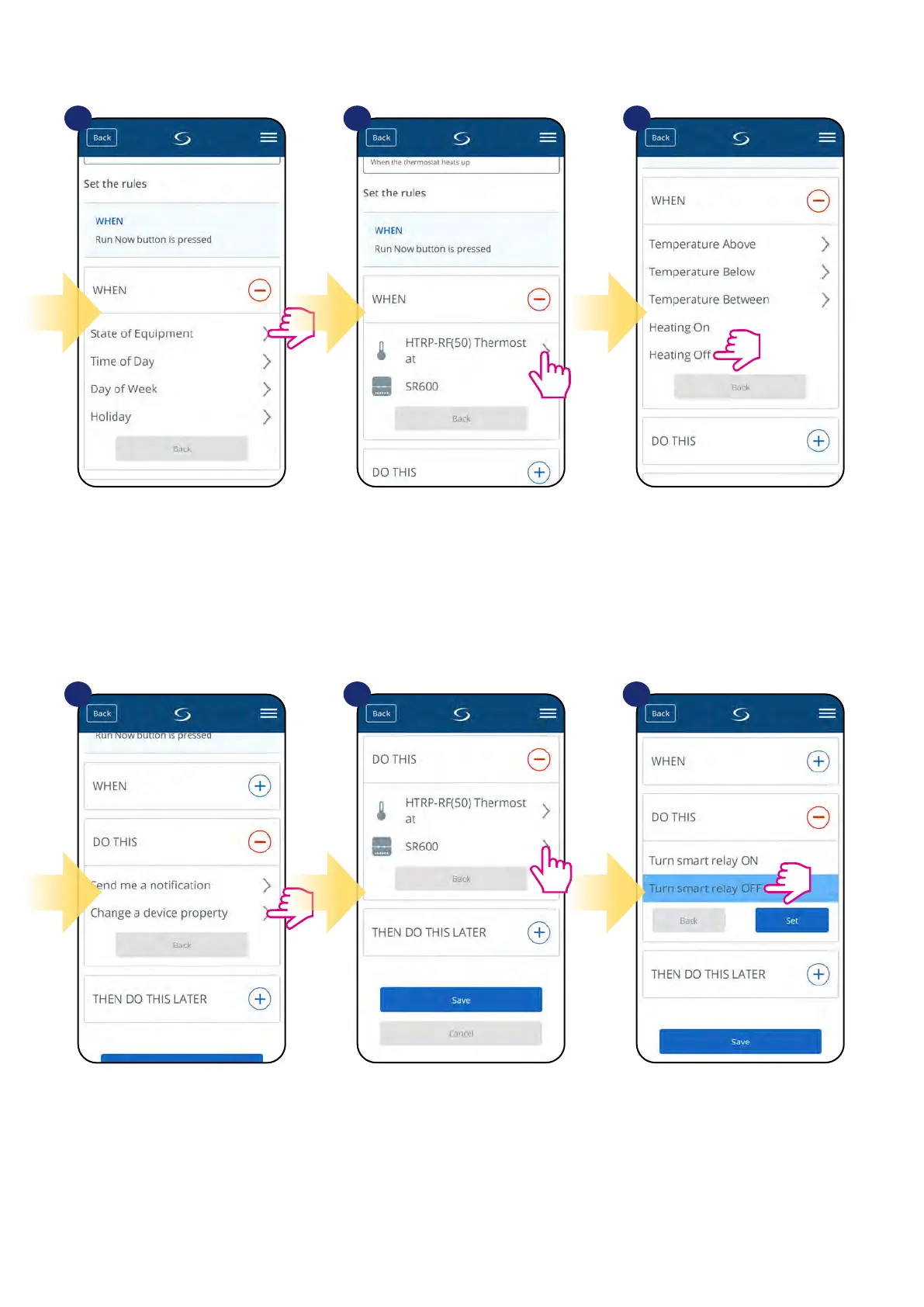
Choose the condition details for your
SR600. In this case select
„State of Equipment” option.
Select „Change a device
property” to choose action
details for your SR600.
Select your device.
Choose what SR600 should do, in this
case select „Turn smart relay OFF” option.
Now choose proper thermostat... After that, select „Heating O”
option to create OneTouch rule
action.
7
10 11 12
8 9


 To Next Page