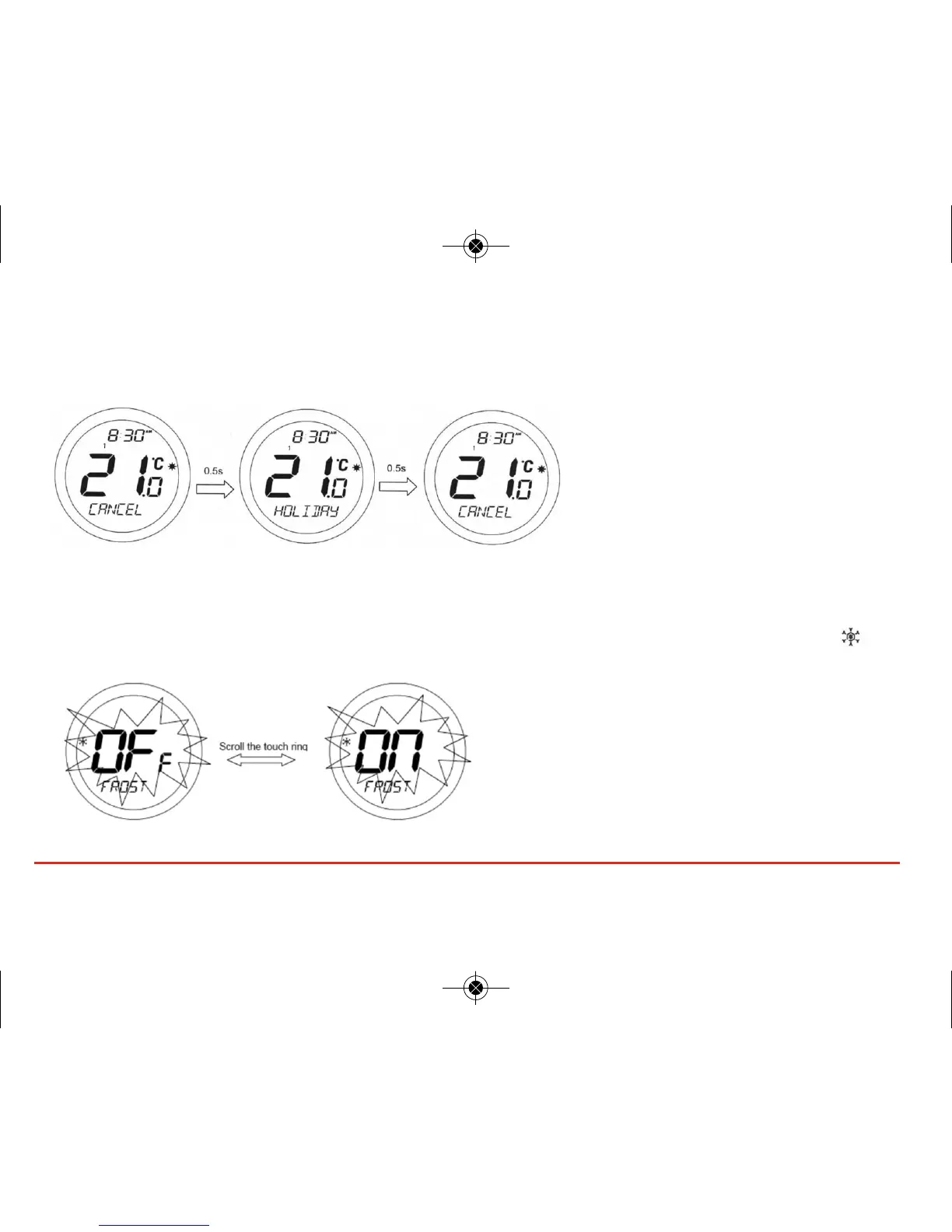
Cancelling Holiday Override Mode
When in HOLIDAY mode, pressing the OK key will make the display change between CANCEL and HOLIDAY every 0.5
seconds as shown below:
Pressing the OK key will cancel HOLIDAY
mode and return the ST620 to AUTO mode.
Pressing the Arrow key leaves the
programmable thermostat in HOLIDAY mode.
FROST (Protection) Function
Entering the FROST menu allows you to turn the frost protection mode of the ST620 on or off. The FROST mode
temperature is preset at 5 ºC; this temperature is factory set and cannot be adjusted. The FROST mode indicator will
be displayed on all the FROST menu screens.
27ST620VBC INSTRUCTION MANUAL



 To Next Page