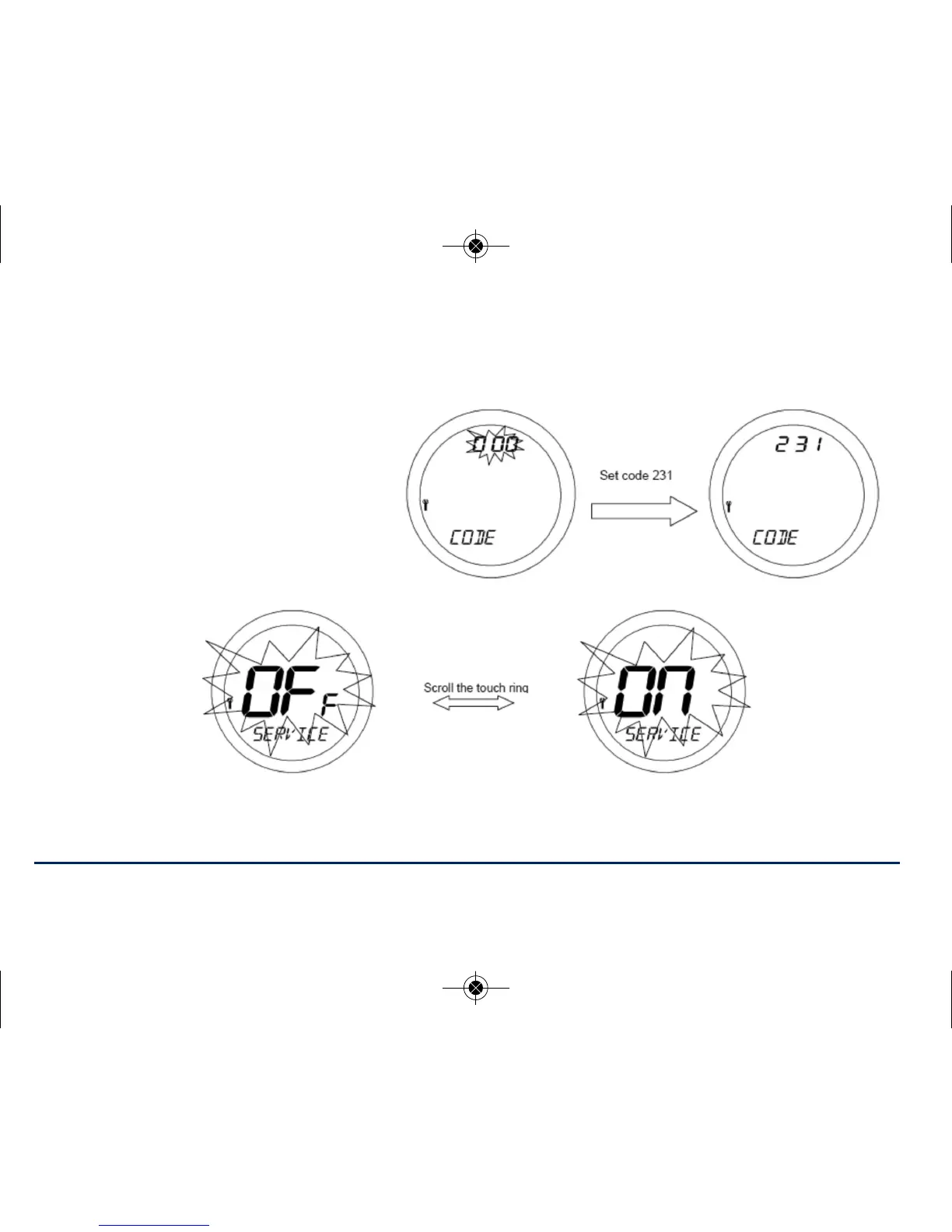
Once all digits have been entered, press OK to confirm or the arrow key to return to previous digit or
previous display. The service code is total 3 digits, from 000 to 999.
NOTE: If you forget the code then you will need to contact the Salus Technical Team
Now you have entered your own PIN
code you will be asked to select
SERVICE ON or OFF. Default is OFF, if
you do not require the service function
activated press OK and proceed to
HEAT or COOL menu.
If you require SERVICE mode activated, use the touch ring to scroll from OFF to ON and press OK.
ST620VBC INSTRUCTION MANUAL34



 To Next Page