Confirm the setting using the OK key, or Press the Arrow key to return to the
previous screen display. The next menu screen allows you to set a temperature
setting. This temperature is the maximum temperature that the heating system
will operate at once the previously set service date is reached.
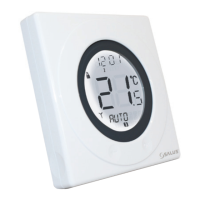
The temperature is set by scrolling the Touch Ring to the desired setting, then
confirming with the OK key.
After enabling SERVICE mode, there is a screen that will allow you to enter an 11 digit number – this
feature is intended for you to enter your telephone number so that the end user can contact you when
the next service is due. The number is entered in the same way as the code – scroll with the Touch Ring
until you reach the required number, then confirm by pressing the OK key.
Repeat this action until you have entered the entire telephone number. After entering and confirming
the last digit with the OK key, store the telephone number by pressing the Arrow key.
Once set as described, the SERVICE indicator will appear on the display 30 days before the set date. At
seven days before the set date, the SERVICE indicator will flash and the bottom section of the display will
alternate between displaying the current mode (AUTO or MANUAL), and the telephone number
previously entered.
ST620VBC INSTRUCTION MANUAL36



 To Next Page