20 Product Support 1-888-202-9831
11.5. TURN THE DEVICE ‘ON’
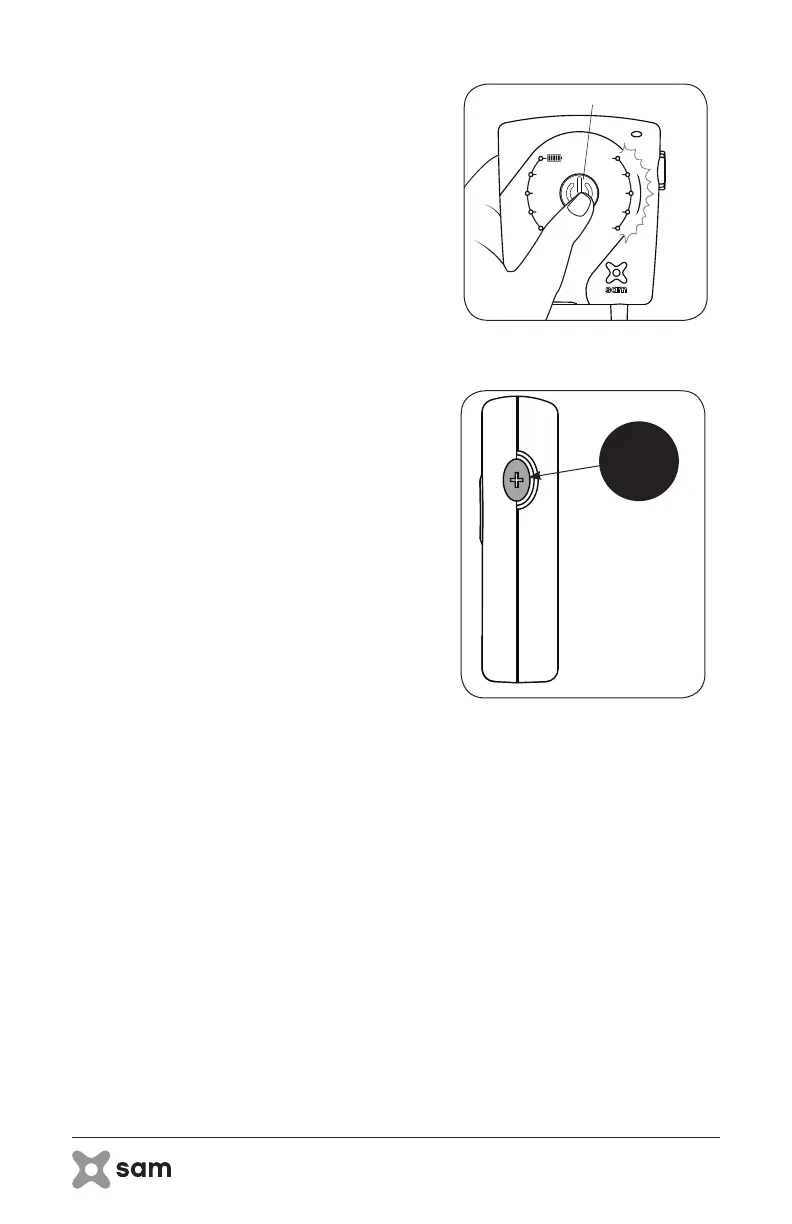
A. Press and hold the Power Button on the
sam Power Controller for at least 1 second
to turn the device ‘ON’ (Figure 11A).
i. As confirmation that the device is ‘ON’,
the LEDs on the sam Power Controller
will illuminate blue (treatment timer and
indicator LEDs) and the indicator LED
on the applicator will illuminate blue.
ii. The battery indicator LEDs will remain
‘ON’ for about 4 seconds after turning
‘ON’ the device.
iii. The treatment timer LEDs and blue
indicator LEDs (power controller and
applicator) will remain ‘ON’ for the
duration of treatment.
B. Press the Toggle Button to select 1, 2, 3 or
4 hour treatment duration (as allowed by
current battery charge) (Figure 11B).
i. If the Toggle Button is pressed up to
the 4 hour setting and a decreased
treatment time is desired, pressing it
again will return the treatment timer to
the 1 hour setting.
figure 11B: Select Duration
Toggle
Button
figure 11B: Press Power Button



 To Next Page