OPERATOR’S Manual
13
CHAPTER 1
1.7. Adjustments and Settings
➊
➌
➋
➍
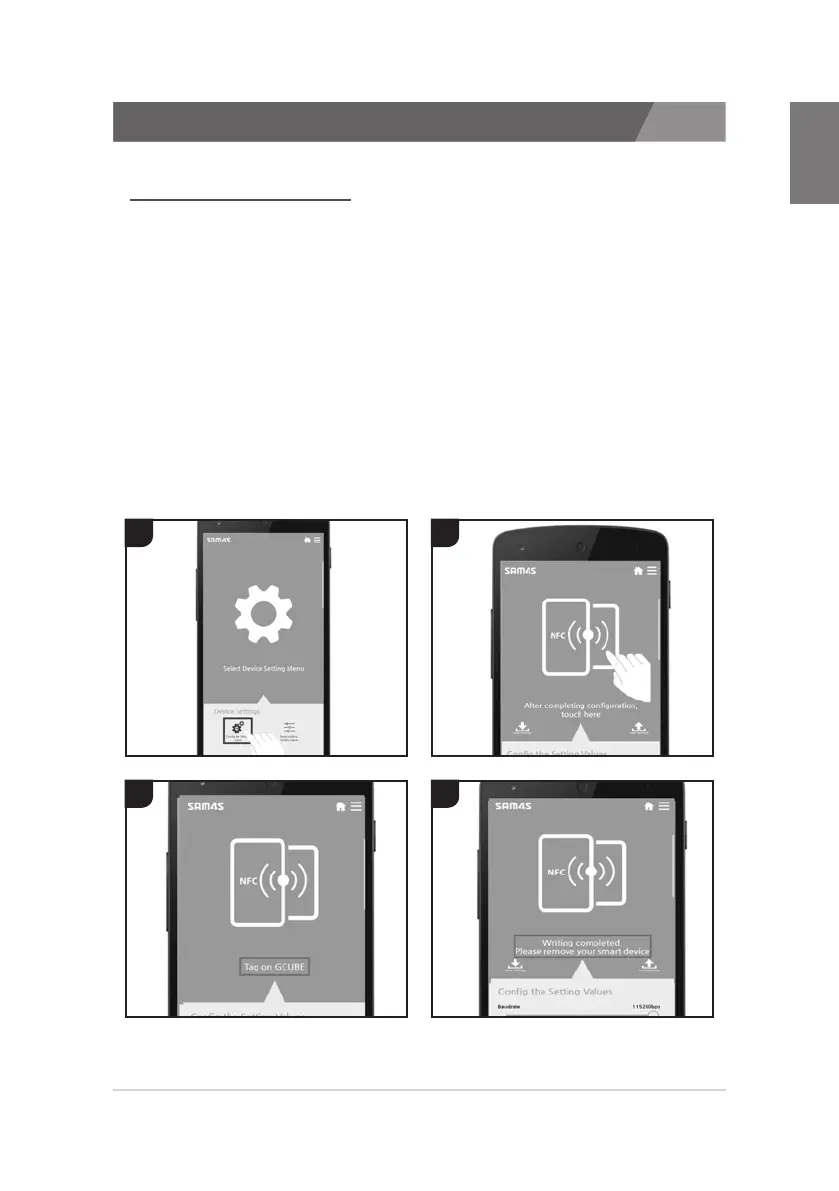
1.7.2 Change device setting
1. In Device Settings Menu, Run a Config the setting values.
2. Change setting values you wish to change on a Setting screen.
After completion of setting, touch the upper screen.
3. If the message “Tag on Gcube” appears in the middle of screen,
then tag asmart phone on Printer.
4. When the message “Writing completed” appears while tagging
the smart phone on the Printer, then tag the smart phone off Printer.
5. When the setting is well done, printer will print Self-Test Page
after reset.



 To Next Page
 Loading...






