•
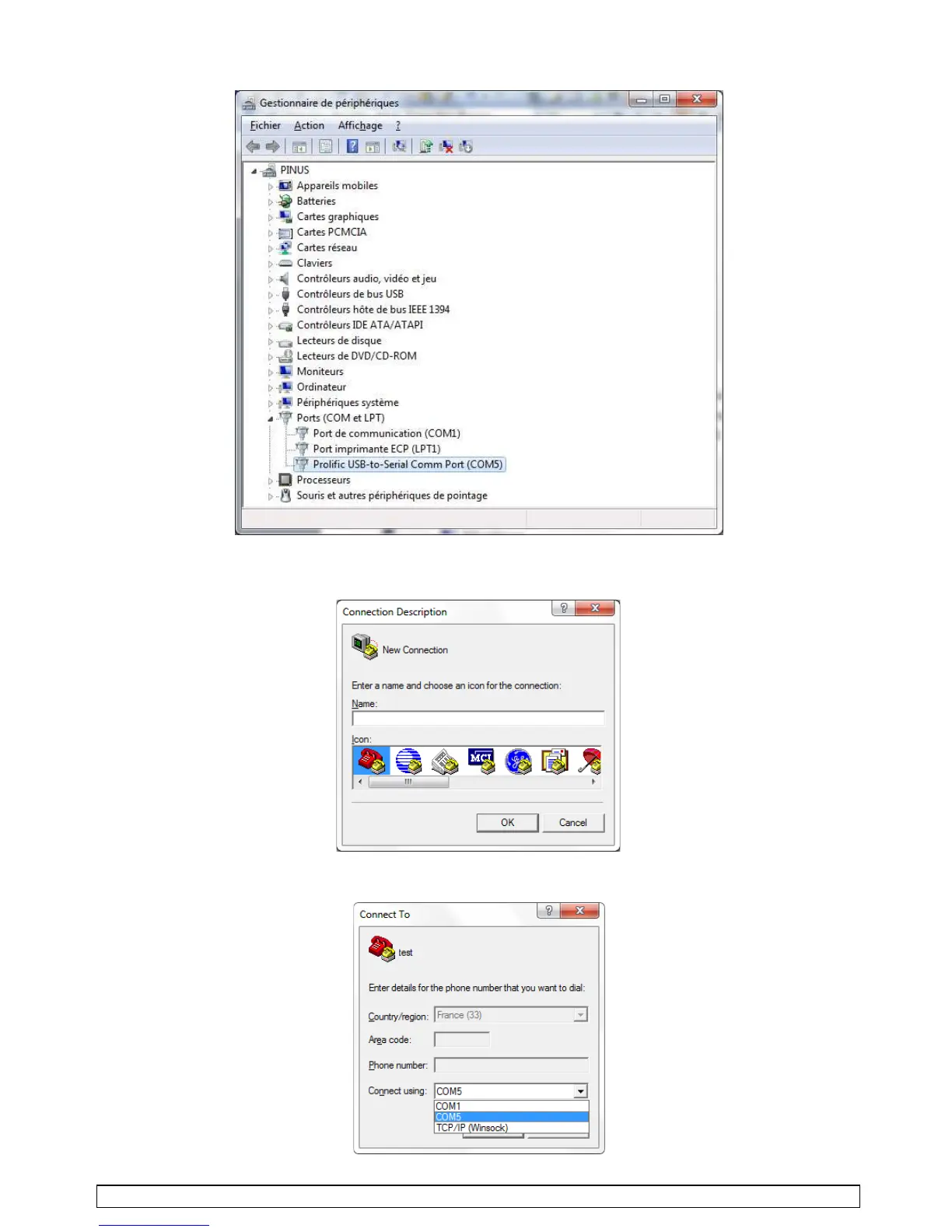
After deployment of the
"Ports" line, one of them indicates the cable pilot name ("Prolific USB" for
example or else), followed by the "port com" number (COM5 in that display).
• Open "HyperTerminal" window.
•
At the first connection,
create a new connecting session,
write a name in
(order number or paint
reference)
by choosing the first left icon. Press OK.
• This screen appears. Select the "port com" number previously noted during your connection.
Press OK.
SAMES KREMLIN Page 28 Manual : 573.191.112



 To Next Page