- Press the ENTER button and the display will indicate:
- to select the Single Finger Mode use the Data Control Wheel.
SINGLE FINGER MODE
SINGLE FINGER Mode fingering makes it simple to produce beautifully orchestrated
accompaniment using major , seventh , minor and minor-seventh chords by pressing a minimum
number of keys in the Auto Accompaniment section of the keyboard.
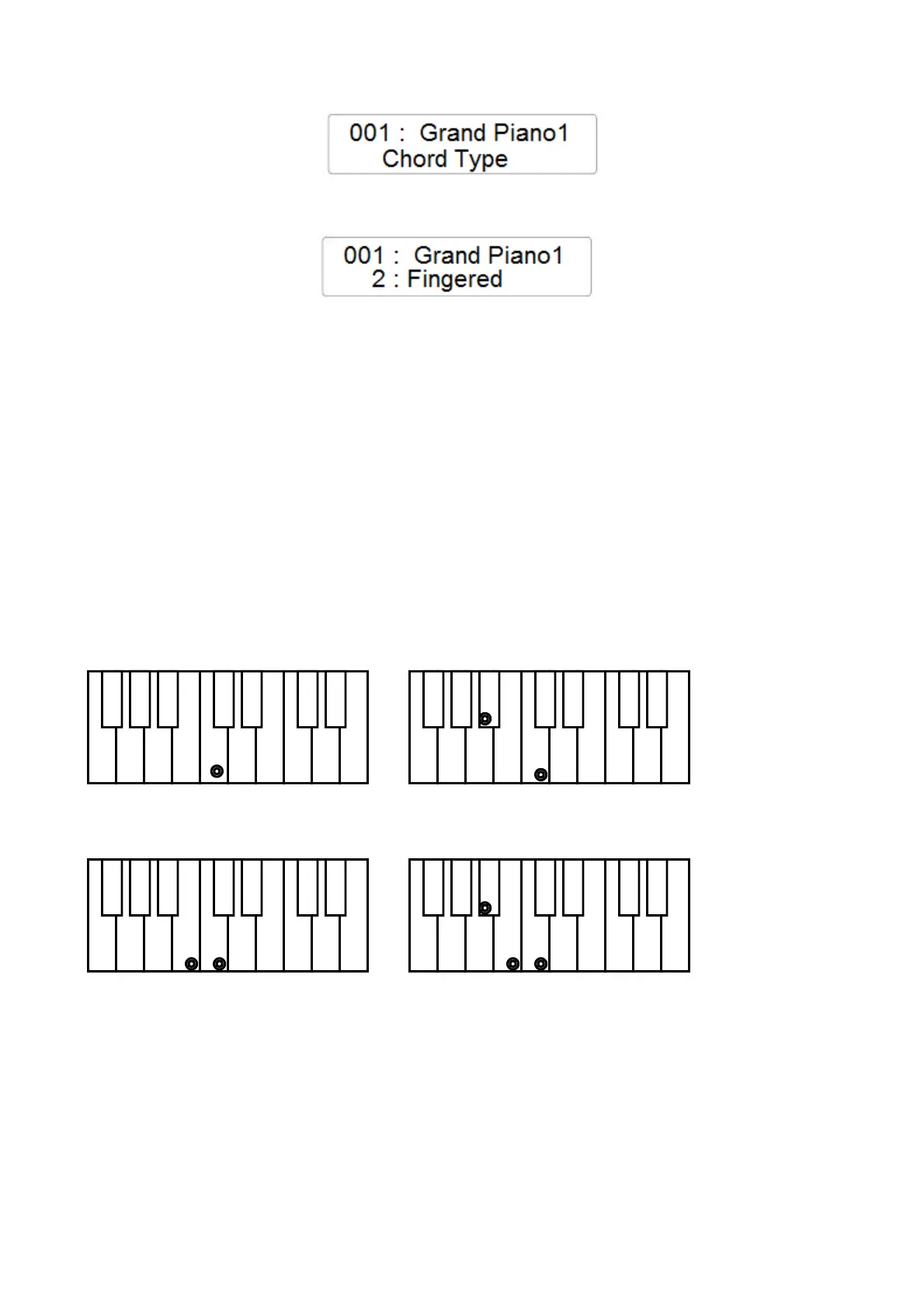
C Major Press the key C.
C minor Press the key C + any black key to the left
C Seventh Press the key C + any white key to the left
C minor 7th Press the key C + any black + any white key to the left
C chord - press C key C minor - press C + any black key to left
C 7th - press C + any white key to left C minor 7th - press C + any black and any white to left



 To Next Page