4 | SAMLEX AMERICA INC. SAMLEX AMERICA INC. | 5
APPENDIX A
SECTION 2 | Installation
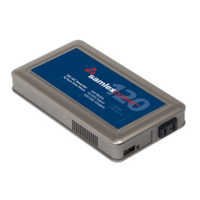
4. Take the other end of remote cable and plug it into the RJ-45 Jack at the back of
the EVO-RC (Fig. 2.3).
5. Check the remote display to ensure the Power-up self test initiates.
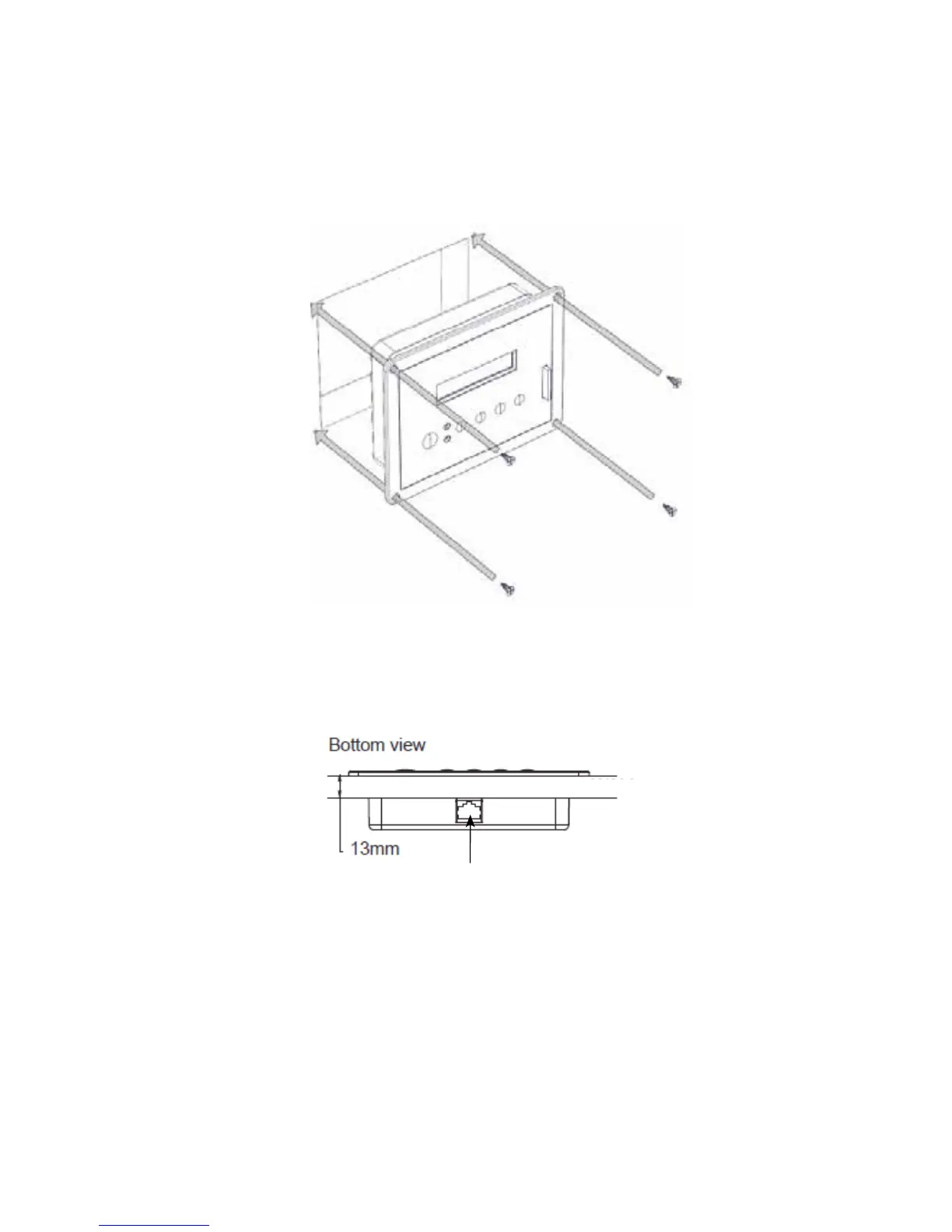
6. If the self test is successful, secure the EVO-RC to the wall using the four screws. (Fig 2.2)
The thickness of the wall/panel board at the place of mounting should
not be more than 13mm to ensure that the RJ-45 jack opening is not
obstructed.
Fig 2.3 Wall/Panel Thickness
RJ-45 Jack
WALL / PANEL BOARD
Flush mounting the EVO-RC on the wall with 4pcs, Φ3mm self-tapping
screws (at head).
Fig 2.2 EVO-RC Flush Mounting



 To Next Page