19
Repeat Play
NOTE
When playing a DVD
Repeat the current track, chapter, title, a chosen section (A-B), or all of the
disc (VCD/CD only).
1
1
Press the REPEAT button on the
remote. Repeat screen appears.
2
2
Select Chapter, Title or A-B using the
LEFT/RIGHT button.
- A-B Repeat
• Press the REPEAT button. Select A-B on screen with
the LEFT/RIGHT button. Or press the A-B button on
the remote.
• Press ENTER at the point where you want the repeat
play to start (A). The B is automatically highlighted.
• Press ENTER at the point where you want the repeat
play to stop (B).
• The A-B Repeat that you set plays until you turn
Repeat off.
3
3
Press ENTER.
4
4
To return to normal playback press
REPEAT again, then press the
LEFT/RIGHT button to select Off and
press ENTER.
Off Chapter Title A-B
• DVD repeats playback by chapter or title, CD and VCD repeat playback by disc or track.
• Depending on the disc, the Repeat function may not work.
• If the title or track is completed before marking the end (B), the end of title or track
becomes B automatically.
• When in VCD 2.0 mode (MENU ON mode), this function does not work.
18
NOTE
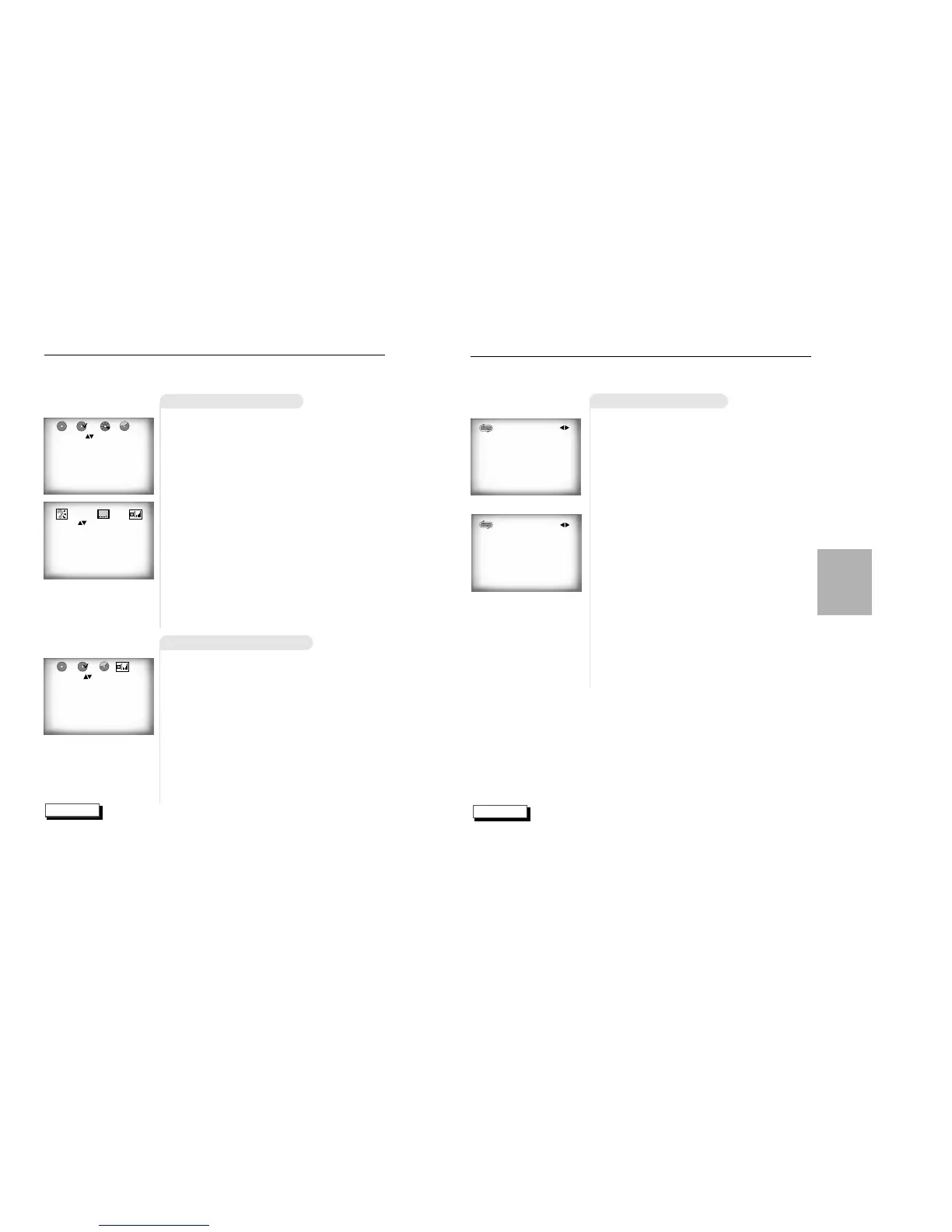
Using the Display Function
When Playing a DVD
When Playing a CD/VCD
1
1
During playback, press the DISPLAY but-
ton on the remote.
- Current title, chapter number and elapsed time will be
displayed.
• Use the LEFT/RIGHT button to select a title or a chapter
number.
Use the UP/DOWN button or Number buttons to enter a
different title or chapter number, then press the ENTER
button.
• To enter the time from which you want to start, use the
LEFT/RIGHT button to select, then use the Number but-
tons to enter the time. Then press the ENTER button.
2
2
Press the DISPLAY button on the
remote twice.
- Current audio, subtitle and volume control will appear.
- To make the screen disappear, press the DISPLAY but-
ton again.
0:06:54
C:04
T:01
1
1
During playback, press the DISPLAY but-
ton on the remote.
- Current track number, elapsed time and volume control
will be displayed.
• Use the LEFT/RIGHT button to select a track. Use the
UP/DOWN button or Number buttons to enter a different
track number, then press the ENTER button.
• To enter the time from which you want to start, use the
LEFT/RIGHT button to select, then use the Number but-
tons to enter the time. Press the ENTER button.
- To make the screen disappear, press the DISPLAY but-
ton again.
What is a Chapter?
Each Title on a DVD can be divided into chapters (similar to tracks on an audio CD).
What is a Title?
A DVD may contain several different titles. For example, if a disc contains four different
movies, each might be considered a title.
0:06:54
T:01
ENG 5.1 CH
ENG ON
99
99
BASIC
FUNCTIONS
Off Track Disc A-B
VCD/CD
DVD
DVD
CD


 To Next Page