English - 48
Checking the Digital-Signal Strength
Unlike analog channels, which can vary in reception quality from “snowy” to clear, digital (HDTV) channels
have either perfect reception quality or you will not receive them at all. So, unlike analog channels, you cannot
fine tune a digital channel. You can, however, adjust your antenna to improve the reception of available digital
channels.
1 Press the MENU button to display the menu.
Press the or button to select Channel, then press the ENTER button.
2
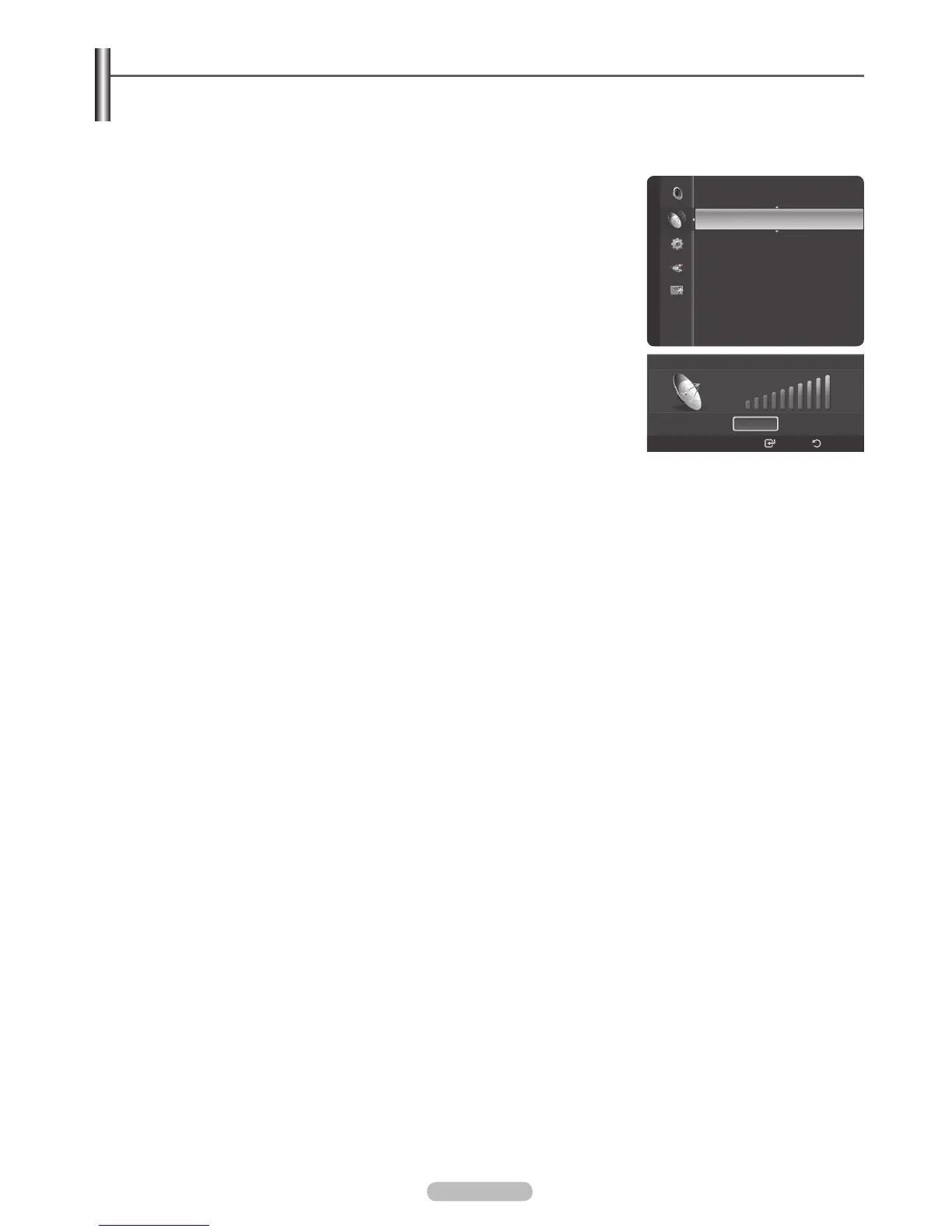
Press the or button to select Signal Strength, then press the ENTER
button. If the signal strength meter indicates that the signal is weak, physically
adjust your antenna to increase the signal strength.
Continue to adjust the antenna until you find the best position with the strongest
signal.
Press the EXIT button to exit.
Signal Strength
OK
Enter Return
Channel
Clear Scrambled Channel
Fine Tune
Signal Strength







 To Next Page