English - 50
Setting up the TV with your PC
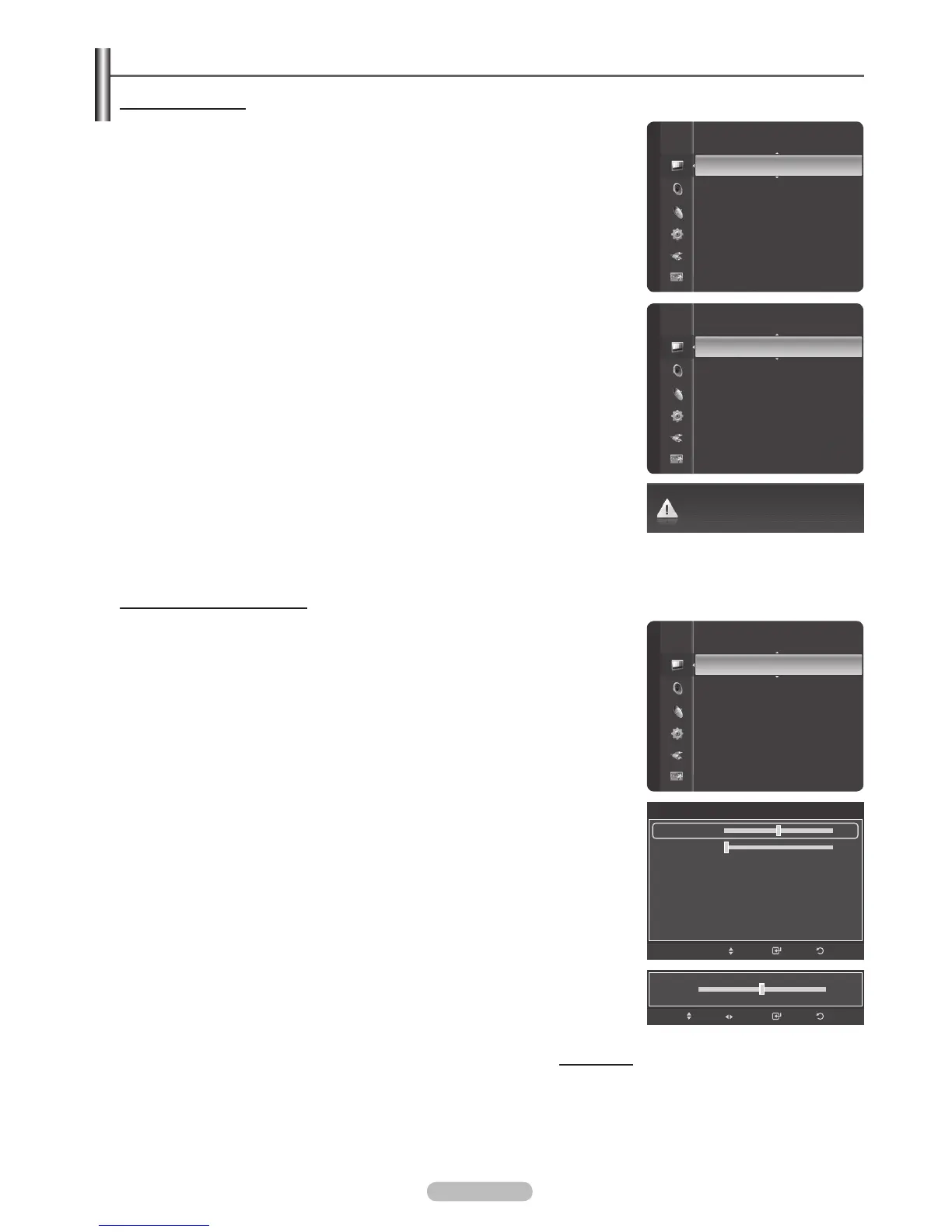
How to Auto Adjust
Use the Auto Adjust function to have the TV set automatically adjust the video
signals it receives from the PC. The function also automatically fine-tunes the
settings and adjusts the frequency values and positions.
1 Press the MENU button to display the menu.
Press the or button to select Picture, then press the ENTER button.
Press the or button to select Auto Adjustment, then press the ENTER
button.
2 The message Auto Adjustment in progress. Please wait. appears on the
screen and the picture adjustments are automatically activated.
Press the EXIT button to exit.
®
This function does not work in DVI-Digital mode.
®
Preset: Press the SOURCE button to select PC mode.
Adjusting the Screen Quality
The purpose of the picture quality adjustment is to remove or reduce picture
noise. If the noise is not removed by fine tuning alone, then make the vertical
frequency adjustments and fine tune again. After the noise has been reduced,
re-adjust the picture so that it is aligned in the center of the screen.
®
Preset: Press the SOURCE button to select PC mode.
1 Press the MENU button to display the menu.
Press the or button to select Picture, then press the ENTER button.
Press the or button to select Screen, then press the ENTER button.
2 Press the or button to select Coarse or Fine, then press the ENTER
button.
Press the or button to adjust the screen quality, then press the ENTER
button.
Press the EXIT button to exit.
®
Vertical stripes may appear or the picture may be blurry.
®
Preset: Press the SOURCE button to select PC mode.
Continued...
Auto Adjustment in progress. Please Wait.
Screen
ReturnEnter
Move
50
0
Coarse
Fine
Position
Image Reset
Mode
:
Standard
Cell Light Control : 7
Contrast : 95
Brightness : 45
Sharpness : 50
Auto Adjustment
Screen
Detailed Settings
Picture
Brightness : 45
Sharpness : 50
Auto Adjustment
Screen
Detailed Settings
Picture Options
Picture Reset
Picture
Sharpness : 50
Auto Adjustment
Screen
Detailed Settings
Picture Options
Picture Reset
Picture
ReturnEnter
Adjust
50
Move
Coarse







 To Next Page