English - 36
Sound Control
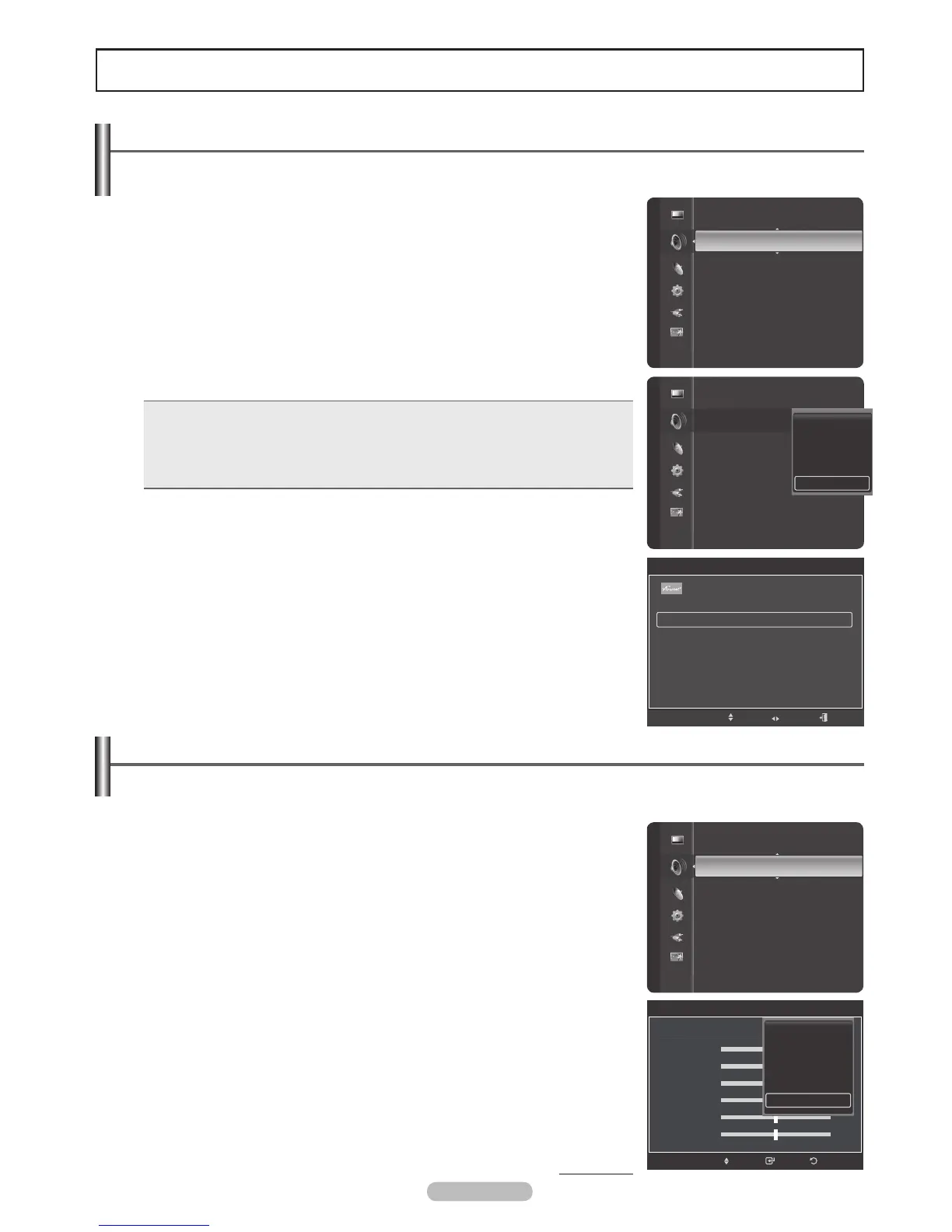
Changing the Sound Standard
You can select the sound mode to best suit the programming you’re watching.
1 Press the MENU button to display the menu.
Press the or button to select Sound, then press the ENTER button.
2 Press the ENTER button to select Mode. Press the or button to select
Standard, Music, Movie, Speech, or Custom sound setting, then press the
ENTER button.
Press the EXIT button to exit.
• Standard: Selects the normal sound mode.
• Music: Emphasizes music over voices.
• Movie: Provides the best sound for movies.
• Speech: Emphasizes voice over other sounds.
• Custom: Recalls your customized sound settings. (see Customizing the Sound)
Easy Setting
1 Press the TOOLS button on the remote control.
2 Press the or button to select Sound Mode.
3 Press the or button to select the required option.
Customizing the Sound
The sound settings can be adjusted to suit your personal preference.
1 Press the MENU button.
Press the or button to select Sound, then press the ENTER button.
2 Press the or button to select Equalizer, then press the ENTER button.
3 Press the ENTER button to select Mode.
Press the or button to select a particular item (Standard, Music, Movie,
Speech, Custom), then press the ENTER button.
Continued...
Mode
:
Custom
Equalizer
SRS TruSurround XT : Off
Preferred Language : English
Multi-Track Sound : Mono
Auto Volume : Off
TV Speaker : On
Sound Select : Main
Sound Sound
Mode
:
Equalizer
SRS TruSurround XT : Off
Preferred Language : English
Multi-Track Sound : Stereo
Auto Volume : Off
TV Speaker : On
Sound Select : Main
Standard
Music
Movie
Speech
Custom
Sound
Mode : Custom
Equalizer
SRS TruSurround XT : Off
Preferred Language : English
Multi-Track Sound : Mono
Auto Volume : Off
TV Speaker : On
Sound Select : Main
Sound Reset
Equalizer
Mode : Standard
Balance L R
100Hz - +
300Hz - +
1kHz - +
3kHz - +
10kHz - +
ReturnEnterMove
Standard
Music
Movie
Speech
Custom
TOOLS
Device List
Picture Mode : Standard
Sound Mode Custom
Add to Favorite
Switch to Air
Move Adjust Exit










 To Next Page