English - 64
How to Reset the TV after the V-Chip Blocks a Channel (“Emergency Escape”)
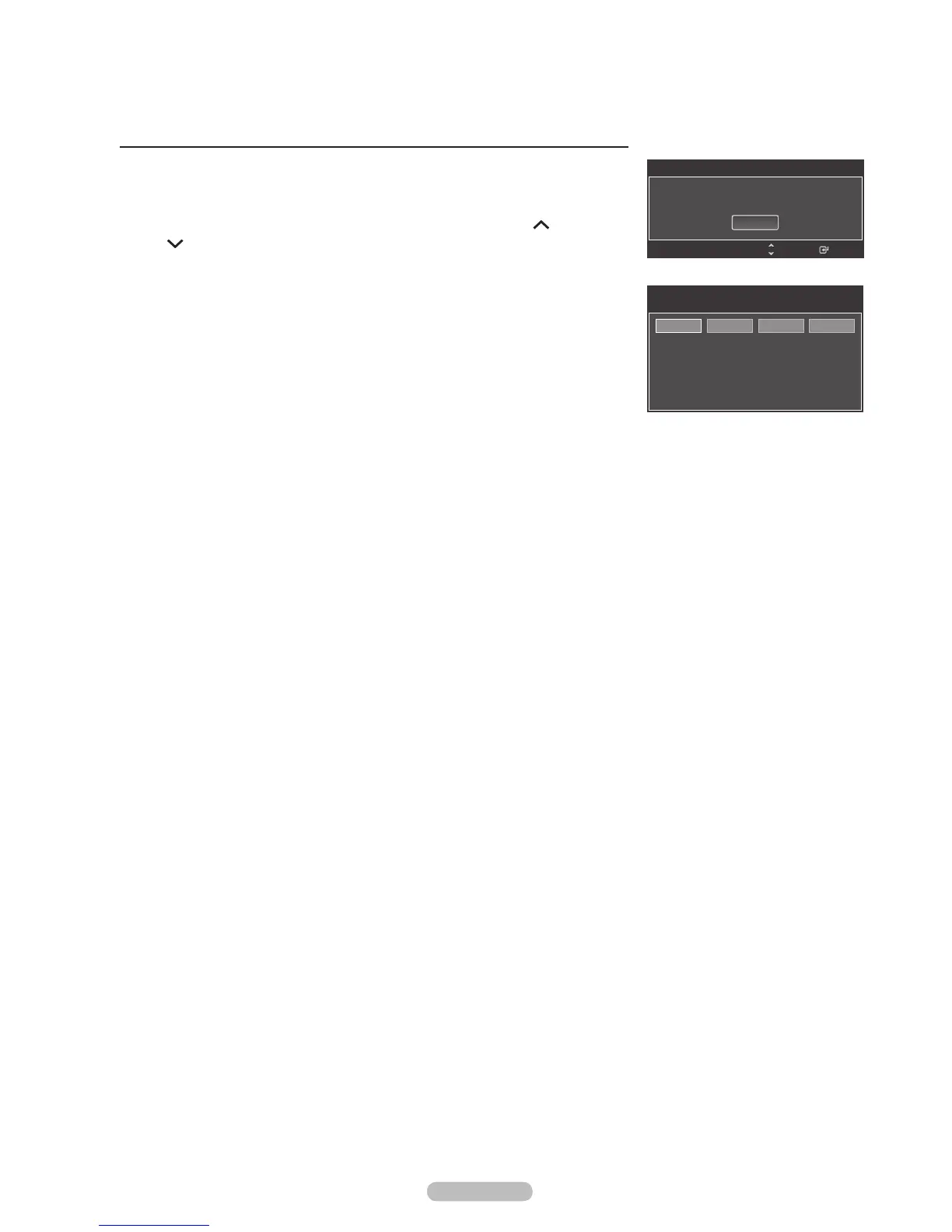
If the TV is tuned to a restricted channel, the V-Chip will block it. The screen
will go blank and the following message will appear:
1 Press the ENTER button to select OK.
To resume normal viewing, tune to a different channel using CH
or
CH
button. Under certain conditions (depending on the rating of the local TV
programs) the V-Chip might lock out all the channels. In this case, use the
V-Chip function for an “emergency escape”:
2 Enter your PIN, then press the ENTER button, and press the or button to
temporarily disable the V-Chip Lock.
®
If you forget the PIN, press the remote-control buttons in the following
sequence, which resets the pin to 0-0-0-0 : Power Off. MUTE 8 2
4 Power On.
Received Rating : TV-G/MPAA X/Canadian English : C8+
Enter
This channel is blocked by V-Chip. Prees ENTER to
unblock.
OK
Change
CH
Channel Is Locked by
MPAA R/A/K/T
Use the NUMBER buttons to enter your
pin number to unlock all channels.
Press EXIT to clear PIN.
Press MENU for main menu.






 To Next Page