Disassembly and Reassembly
3-16 Samsung Electronics
No. Parts Procedure Remark
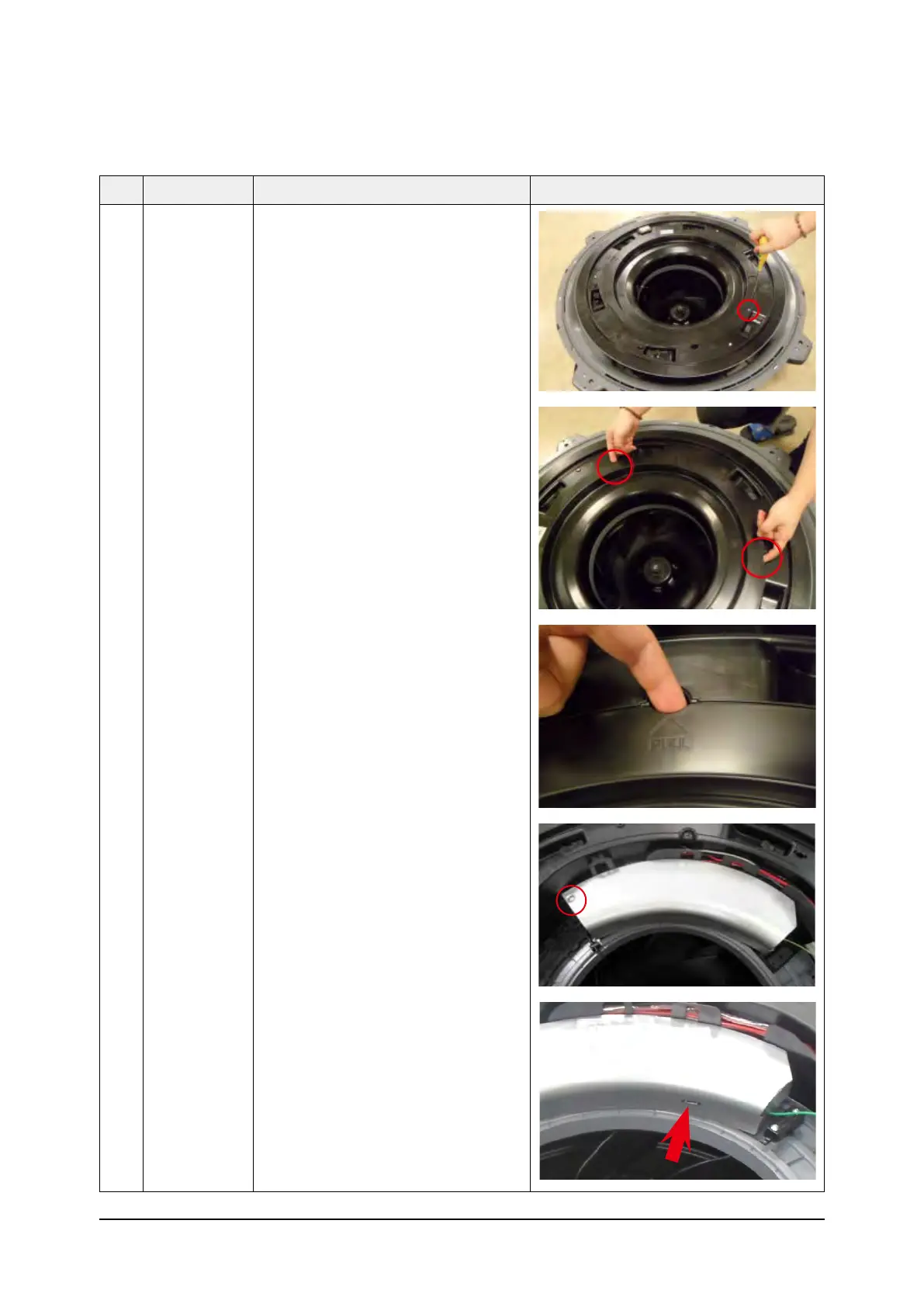
2 Control Box 3) Remove a screw which is fixed to the
Indoor Unit upper part.
(Use +Screw Driver)
4) Put finger in the "PULL" marked groove
and then pull up the Cover
5) Put finger in the "PULL" marked groove
and then avoids the hook and it opens
the Control Box Cover



 To Next Page