Disassembly and Reassembly
Samsung Electronics 3-17
No. Parts Procedure Remark
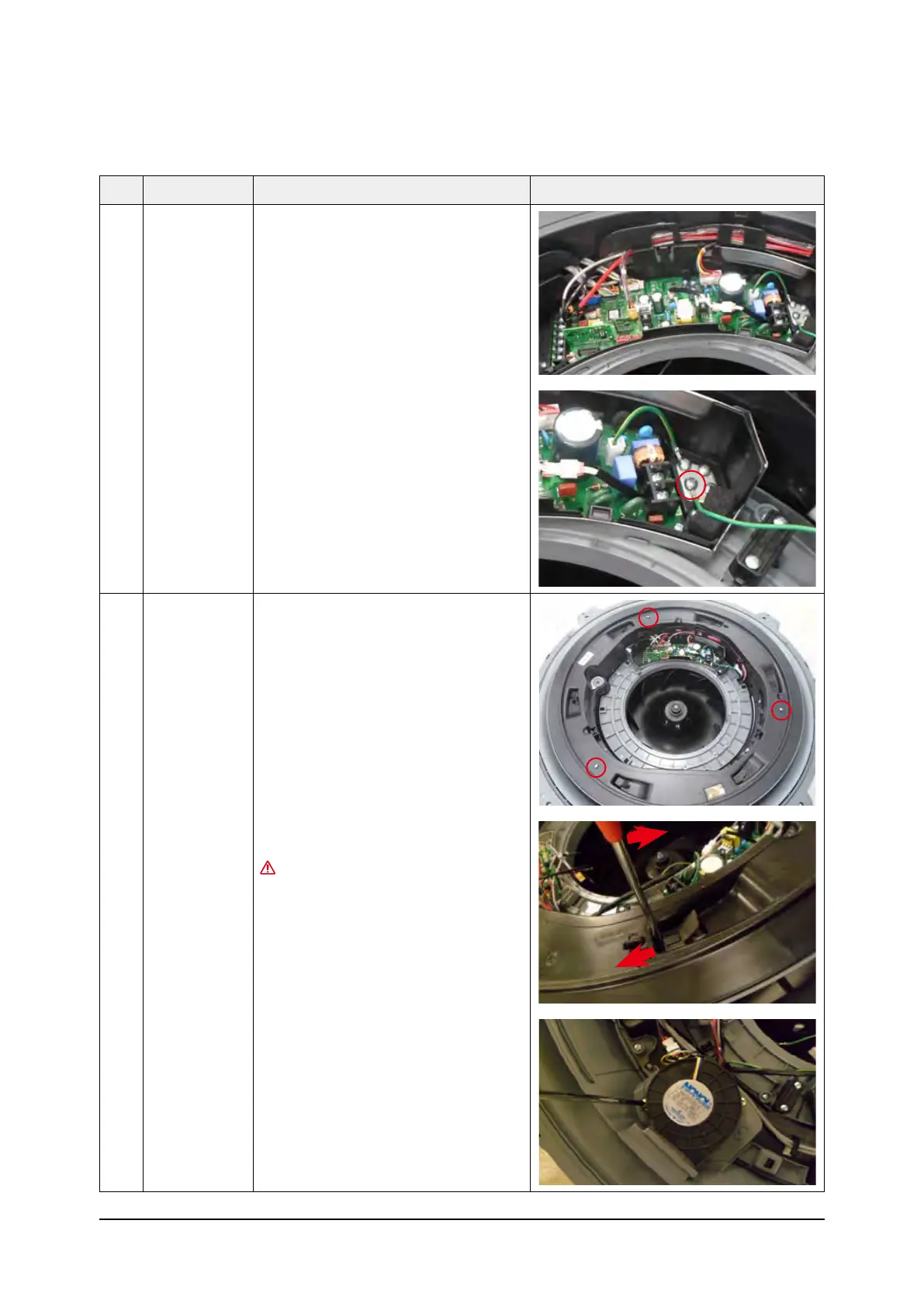
2 Control Box 6) Separate the connectors from the
Control Box.
7) Remove the ground screw.
(Use +Screw Driver)
3 Top Cover &
Drain Pan
1) Remove the 3ea of screws.
(Use +Screw Driver)
2) Push the hook and separate the Cover.
Damage can occur to product in case
of use a sharp tool.
3) Remove the screw which is fixed to
Booster Fan.
(Use +Screw Driver)



 To Next Page