Disassembly and Reassembly
Samsung Electronics 3-3
No Parts Procedure Remark
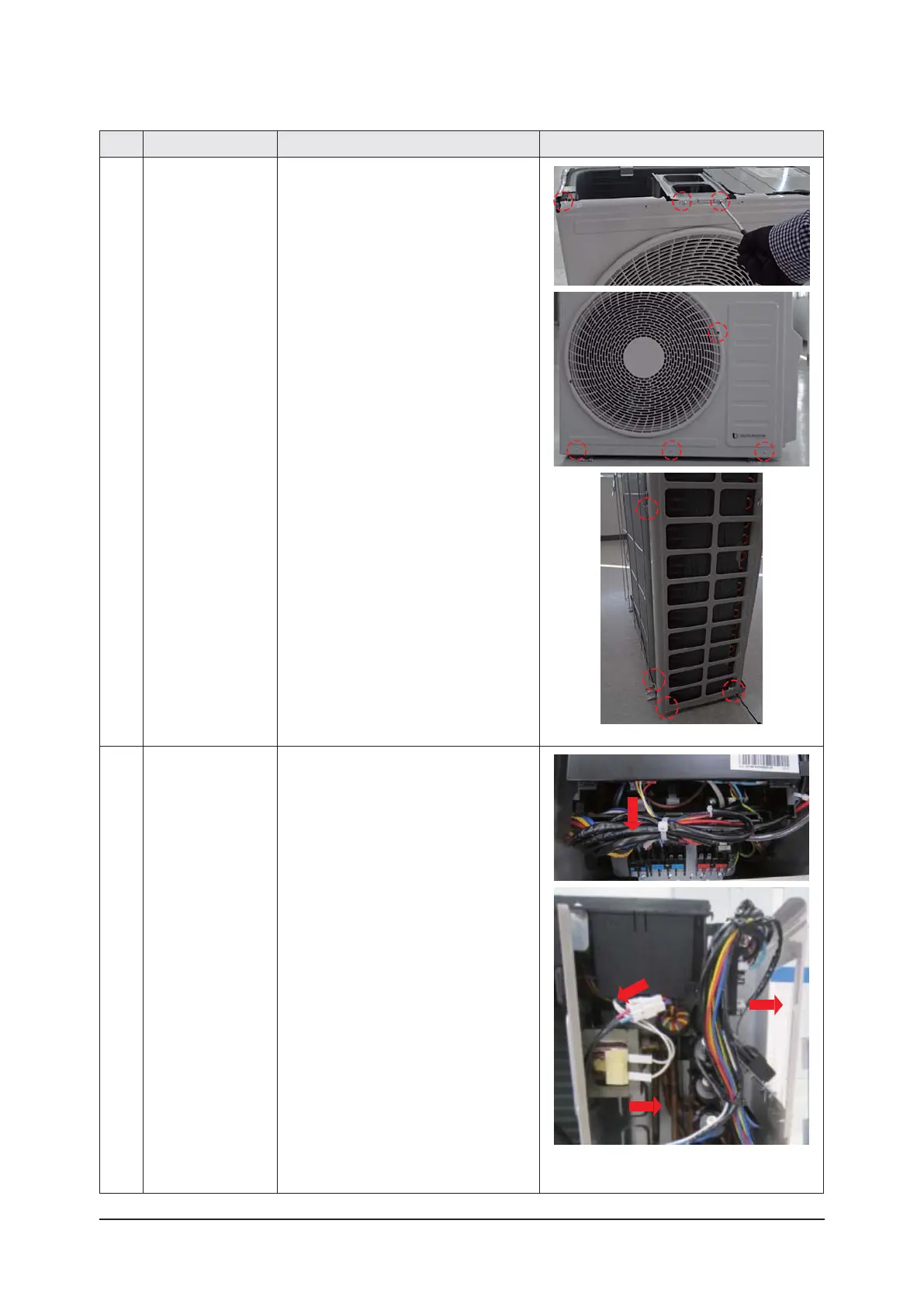
5) Loosen each 7 screws (CCW) on Cabinet
Front.
(Use +Screw Driver.)
6) Loosen each 4 screws (CCW) on Cabinet-
Side LF.
(Use +Screw Driver.)
2
Ass’y
Control Out
1) Detach the Motor Wire from the PCB of
Ass'y Control Out.
2) Detach comp wire and pressure switch-
wire from the PCB of A’ssy Control Out.
3) Detach 2 Connect Wires from Reactor.



 To Next Page