Troubleshooting
Samsung Electronics 4-7
3. Setting the indoor unit addresses manually
1. Review all the following elements in the installation:
• Installation site strength
• Piping connection tightness to detect any gas leakage
• Connection wiring
• Heat-resistant insulation of the piping
࡙Uθɇɇ˝ʪ
• Earthing wire connection
2. Manually set the indoor unit options by referring to page 30~35.
3. Press the K3 button once or reset the outdoor unit.
• The Display 1/2 indications are the same as in the automatic address setting mode.
NOTE
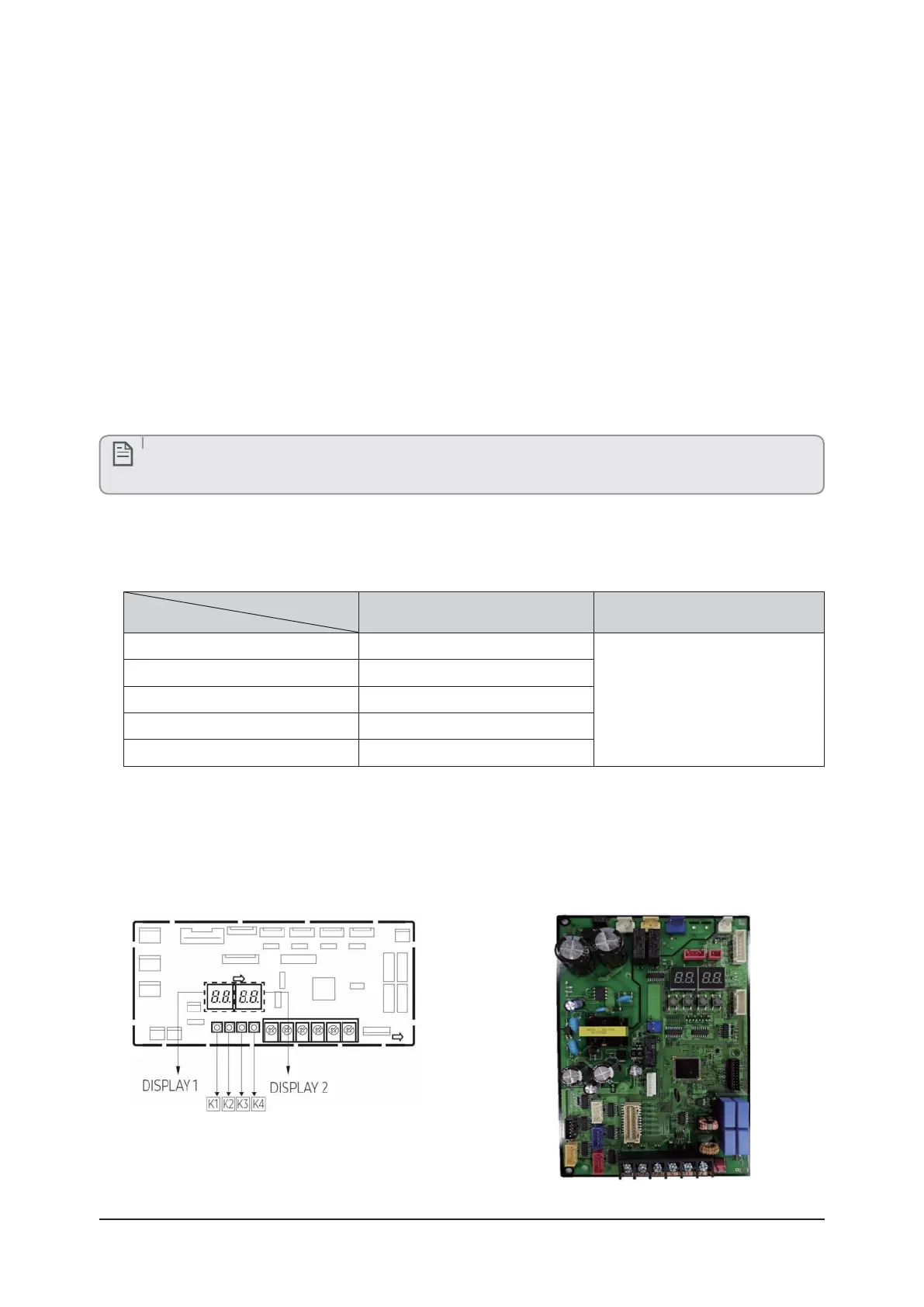
Setting of Key and Display of the outdoor unit
࡙çʪцͱΧϩͱͱ˙ϩ˵ʪͱЇϩʒͱͱθЇϩ
ࣚçߢࡏЇʀϩͱɵЇϩϩͱ ࣗçߤࡏŵʪϑʪϩɵЇϩϩͱ
Key
K1 K3
Push
1 Pipe Checking Operation
Reset
2 Cool Mode Try run
3 Heat Mode Try run
4 ťЇΧUͱи
5 Finish Key Operation
࢘ͱθͱθʪ˙ͱθɇϩͱͱ˙ϩ˵ʪAͱͱͱθ²ʪɇϩƟθцθЇϩʪϑϩࡡθʪ˙ʪθϩͱΧɇ˝ʪߥࣗߣߪࢋ
࡙çߥǤʪиͱʒʪUϑΧɇцʀ˵ɇ˝ʪϑ
- PCB MAIN - OUT
(
AJ020TXJ2CH, AJ024TXJ3CH)
- PCB MAIN – OUT
(
AJ020TXS3CH, AJ***TX*4CH, AJ***TX*5CH)



 To Next Page