Troubleshooting
4-10 Samsung Electronics
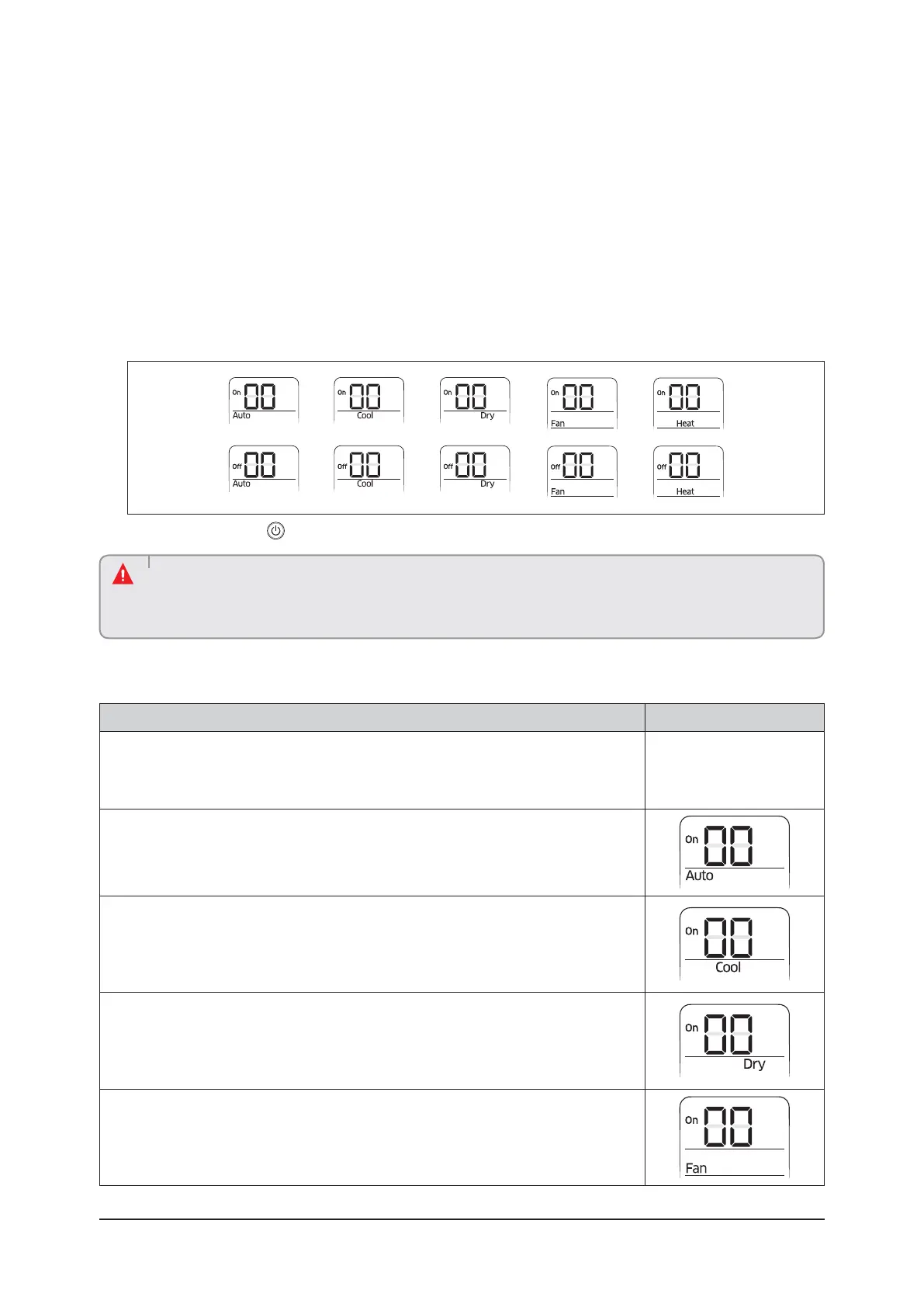
4-3-1 Setting Option
ߢ Remove batteries from the remote controller
ߣ Insert batteries and enter the option setting mode while pressing ❷ button and ❸ button.
ߤ Each time you press ❺button, 7-seg on left side is increased by “1” and each time you press ❹button,
7-seg on right side is increased by “1”
ߥ You press ❶ button to move to the next setteing page.
ߦ After setting option, press ❶ button to check whether the option code you input is correct or not.
ߧ Press operation button with the direction of remote control for set.
• SEG1, SEG7, SEG13, SEG19 are not set as page option.
• Set the SEG1, SEG7 as ON status and SEG13, SEG19 as OFF status.
ࣚƊʪϩϩ˵ʪʪɇʀ˵ͱΧϩͱϑʪΧɇθɇϩʪцϑʀʪцͱЇʀɇͱϩϑʪϩϩ˵ʪUUŵkƊƊϑʪϩϩ˝ɇʒʒͱͱθЇϩϑϩɇɇϩͱϑʪϩϩ˝
option at the same time.
CAUTION
4-3-2 The procedure of setting option
Operation Indication
ƊϩʪΧߢ
1 Remove the batteries from the remote controller.
2 Insert batteries while pressing ❷ Button and ❸ Button.
ƊϩʪΧߣ
1 Press ❺ button to enter SEG2 value.
2 Press ❹ button to enter SEG3 value.
ƊϩʪΧߤ
Press ❶ button to be change to Cool mode in the ON status.
1 Press ❺ button to enter SEG4 value.
2 Press ❹ button to enter SEG5 value.
ƊϩʪΧߥ
Press ❶ɵЇϩϩͱϩͱɵʪʀ˵ɇ˝ʪʒϩͱUŵǽͱʒʪϩ˵ʪĮĘϑϩɇϩЇϑࢋ
1 Press ❺ button to enter SEG6.
2 Press ❹ button to enter SEG8.
ƊϩʪΧߦ
Press ❶ button to be changed to FAN mode in the ON status.
1 Press ❺ button to enter SEG9 value.
2 Press ❹ button to enter SEG10 value.



 To Next Page