Troubleshooting
Samsung Electronics 4-11
Operation Indication
ƊϩʪΧߧ
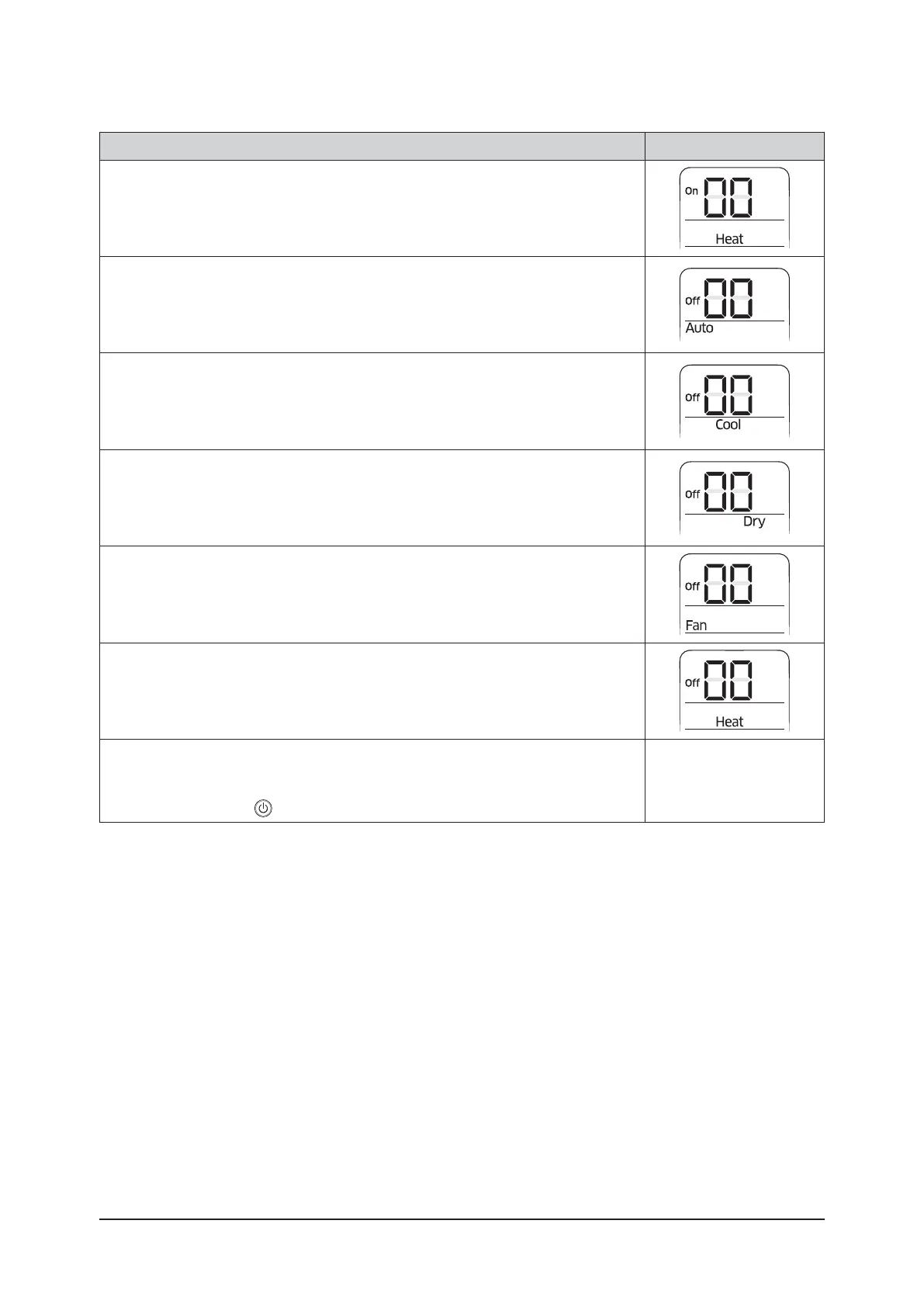
Press ❶ button to be changed to HEAT mode in the ON status.
1 Press ❺ button to enter SEG11 value.
2 Press ❹ button to enter SEG12value
ƊϩʪΧߨ
Press ❶ button to be changed to AUTO mode in the OFF status.
1 Press ❺ button to enter SEG14 value.
2 Press ❹ button to enter SEG15 value.
ƊϩʪΧߩ
Press ❶ button to be changed to Cool mode in the OFF status.
1 Press ❺ button to enter SEG16 value.
2 Press ❹ button to enter SEG17 value.
ƊϩʪΧߪ
Press ❶ɵЇϩϩͱϩͱɵʪʀ˵ɇ˝ʪʒϩͱUŵǽͱʒʪϩ˵ʪĮϑϩɇϩЇϑࢋ
1 Press ❺ button to enter SEG18 value.
2 Press ❹ button to enter SEG20 value.
ƊϩʪΧߢߡ
Press ❶ button to be changed to FAN mode in OFF status
1 Press ❺ button to enter SEG21 value.
2 Press ❹ button to enter SEG22 value.
ƊϩʪΧߢߢ
Press ❶ button to be changed to HEAT mode in the OFF status
1 Press ❺ button to enter SEG23 value.
2 Press ❹ button to enter SEG24 value.
ƊϩʪΧߢߣ
Press ❶ button to check whether the option code you entered is correct or not.
Press operation button
to enter option.



 To Next Page