English 31
05 Setup
Setup
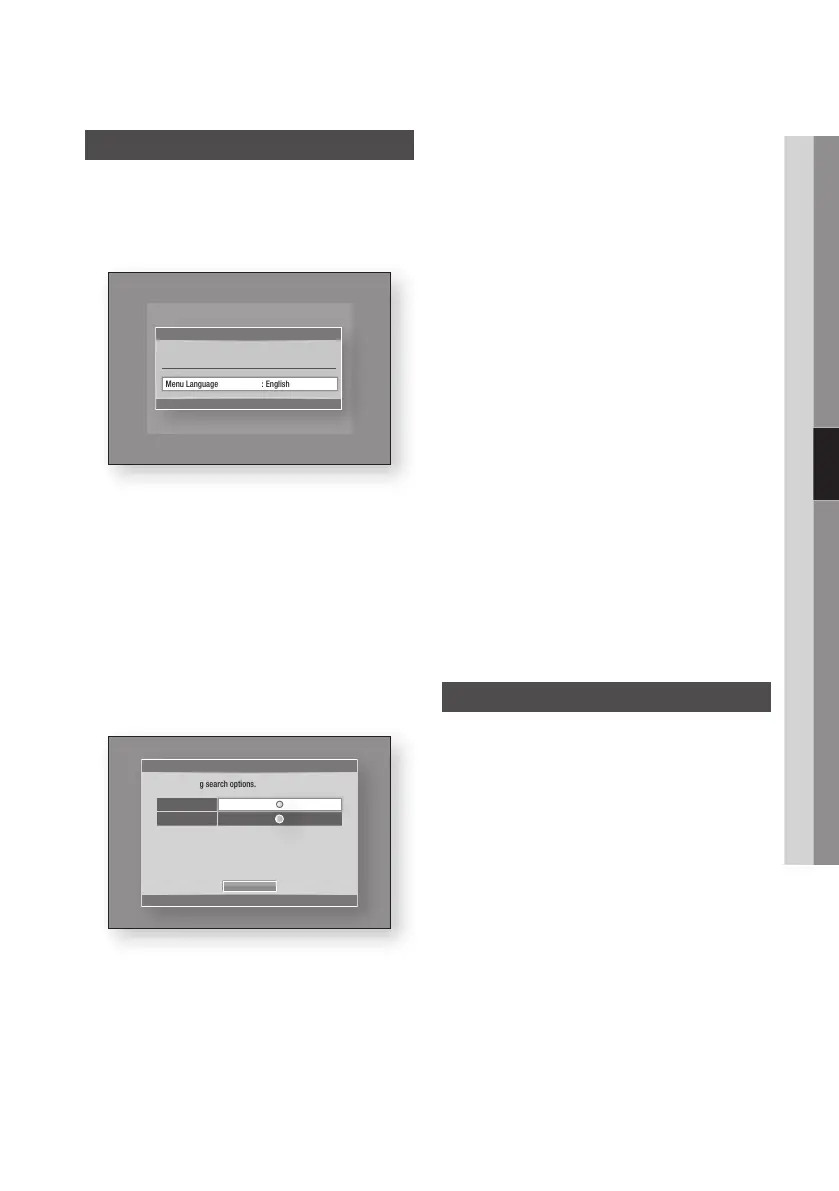
Before Starting (Plug & Play)
1. Turn on your TV after connecting the product.
When you connect the product to a TV for the
first time, product turns on automatically and
the Plug & Play screen appears.
2. Press the ►▲▼ buttons to select the desired
language, and then press the ENTER button.
3. Press the ►▲▼ buttons to select the desired
country, and then press the ENTER button.
4. Press the ►▲▼ buttons to select the desired
Clock Mode.
• If you select Auto : Press the ENTER
button.
• If you select Manual : Press the ▲▼◄►
button to set the clock, then press the
ENTER button.
5. Press the ▲▼ buttons to select the desired
Antenna Source, then press the ENTER
button.
• If you select Air : Press the ▼ button to
select the Search, then press the ENTER
button.
• If you select Cable : Press the ▼ button
to select the Next, then press the ENTER
button. Set the Search Mode option, then
press the ▼ button to select the Search
button.
6. Press the ►▲▼ buttons to select the desired
Region, and then press the ENTER button.
7. Press the ◄► buttons to the select the
Network Settings or Watch TV, then press
the ENTER button.
(For more information about Network settings,
please refer to pages 43~47)
✎
NOTE
`
When the product is connected to the TV for the
first time, the product turns on automatically. This is
normal operation.
`
Enter the desired 4-digit password using the number
buttons.
* Default password is set to 0000.
Accessing the Settings Menu
1. Press the MENU button.
The home menu will be displayed.
2.
Press the ◄► buttons to select the desired
home menu, and then press the ENTER button.
3. Press the ▲▼ buttons to select the desired
submenu, and then press the ENTER button.
4. Press the ▲▼ buttons to select the desired
item, and then press the ENTER button.
5. Press the EXIT button to exit the menu.
Plug & Play
" Enter
Menu Language : English
Select the OSD Language.
►
Plug & Play
a Previous d Skip > Move " Enter
Air
Cable
Search
Set Auto Tuning search options.











 To Next Page