English 55
06 Basic Functions
Using the TOOLS button
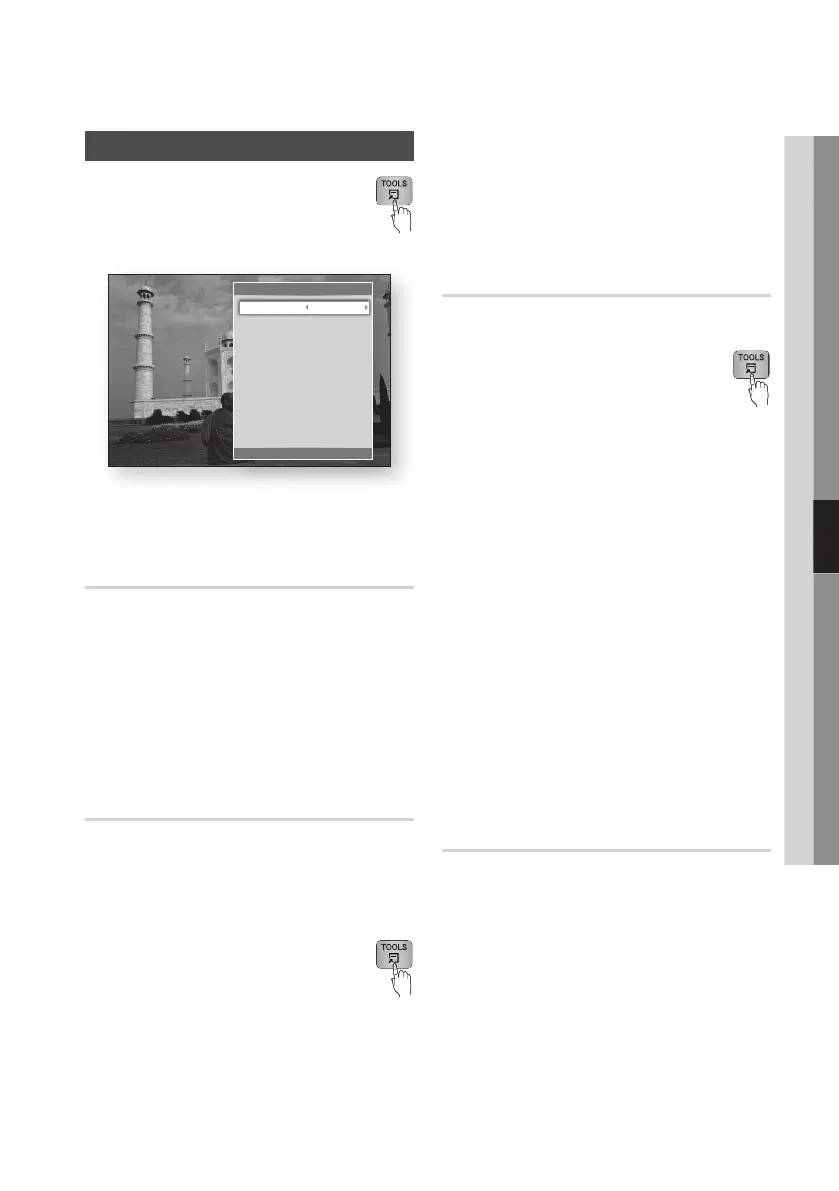
During playback, you can operate the disc
menu by pressing the TOOLS button.
• Tools Menu Screen
✎
NOTE
`
Depending on the disc, the Tools menu may differ.
Moving to a Desired Scene Directly
hzZy
1.
During playback, press the TOOLS button.
2.
Press the ▲▼ buttons to select Title Search,
Chapter Search, or Time Search.
3.
Press the ◄► or number button to select
desired Title, Chapter or Time, then press the
ENTER button.
Repeating the Title or Chapter
hzZy
To repeat the disc title or chapter.
Depending on the disc, the Repeat function may
not be available.
1. During playback, press the TOOLS
button.
2.
Press the ▲▼ buttons to select Repeat Mode.
3.
Press the ◄► buttons to select Chapter or
Title, then press the ENTER button.
4.
To return to normal play, press the TOOLS
button again.
5.
Press the ▲▼ buttons to select Repeat Mode.
6.
Press the ◄► buttons to select Off, then
press the ENTER button.
Repeating a Section
hzZy
1. During playback, press the TOOLS
button.
2.
Press the ▲▼ buttons to select Repeat Mode.
3. Press the ◄► buttons to select Repeat A-B,
then press the ENTER button.
4. Press the ENTER button at the point where
you want repeat play to start (A).
5. Press the ENTER button at the point where
you want repeat play to stop (B).
6. To return to normal play, press the TOOLS
button again.
7.
Press the ▲▼ buttons to select Repeat Mode.
8. Press the ◄► buttons to select Off, and then
press the ENTER button.
✎
NOTE
`
If you set point (B) before 5 seconds has lapsed, a
prohibition message appears.
`
Depending on the disc, the menu items may differ
and this menu may not be available.
Selecting the Picture Settings
hzZy
This function enables you to adjust video quality
when the product is connected to a TV.
1. During playback, press the TOOLS button.
2. Press the ▲▼ buttons to select Picture
Settings, and then press the ENTER button.
3. Press the ◄► buttons to select the desired
Picture Settings, and then press the ENTER
button.
Tools
< Change " Enter ' Return
Title Search 1/2
Chapter Search : 1/20
Time Search : 00:00:13/01:34:37
Repeat Mode : 0ff
Picture Settings : Normal
Audio : 1/1 JPN 2CH
Subtitle : 0/2 Off
Angle : 1/1
BONUSVIEW Video : Off
BONUSVIEW Audio : 0/1 Off











 To Next Page