64 English
DTV Functions
4. Press the ▲▼◄►buttons to select the
channel you want to set Timer Recording (or
Timer Viewing), press the RED (A) button.
5. Press the ENTER button.
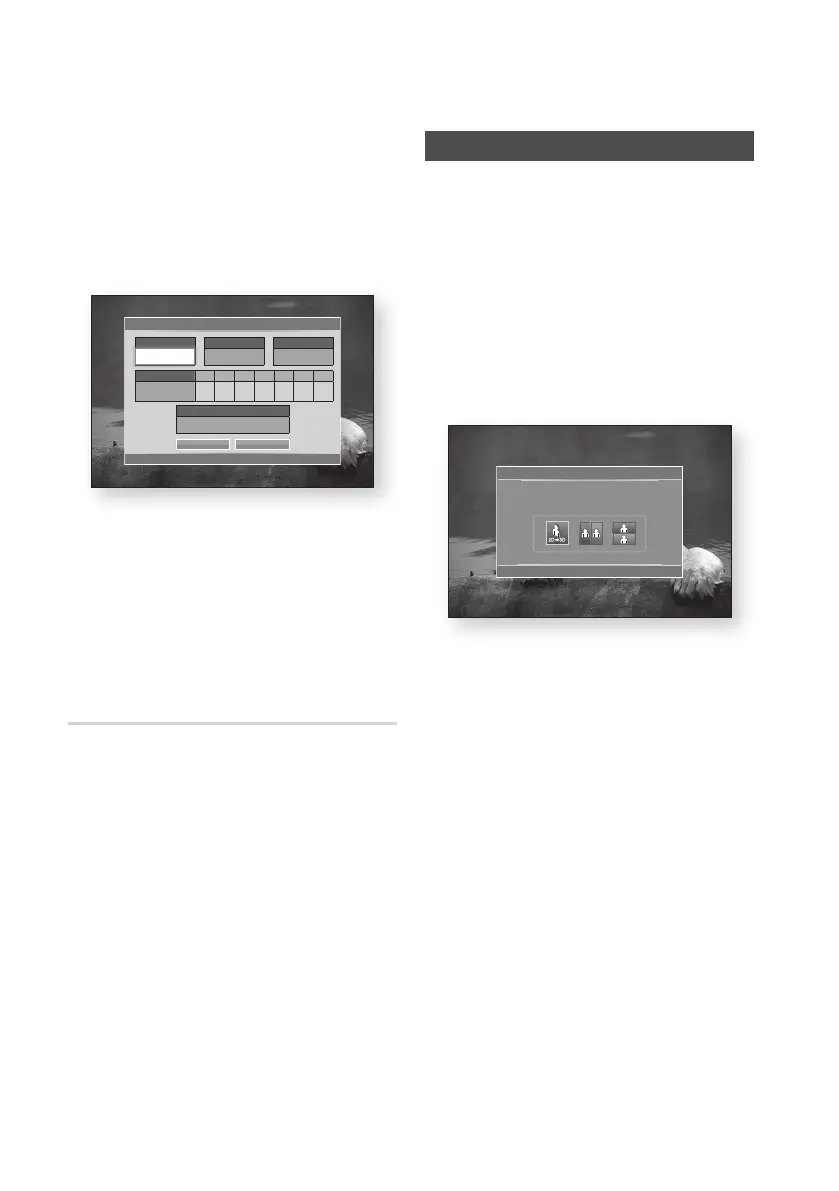
6. Press the ◄► buttons to select Timer
Viewing or Timer Recording, then press the
ENTER button.
7. Fill the input items using ▲▼◄► buttons,
then press the ENTER button.
8. Press the ENTER button again.
✎
NOTE
`
If the programme is set to Timer Viewing or Timer
Recording in the schedule manager, the Timer icon
does not appear on the guide screen.
To Cancel or Edit Schedule
1. Press the RED (A) button in the guide screen.
2. Press the ▲▼◄► buttons to select the
scheduled channel you want to cancel or edit,
then press the ENTER button.
3. Press the ◄► buttons to select the Cancel
Schedules or Edit, then press the ENTER
button.
✎
NOTE
`
If the reserved programme is edited in the schedule
manager, the Timer icon does not appear on the
guide screen.
Viewing DTV with the 3D effect
You can experience 3D effect with all live TV
programme and recorded TV programme.
1. During watching the TV programme or playing
recorded TV programme, press the 2D
3D
button on your remote control. The 3D menu
will appear.
• 2D
3D : Changes a 2D image to 3D.
• Side by Side : Displays two images next to
each other.
• Top and bottom : Displays one image
above another.
2. Press the ◄► buttons to select the desired
3D mode, then press the ENTER button.
3. If you press the 2D
3D button once more
during 3D viewing, displayed image will be
changed into 2D mode.
✎
NOTE
`
If you change TV channel during watching DTV in 3D
mode of Side by Side mode, displayed image will be
changed into 2D mode automatically.
`
When 3D effect of Side by Side mode is enabled,
you can not adjust 3D mode.
`
If TV programme is not support Side by Side, Top
and Bottom mode or Auto Detection function, 3D
menu selection OSD is not appear.
Timer Viewing
< Move " Enter ' Return
Antenna
DTV Air
Date Sun Mon Tue Wed Thu Fri Sat
01 / 01 / 2011
Channel
806
Repeat
Once
DTV Air
Start Time
01:02
OK Cancel
3D
< Move " Enter e Exit
Using the LEFT / RIGHT keys on the remote control, select the
icon suitable for the picture on screen.











 To Next Page