English 19
03 Getting Started
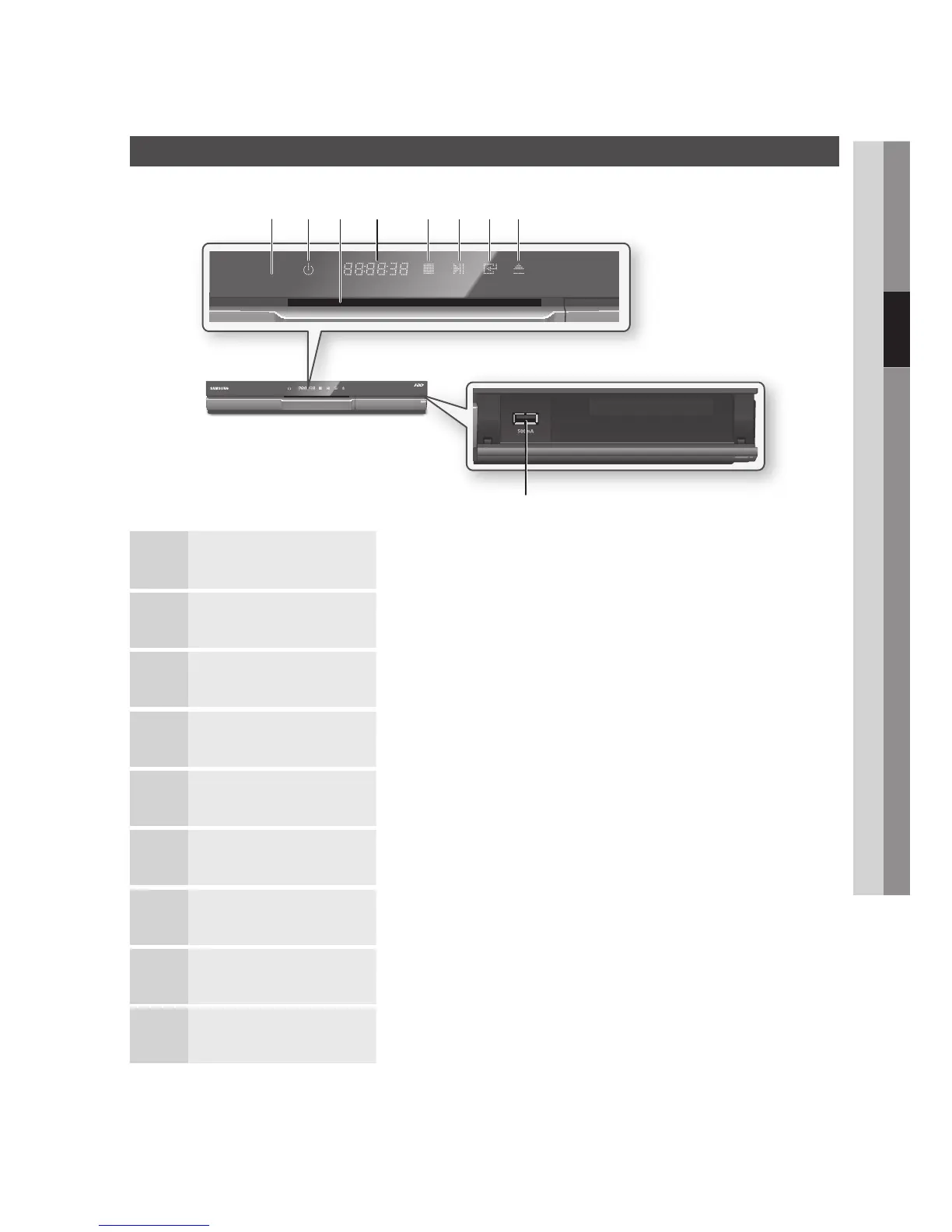
Front Panel
1
REMOTE CONTROL SENSOR Detects signals from the remote control.
2
POWER BUTTON Turns the product on and off.
3
DISC SLOT Inserts a disc.
4
DISPLAY Displays the playing status, time, etc.
5
STOP BUTTON Stops disc playback.
6
PLAY/PAUSE BUTTON Plays a disc or pauses playback.
7
ENTER BUTTON Selects menu items or starts a disc.
8
EJECT BUTTON Ejects a disc.
9
USB HOST It can be used for software upgrades and MP3/JPEG/DivX/MKV/MP4 playback.
a bc d ef gh
i











 To Next Page